
Can I back up my files on a Mac or Linux?
Yes. Backup by Zaweba has a Mac and Linux version with the same engine as on Windows: folder pairs, Echo, Mirror or Synchronise, and a preview first.
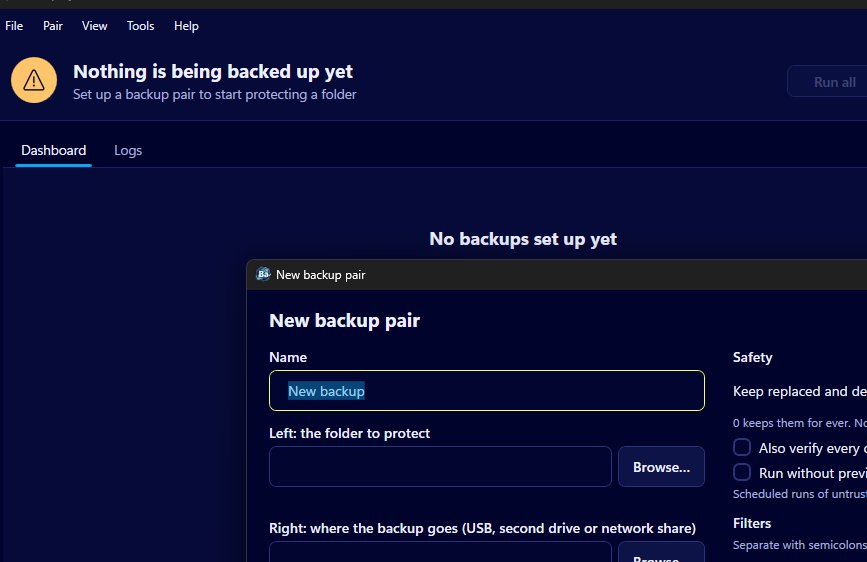
Yes, you can. There is a macOS and Linux version of Backup by Zaweba, the same app with the same engine as the Windows one. You set up pairs of folders, choose Echo, Mirror or Synchronise, preview the run and keep old copies safe in the same way, copying to a USB stick, a second drive or a network share.
It's free, works offline and needs no account, like the Windows version, so your files go only to drives you own.
What a backup looks like here
Every backup is a pair of folders: the one you want to protect on the left and the place the copy goes on the right. A typical first pair is your Documents folder on the left and a USB stick on the right. Each pair has its own mode, schedule and filters, and appears on the dashboard as a card with a green tick, an amber exclamation mark or a red cross, so you can tell at a glance whether it's up to date.
Setting up your first pair
Start a new backup pair, give it a name and choose the two folders with the Browse buttons. Leave the mode on Echo for now. It's the default and the safest, because it copies new and changed files to the backup and never removes anything from it.
Run the pair with its preview. The preview shows the left and right folders, counts and sizes, and a list of every step with the reason for it. Nothing changes until you click Run, so read it through, then run it. The first run copies everything; after that, runs carry across what has changed.
When you're happy, pick a schedule, such as daily, weekly or at login, or leave it manual. To have schedules work after a restart, turn on start at login. On macOS this uses a LaunchAgent, and on Linux an autostart entry, the usual way each system starts programs when you sign in.
The same safety rules
Because the engine is shared, the protections are too. A file that a run would overwrite or remove is first moved to a _zaweba_versions folder with the date and time, and kept for 30 days unless you choose otherwise. A Mirror or Synchronise run that would move a large share of files stops at the preview. If the source folder can't be found, the run stops rather than treating it as empty. Copies are written under a temporary name and only take their real name once checked.
External drives without drive letters
Macs and Linux machines don't give drives letters the way Windows does. Backup identifies each drive by its UUID instead, so a pair finds its own stick or disk however the system mounts it.
Mixed households and offices
If some computers in the house or office run Windows and others run macOS or Linux, everyone can use the same tool, with the same words for the same things. A pair set up on Windows can also be read by the Mac and Linux version, which helps when someone moves from a PC to a Mac and wants to keep their backup routine.
For anyone who wants plain, visible folder backups on a Mac or a Linux machine without signing up to a cloud service, Backup by Zaweba covers the job.

