
PDF by ZawebaPDFs that open before you blink.
PDFs that open before you blink, and never leave your PC. A fast, offline PDF viewer that opens huge files in a blink, with tabs, quick search and thumbnails, lets you change the text in your PDFs, and prints them just how you want.
This version isn't signed for Windows yet: if SmartScreen warns you, choose More info › Run anyway. Why?

PDF by Zaweba opens even enormous documents almost instantly and scrolls smoothly at any zoom from 25 to 800 percent. Open several PDFs in tabs, let search jump straight to every match, and use page thumbnails to find your way round long files.
Now it edits text too. Fix a typo, update a date or rewrite a paragraph right on the page. Move or resize a block of text and the words wrap to fit, change its font, size, bold, italic or underline, or copy, paste and delete it. Save, undo and redo, all offline.
And it prints, with a preview of every sheet. Choose the pages, copies, paper and orientation, fit to the paper or print at actual size, put up to 16 pages on a sheet, and print two-sided or in black and white.
It is in early access. Page tools, annotations and signatures, forms, OCR, redaction and batch work are still to come, each arriving as a free update, and all of it working offline so your documents stay on your PC.
Who it's for
- Anyone who opens big manuals, reports or scanned books
- People who would rather not upload private documents to a website
- Anyone who wants a quick PDF viewer without adverts or accounts
Good to know
- Early access: viewing, text editing and printing now; more editing tools arrive in later phases
- Only real text can be edited, not scanned pages (pictures of words)
- Password-protected PDFs open when you type the password
Private by design
- Works offline, with no account and no adverts.
- Checks zaweba.com once a day for a newer version, sending only the app's name.
- Problem reports and feedback are sent only if you click Send.
Everything you need, nothing you don't.
Opens in a blink
A 300-page PDF shows its first sharp screen in around a tenth of a second, and searching it takes about a seventh.
Move, copy and delete
Drag text to a new place or new size and it rewraps. Copy, cut, paste and duplicate blocks of text, or delete them.
Tabs and thumbnails
Open several PDFs in tabs, drop files on the window to add them, and jump round long documents with page thumbnails.
Print with a preview
Pick pages such as 1-3, 7, odd or even, copies, paper and up to 16 pages a sheet, and see every sheet before it prints.
Edit the text
Change the words in a PDF where they are, then save. Every letter the PDF's own font has stays in that font, so edits keep the look. Undo and redo as you go.
Font, size and style
Change a block of text's font, size, bold, italic and underline. The PDF's own fonts are listed first, then the fonts on your PC.
Built for speed first
PDF by Zaweba draws only the pages near where you are looking and keeps recent pages ready in memory. Scrolling stays smooth even while pages are still drawing, and one landscape page in a portrait document doesn't shrink all the others. The file is never locked, so you can save over it elsewhere.
- Opens large files almost instantly
- Smooth scrolling while pages draw
- Light and dark themes
Edit the words, keep the look
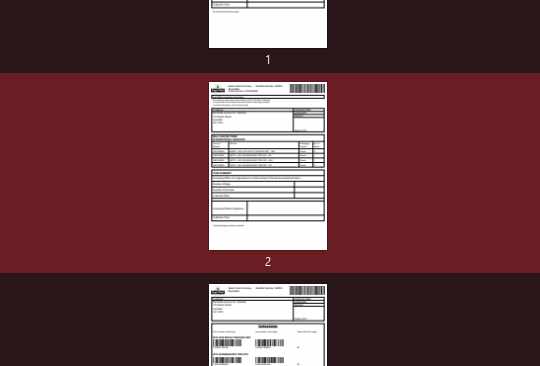
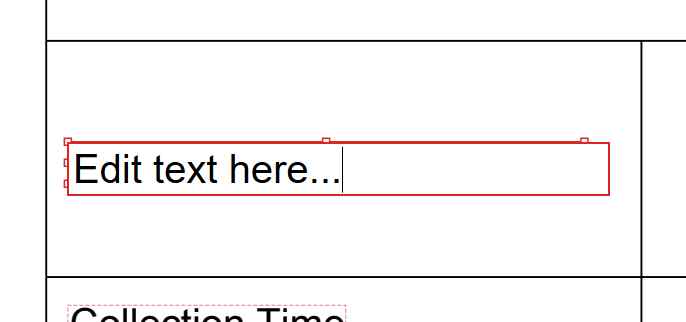
Turn on Edit text and every block of text on the page is outlined. Double-click one to change its words in place. Drag it to move it, or drag its handles to resize it, and the text wraps to fit and keeps the size you give it, or type an exact width and height. Edited words stay in the PDF's own font, and the font file can be saved. The Text panel changes its font, size, bold, italic and underline, and blocks can be copied, pasted and deleted. Only real text can be edited: a scanned page is a picture of words, and PDF by Zaweba tells you so. More tools follow as free updates: pages, annotations and signatures, forms, OCR, redaction and batch work.
- Change words in place, then save
- Font, size, bold, italic and underline
- Move, resize, copy, paste and delete text
The details
| Works on | Windows 10 and 11 (64-bit) |
|---|---|
| Opens | PDF files, including password-protected ones |
| Zoom | 25 to 800 percent, fit page, fit width and actual size |
| Edits | Real text: its words, font, size, bold, italic and underline; move, resize, copy, paste and delete it; saves PDF |
| Prints | Any pages, copies, paper size, orientation, fit or actual size, 1 to 16 pages a sheet, two-sided, colour or black and white, with a preview |
| Status | Early access: viewer, text editing and printing |
| Version | Version 0.9.7 |
| Download | ZawebaPDF-0.9.7.zip (73 MB): unzip and run, no installer |
| Licence | Free for everyone, with every feature included. No warranty |
PDF FAQ
What can PDF by Zaweba do today?
It is a fast viewer with tabs, search, thumbnails and Go to page, and it edits text: change the words in a PDF, their font, size, bold, italic and underline, move, resize, copy or delete a block of text, then save. More editing tools arrive in upcoming phases. It also prints, with a preview, any pages, several to a sheet, two-sided or in black and white.
Can it edit a scanned document?
Not the words in it. A scan is a picture of the page, so there is no text to change. PDF by Zaweba edits text that is still real text in the PDF, and tells you when a page is a picture.
Will my edits keep the same font?
Where it can. Many PDFs carry only the letters they use, so every letter the PDF's font has stays in that font, and only a letter it hasn't got uses a stand-in: the same font elsewhere in the PDF or from Windows, or else the closest standard one. PDF by Zaweba says which letters, and can save the PDF's font file for you.
Will the editing features cost extra?
No: every phase arrives as a free update, and every feature is included.
Does it upload my documents?
No. Everything happens on your PC. The file is read into memory, so it isn't locked while open and other programs can still save over it.
Related apps

Read
Reads the text in scans, phone photos, screenshots and scanned PDFs on your PC, and saves it as text, .docx, searchable PDF or CSV.
Explore Read
Write
A simple, offline word processor with real pages, styles, tables and spell check. It saves .docx, so your files open anywhere.
Explore Write
Publish
Lay out flyers, newsletters, posters, menus and cards with linked text and wrapping pictures, then export print-ready PDFs.
Explore Publish
Pub Converter
Turns .pub files into PDFs, PNG pages or editable Publish by Zaweba files, one at a time or a whole folder, with a report on each.
Explore Pub Converter
Try PDF today.
Download PDF by Zaweba: no account, no adverts, every feature included.