
Contact by ZawebaEvery enquiry answered, every customer in one place.
Every enquiry and customer, one conversation each, beside your email. Collects new mail from your mailboxes and turns it into enquiries and customers, each with one conversation, tags, stars, notes and reminders.
This version isn't signed for Windows yet: if SmartScreen warns you, choose More info › Run anyway. Why?
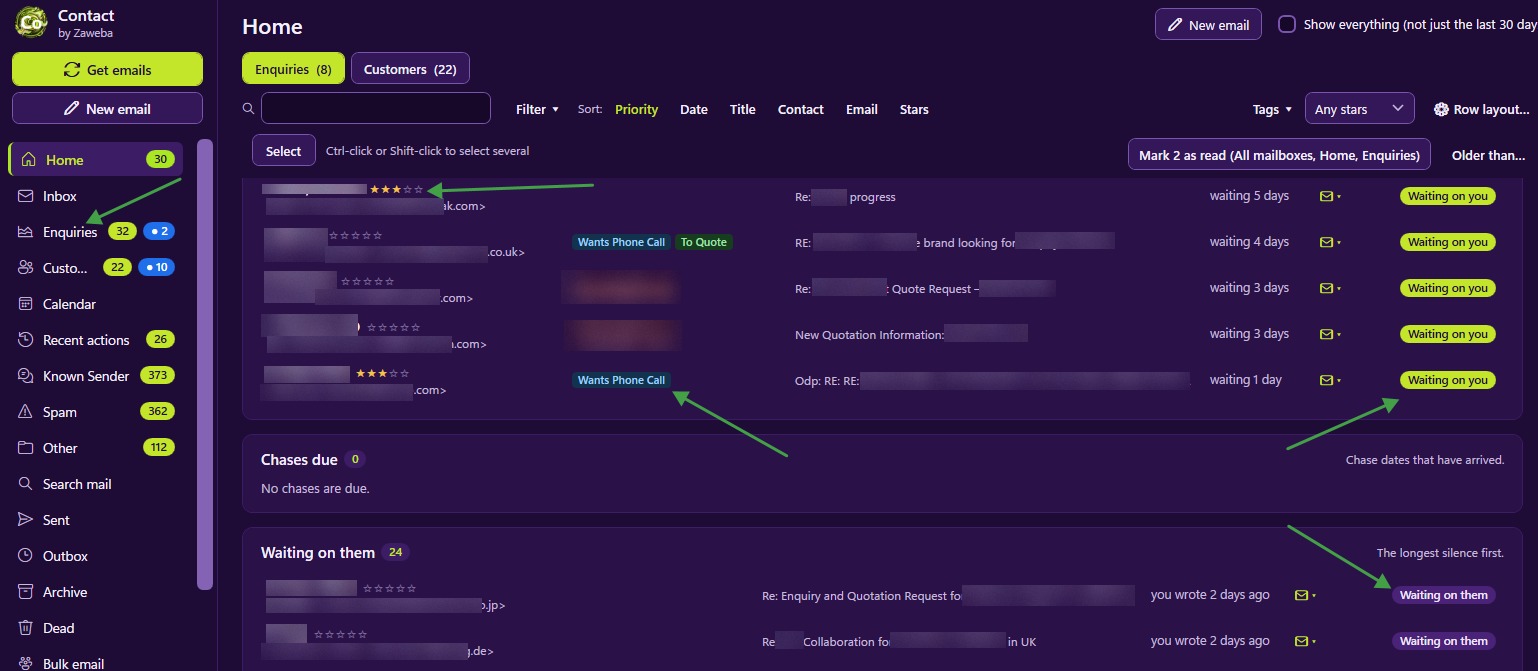
Contact by Zaweba is a contact and enquiry manager for small businesses that sits beside your email program. Your email program stays your mailbox; Contact collects new mail from one or more mailboxes every 30 minutes, or when you press Get emails, and turns what matters into enquiries and customers. Each one has a single conversation, as a list or a timeline, with replies, attachments, tags, stars and notes.
Run several shops or brands? Add a mailbox for each and see them in one combined inbox or one at a time. Senders you know are filed out of the way, spam goes to the mailbox's Junk folder, and every change Contact makes is listed in Recent actions with its own Undo. It all stays on your PC, with your passwords encrypted for your Windows account.
Who it's for
- Small businesses answering enquiries from one or more mailboxes
- Online shops with customers who write about their orders
- Teams that live in their inbox but lose track of who is waiting on a reply
- Anyone running several brands from one desk
Good to know
- Works with any mailbox that offers IMAP and SMTP; Microsoft 365 and Gmail need an app password for now
- The only change it makes to your mailbox is moving spam to its Junk folder, which you can switch off
- Checks mail, sends scheduled emails and shows reminders while it is running, including from the notification area
Private by design
- Works offline, with no account and no adverts.
- Checks zaweba.com once a day for a newer version, sending only the app's name.
- Problem reports and feedback are sent only if you click Send.
Everything you need, nothing you don't.
Enquiries from your inbox
New mail becomes an enquiry or joins a customer in a click, with the name, email and phone filled in from web forms.
One conversation each
Everyone at a customer's company in one conversation, as a list or a timeline, with chase dates and who is waiting on whom.
Tags, stars and notes
Tag records as Refund, Return or Quote, star your best customers, keep notes, and filter every list by them.
Several mailboxes and brands
One combined inbox or one brand at a time, each with its own colour, address, signature and templates.
Calendar and reminders
Appointments, reminders with Windows notifications, chase dates and invitations, in day, week, month and agenda views.
Undo for every change
Recent actions lists every change in plain words, each with its own Undo, kept for 30 days.
From inbox to customer in a click
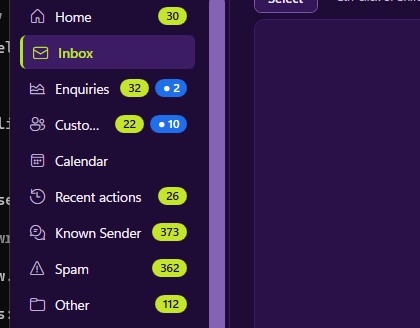
Contact reads new mail without changing it, so your email program is unaffected. For each new sender choose New enquiry, Known customer, Known sender, Spam or Other, and Contact remembers the choice for next time. Mail from anyone at a customer's company joins their conversation automatically, and order numbers in the subject are suggested as the title.
- Reads mail without marking it read
- Matches everyone at a company domain
- Watch rules pin important mail to the top
Replies, templates and bulk email
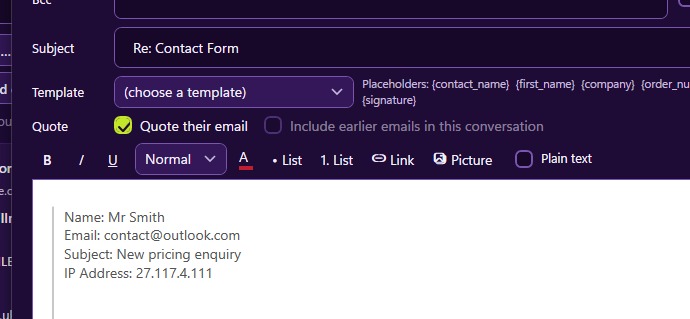
Reply from the address the customer wrote to, with the right signature. Templates fill in names, companies and order numbers, Send later picks the time, and Bulk email sends separate personal emails to the records you filter, with a count before anything goes.
- Templates with name and order-number fields
- Send later, never sent twice
- Bulk email as separate personal emails
The details
| Works on | Windows 10 and 11 (64-bit) |
|---|---|
| IMAP and SMTP with SSL/TLS or STARTTLS; several mailboxes and send-as addresses | |
| Calendar | Appointments, reminders and invitations; exports .ics |
| Exports | Email as EML or MBOX, records as CSV, and a one-file backup of everything |
| Security | Passwords encrypted for your Windows account |
| Version | Version 4.0.0 |
| Download | ZawebaContact-4.0.0-beta.zip (97 MB): unzip and run, no installer |
| Licence | Free for everyone, with every feature included. No warranty |
Contact FAQ
Does it replace my email program?
No, it sits beside it. Your email program stays your mailbox; Contact keeps the enquiries and customers, their conversations and your follow-ups in order. It reads mail without marking it read.
Will it change anything in my mailbox?
Only one thing: mail you file as spam is moved to the mailbox's Junk folder, done safely and undoable. Everything else, including Known sender and Other, stays inside Contact.
Can I take my data with me?
Yes. Export email as EML or MBOX (most email programs can import it), records as CSV, or back up everything to one zip file.
Related apps

Labels
Keep contacts in groups, then print address labels, envelopes and badges onto Avery sheets, thermal rolls or PDF, lined up exactly.
Explore Labels
Write
A simple, offline word processor with real pages, styles, tables and spell check. It saves .docx, so your files open anywhere.
Explore Write
Base
Design tables, forms, queries and reports in a visual database builder, then export the lot as a working PHP and MySQL website.
Explore Base
Publish
Lay out flyers, newsletters, posters, menus and cards with linked text and wrapping pictures, then export print-ready PDFs.
Explore Publish
Try Contact today.
Download Contact by Zaweba: no account, no adverts, every feature included.