
Paint by ZawebaEdit, paint and retouch at the speed of thought.
A seriously fast image editor that never phones home. Layers, masks, live layer effects, a brush engine that feels like paint and one-click background removal, all offline on your own PC.
This version isn't signed for Windows yet: if SmartScreen warns you, choose More info › Run anyway. Why?
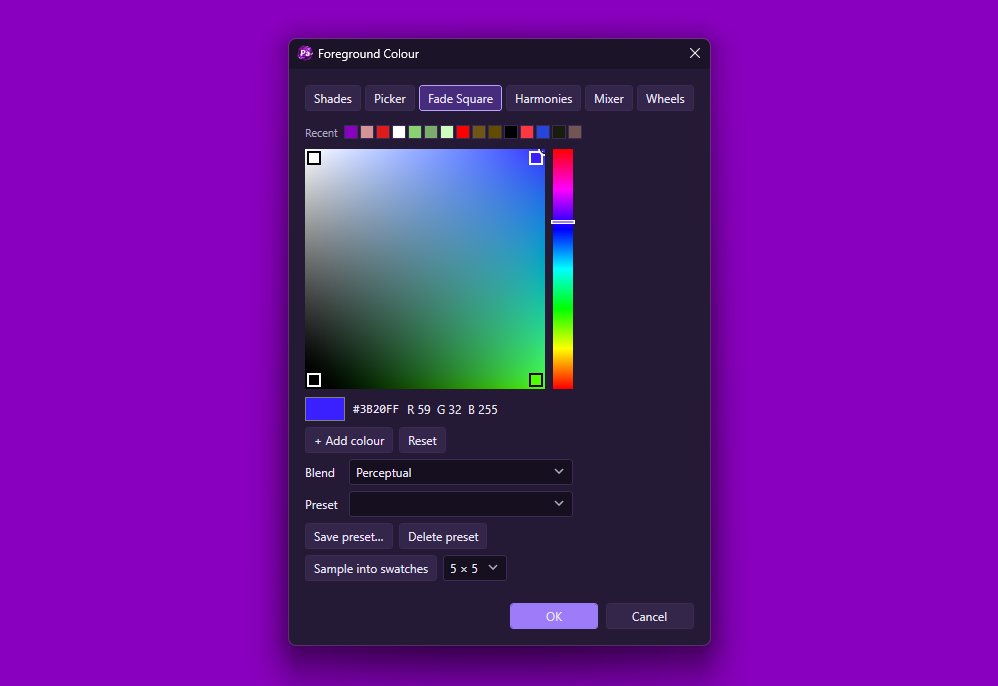
Paint by Zaweba is a full image editor for Windows that starts in a blink and stays out of your way. It draws on your graphics card, keeps text, shapes and adjustments editable as layers, and never sends a single pixel to the cloud. No account, no sign-in, no AI service.
Cut a product out of its background, retouch a portrait, add a glow to a logo or paint from scratch with a tablet. Several artboards share one canvas, 41 filters preview live, and every tool, brush and file format is a plugin, so you can add your own. Almost everything you do can be undone.
Who it's for
- Photographers who want quick, careful retouching
- Online sellers cutting products out of their backgrounds
- Digital painters with a pen tablet
- Designers making social posts and web graphics in several sizes
Good to know
- Draws with your graphics card (OpenGL) and switches to the processor by itself if that fails
- The very first start after installing takes a few seconds longer while Windows checks the new program
Private by design
- Works offline, with no account and no adverts.
- Checks zaweba.com once a day for a newer version, sending only the app's name.
- Problem reports and feedback are sent only if you click Send.
Everything you need, nothing you don't.
Layers that stay editable
Pixel, text, shape, group and adjustment layers with masks, blend modes and opacity. Change your mind at any point.
A brush engine like real paint
Pressure and tilt, jitter, scatter, wet edges, oscillators, canvas spin and automatic paths. Mix a gradient into any brush.
Selections that do the hard work
Magnetic lasso, magic wand, colour range, select subject, Refine Edge and one-click plain-background removal.
Live layer effects
Glows, drop shadows, strokes and colour, gradient or pattern overlays that follow every edit, with presets such as Neon glow.
Retouching tools
Content-aware fill, spot healing, healing brush, patch and clone stamp, for removing blemishes, wires and photobombers.
Artboards and mosaics
Design several sizes side by side, or a whole grid of images, in one document, then export them all at once.
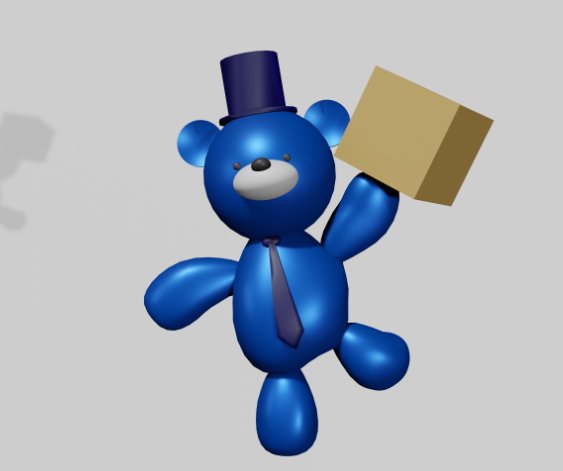
Cut-outs in one click
Point Paint at a product photo and it finds the plain background, builds a clean mask and leaves you with a crisp cut-out. Refine Edge handles hair and soft edges, and the mask stays editable, so you can paint back anything you want to keep. Nothing is ever lost.
- One-click plain-background removal
- Refine Edge for hair and soft edges
- Selections become masks you can paint on
Brushes with a mind of their own
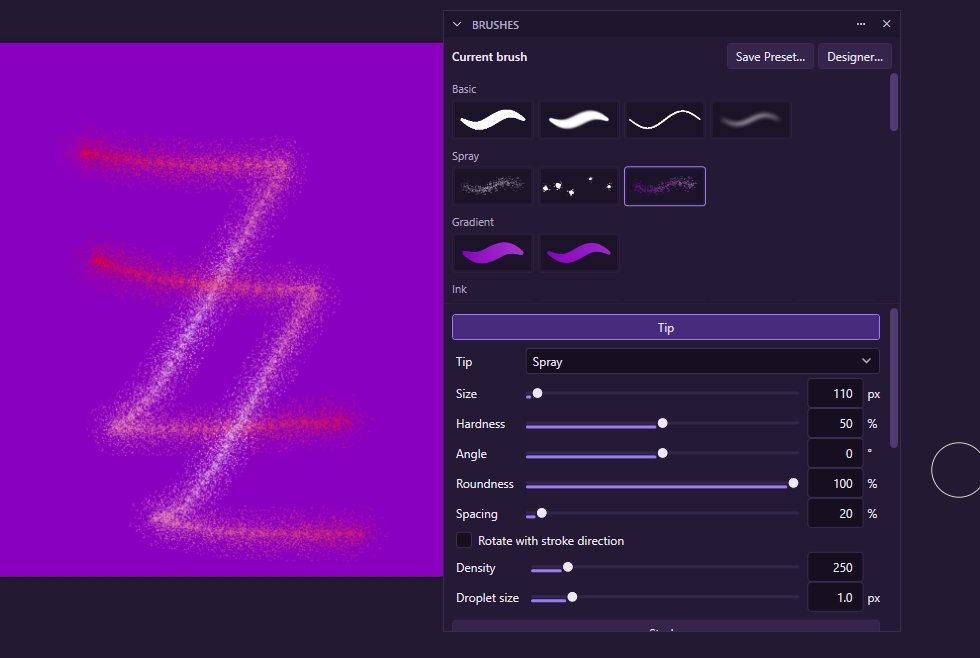
One engine drives the brush, pencil, eraser, clone, healing, smudge, blur and sharpen tools. Colour, spin and motion are separate effects you can mix on any brush: paint a gradient along a stroke, spin the canvas like a potter's wheel, or let the brush draw a spirograph pattern by itself.
- Pen pressure and tilt, jitter, scatter and wet edges
- Canvas spin and automatic spirograph paths
- A Brush Designer for making your own
Batch hundreds of images
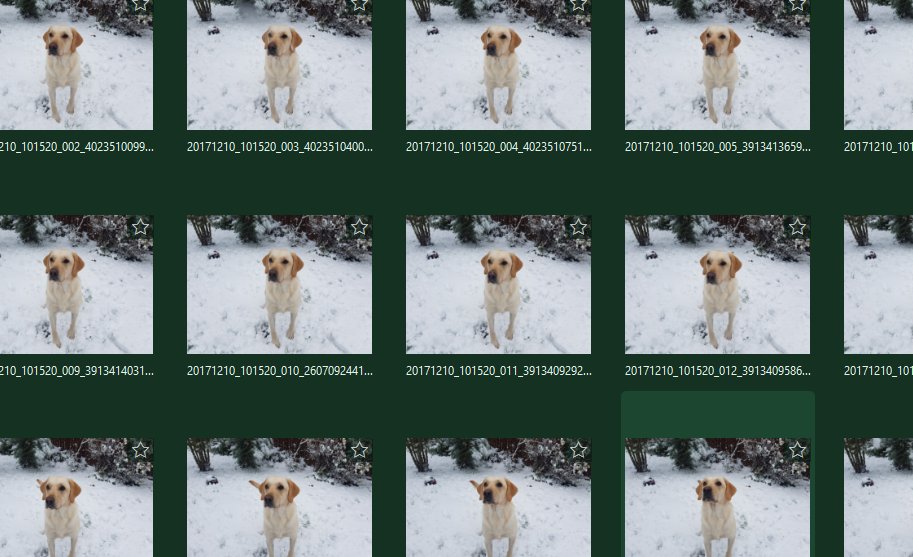
Resize, pad, filter, remove backgrounds and export whole folders with a saved batch action, then go and make a cup of tea. Save for Web shows the before and after with the file size, so you can pick the right quality before you commit.
- Batch actions you can save and reuse
- Runs from the command line too
- Save for Web with before, after and file size
The details
| Works on | Windows 10 and 11 (64-bit) |
|---|---|
| Opens | PNG, JPEG, WebP, TIFF, BMP, GIF (first frame), ICO, PSD (pixel layers), native .ptx |
| Saves | PNG, JPEG, WebP, TIFF, BMP, GIF, ICO, native .ptx with every layer editable |
| Input | Mouse, touch and pen tablets with pressure and tilt |
| Extending | Free plugin SDK for tools, brushes, shapes, filters and file formats |
| Version | Version 0.3.6 |
| Download | ZawebaPaint-0.3.6.zip (99 MB): unzip and run, no installer |
| Licence | Free for everyone, with every feature included. No warranty |
Paint FAQ
Can I open PSD files?
Yes, with their pixel layers. Keyboard shortcuts follow the usual image-editor conventions and can be remapped. Editable PSD text, masks and effects aren't imported, so keep the original for those.
Does it keep transparency when I save?
Yes. PNG, WebP, TIFF and the native format keep transparency. If you try to save an image with transparent areas as a JPEG, Paint warns you and offers PNG instead.
Can I use my drawing tablet?
Yes. Pen pressure and tilt drive the brush engine, and you can tune any brush, or build your own, in the Brush Designer.
Related apps
Easel
A painting studio where every tool behaves like the real thing: watercolours run and bloom, oils stay wet and pencils catch the paper's grain.
Explore Easel
Vectornation
Pen, shape builder, live effects, brushes, gradient mesh, image trace, print-ready PDF/X and professional type, opening and saving SVG, PDF, AI, EPS, DXF and DWG.
Explore Vectornation
Snap
Capture a region, window or screen, add arrows, text, numbered steps and blur that really hides things, then copy or save. Lives in the tray.
Explore Snap
Anima
Timeline, keyframes, shape and motion tweens, symbols and simple actions, then publish a small player that runs on any website.
Explore Anima
Try Paint today.
Download Paint by Zaweba: no account, no adverts, every feature included.