
Image Viewer by ZawebaOpen a picture, see the picture.
Double-click a photo and there it is. Nothing more to it. A plain, fast picture viewer: the photo fills the window, the arrow keys step through the folder, and it starts in about half a second.
This version isn't signed for Windows yet: if SmartScreen warns you, choose More info › Run anyway. Why?
The Mac app isn't notarised by Apple yet: the first time, open it, then go to System Settings › Privacy & Security and choose Open Anyway. On Linux, make the AppImage executable (right-click › Properties, or chmod +x) and run it, or install the .deb.
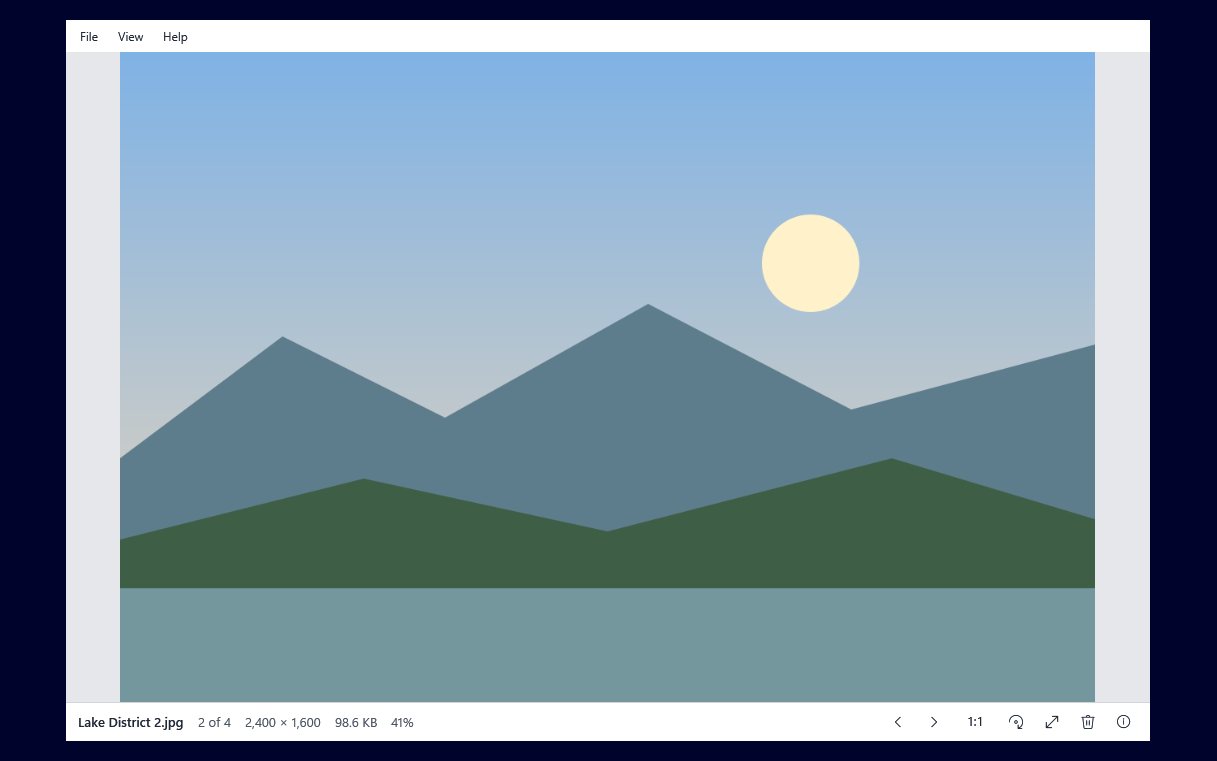
Image Viewer by Zaweba is the plain viewer a photo opens in when you double-click it. It starts in about half a second, the picture fills the window and there is almost nothing else on screen: a menu at the top and a slim bar along the bottom with the name, "12 of 87", the size and the zoom.
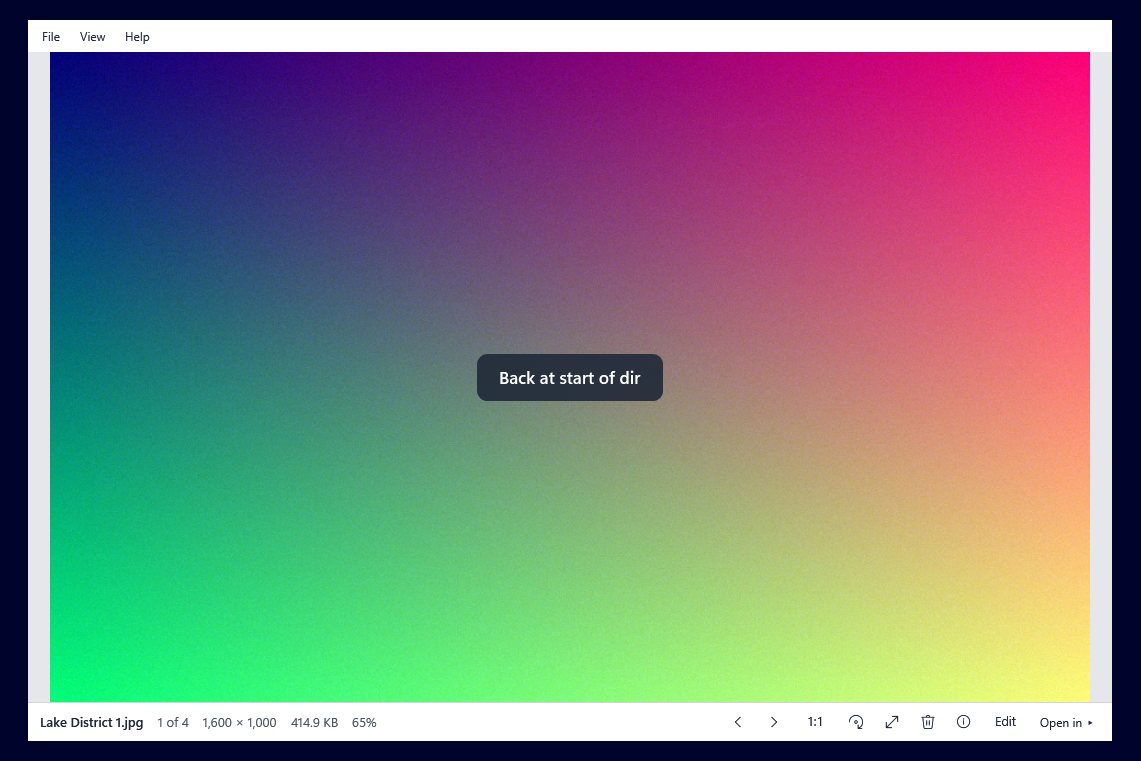
Press the arrow keys, roll the wheel or use the mouse's back and forward buttons to step through every picture in the folder, in the same name order as Explorer. Running off the end never stops you: it goes back to the first picture and says "Back at start of dir" for a moment. Rotate, delete, rename, print or look at the camera details without leaving the picture.
Who it's for
- Anyone who wants photos to open quickly and simply
- People who want a viewer with almost no buttons in the way
- Photographers checking a folder of pictures one by one
- Disk Sort and Paint users who want a quick viewer alongside
Good to know
- HEIC, AVIF, JPEG XL and camera raw files need Microsoft's free extensions from the Microsoft Store; Image Viewer names the one to install
- Making it the default for pictures is per user and needs no administrator rights. It happens only when you ask in Settings, which opens Windows' Default apps page for you to choose it there
- Disk Sort by Zaweba's Open with finds it automatically, and the Edit button opens the picture in Paint by Zaweba when Paint is installed
- SVG drawings aren't shown; Vectornation by Zaweba opens those
- It views pictures and turns them, but does no other editing
Private by design
- Works offline, with no account and no adverts.
- Map links for where a photo was taken open only if you click them.
- Problem reports are sent only if you click Send.
Everything you need, nothing you don't.
Opens in a blink
About half a second from double-click to picture. The pictures either side are loaded in advance, so stepping is instant.
Every common format
JPEG, PNG, animated GIF, BMP, multi-page TIFF, WebP, HEIC, AVIF, ICO and anything else Windows' own codecs read.
The whole folder, in order
Steps through every picture in Explorer's order (2 before 10), and wraps round at the end with a quick note instead of an error.
Zoom and pan
Opens fitted to the window. Zoom at the pointer, press 1 for actual pixels, F to fit, or double-click to swap between them.
Lossless JPEG rotation
Turn a photo with R and it asks once whether to save. JPEGs are turned without losing quality where the size allows.
Full screen and slideshow
F11 for a black full screen with the bar tucked away, F5 for a slideshow every 3 seconds (or your choice).
Never stuck at the end of a folder
Every picture in the folder is in the sequence, whatever its format, and other files are skipped. Step past the last one and you are back at the first, with "Back at start of dir" shown in the middle of the picture for a second and a half. No dialog, nothing to click. A file that can't be read shows a quiet placeholder saying why, and you carry on.
- Explorer's natural name order
- Wraps round both ways
- Added, removed and renamed files picked up as you look
The details when you want them
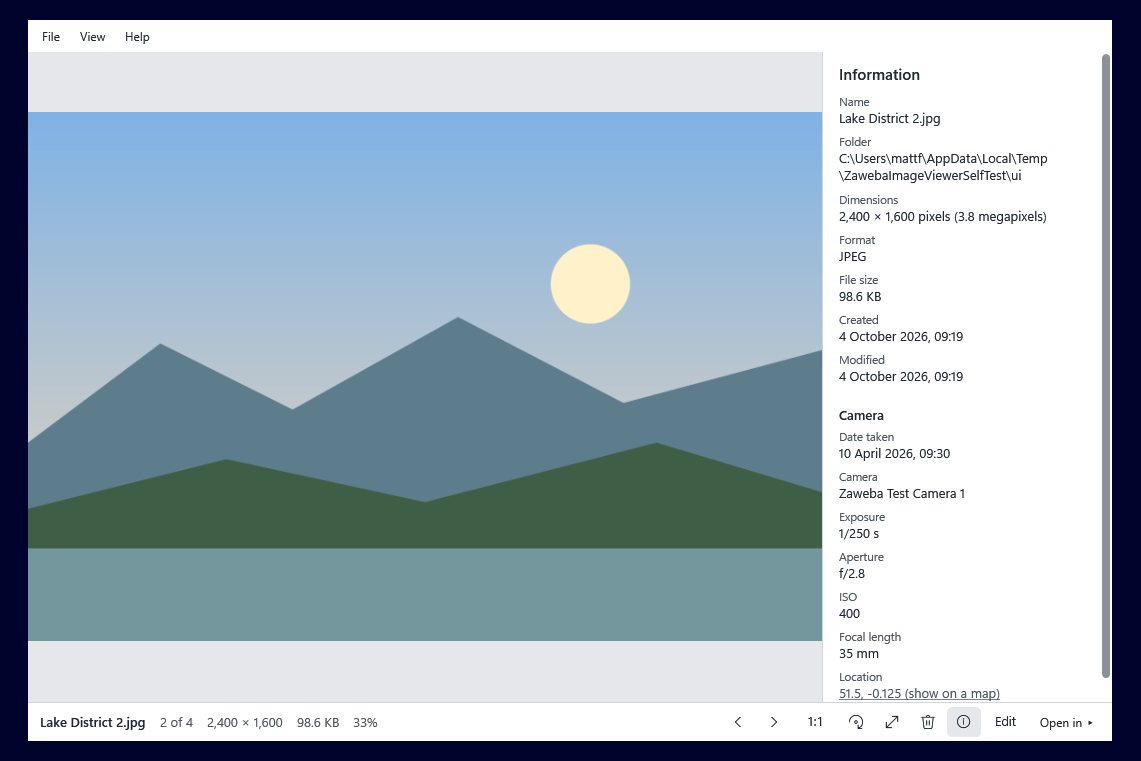
Press I for the information panel: name, folder, dimensions, format, size and dates, plus the camera, lens, exposure, aperture, ISO, focal length and date taken when the photo has them. Where a photo was taken is a "show on a map" link that opens only if you click it.
- Camera and exposure details from EXIF
- Photos shown the right way up from their EXIF
- Edit in Paint and Open in other Zaweba apps from the bar
The details
| Works on | Windows 10 and 11 (64-bit), macOS 12 or later (Apple silicon and Intel), Linux (64-bit, x86 and ARM). On Mac and Linux it shows JPEG, PNG, GIF, BMP, WebP and ICO (TIFF, HEIC, AVIF and raw use Windows codecs) |
|---|---|
| Opens | JPEG, PNG, GIF (animated), BMP, TIFF (multi-page), WebP, HEIC/HEIF, AVIF, ICO, JPEG XR and DDS, plus camera raw and JPEG XL with Microsoft's extensions |
| Rotation | Lossless for JPEGs where the size allows, otherwise re-saved at high quality; EXIF kept |
| Files | Delete to the Recycle Bin, rename, copy picture or path, show in Explorer, print, set as desktop background |
| Background | White, light grey, dark grey or black; full screen is always black |
| Version | Version 1.0.3 |
| Download | ZawebaImageViewer-1.0.3.zip (65 MB): unzip and run, no installer |
| Licence | Free for everyone, with every feature included. No warranty |
Image Viewer FAQ
Can I make it the default for my photos?
Yes. In Settings, click Make Image Viewer the default for pictures. It registers itself for your user account only (no administrator rights) and opens Windows' Default apps page, where you choose it. Windows doesn't let apps change the default themselves, and nothing is written until you click. Remove from Open with takes it all out again.
Why won't my HEIC or raw photos open?
Image Viewer uses Windows' own picture codecs. HEIC, AVIF, JPEG XL and camera raw need Microsoft's free extensions from the Microsoft Store, and Image Viewer tells you which one to install.
Does rotating a photo spoil its quality?
Not for most JPEGs: when the width and height suit the way JPEGs are stored, the photo is turned without being re-saved. Otherwise it is re-saved at high quality and the note says so. PNG, BMP, TIFF and still GIFs are always turned losslessly.
Related apps

Disk Sort
A disk space analyser and photo sorter in one window: treemaps, duplicates and cleanup beside keepers, stars, tags and safe file moves.
Explore Disk Sort
Paint
Layers, masks, live layer effects, a brush engine that feels like paint and one-click background removal, all offline on your own PC.
Explore Paint
Snap
Capture a region, window or screen, add arrows, text, numbered steps and blur that really hides things, then copy or save. Lives in the tray.
Explore Snap
Read
Reads the text in scans, phone photos, screenshots and scanned PDFs on your PC, and saves it as text, .docx, searchable PDF or CSV.
Explore Read
Try Image Viewer today.
Download Image Viewer by Zaweba: no account, no adverts, every feature included.