
Backup by Zaweba on Mac and Linux
The Mac and Linux version of Backup by Zaweba shares the Windows engine and wording, finds drives by UUID and can read pairs set up on Windows.
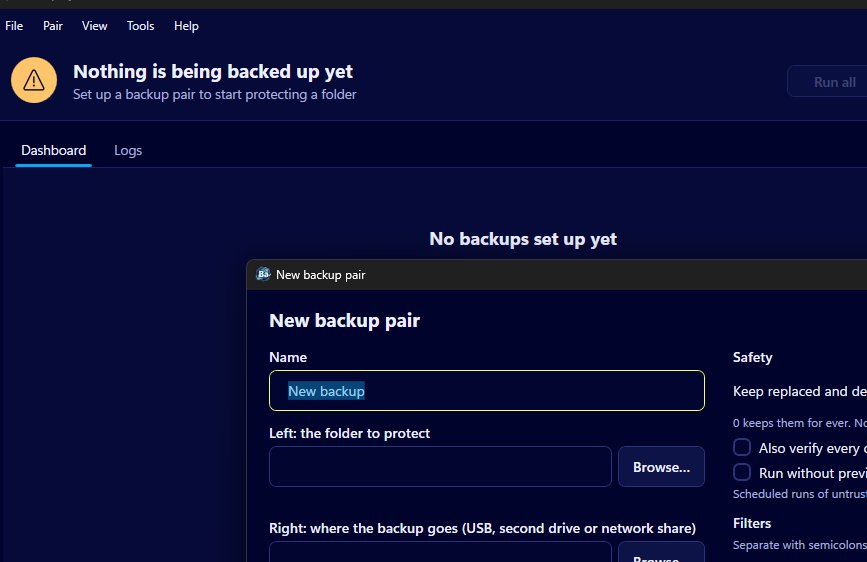
The Windows version of Backup by Zaweba has a twin for macOS and Linux. It isn't a cut-down port or a different product with the same name: it uses the same backup engine and the same wording, so Echo, Mirror and Synchronise behave as they do on a PC, and the preview, the _zaweba_versions folder and the green, amber and red dashboard are all there.
That matters most to households and small offices with a mix of machines. One person has a Windows laptop, another a Mac, and there's a Linux machine doing its own job. Everyone can use the same backup tool and the same habits.
Built on the same engine
The Mac and Linux version is built with Avalonia, a cross-platform toolkit for desktop apps, around the same engine as Windows. The safety rules you rely on come along. Runs start with a preview. Files that would be overwritten or removed are moved to _zaweba_versions first. Copies are written under a temporary name and only renamed into place once they're complete and checked. The mass-removal guard still stops a Mirror or Synchronise run that would move too large a share of files.
Because the wording is shared, the help you read for one platform applies to the other. A guide to choosing a mode or reading the preview on Windows is just as true on a Mac.
How drives are recognised
On Windows, Backup remembers a drive by its volume ID rather than its letter, so a USB stick that comes back as F: instead of E: is still found. Macs and Linux don't use drive letters; drives are mounted by name under a folder instead. Here the app identifies drives by UUID, the unique identifier each volume carries. The effect is the same: the pair finds its own stick wherever it is mounted.
Starting at login
Schedules need the app to be running, just as on Windows. Start at login uses the method each system expects: a LaunchAgent on macOS and an autostart entry on Linux. Turn it on and Backup is there in the background after you log in, ready for its schedules.
Moving from Windows
A pair you set up on Windows can be read by the Mac and Linux version. If you're changing computers, that saves rebuilding your list of pairs from memory. Check each pair after the move, since folder paths on a Mac or Linux machine look different from Windows paths, and run it with its preview the first time so you can see exactly what it plans to do before anything changes.
Synchronise pairs deserve a particular note. The baseline that lets Synchronise tell a new file from a deleted one is kept on the computer that ran it. On a new machine the first run has no baseline, so it copies both ways and removes nothing. That's the safe outcome, and it means a fresh machine never mistakes files it hasn't seen for deletions.
Who it's for
If all your computers run Windows, nothing changes for you. If you've moved to a Mac, or you keep a Linux machine for work, you can keep the backup routine you already know: pairs of folders, a mode for each, a preview before changes, old copies kept for as many days as you choose, and a dashboard that tells you plainly which backups are up to date.
Backup by Zaweba stays free, offline and free of accounts on every platform, and your copies go to drives you hold yourself.

