
Code 128 or Code 39: what's the difference?
Code 128 is compact and takes letters, digits and punctuation; Code 39 is older, takes capitals and is longer. How to choose in Barcode by Zaweba.
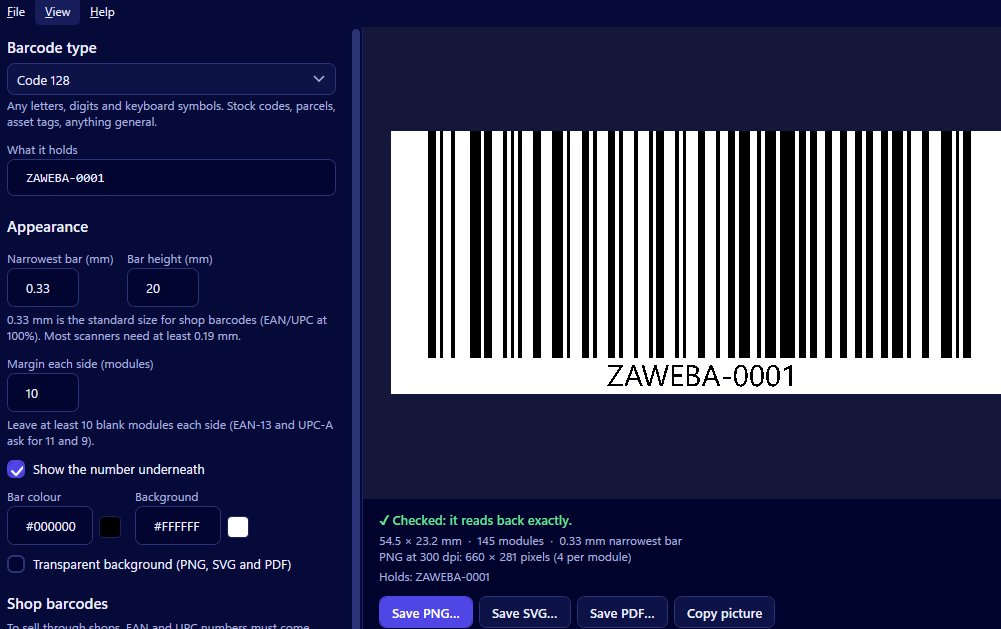
The short answer: Code 128 is more compact and takes letters, digits and punctuation, while Code 39 is older, takes capitals, digits and a few symbols, and comes out longer for the same text. Barcode by Zaweba makes both, so the choice comes down to what you're labelling and what system will read it.
Side by side
Start with what each one can hold. Code 128 accepts letters, digits and punctuation, which covers almost any reference you might invent. Code 39 takes capital letters, digits and a small set of symbols. In Barcode by Zaweba, Code 39 is kept to its standard character set so any scanner can read it without a special mode, which means lower-case text is refused with a plain explanation.
Then there's size. Code 128 is dense, packing more into less width. Code 39 spends more space per character, so the same reference becomes a longer barcode. On a roomy tag you won't notice. On a narrow shelf label or a small sticker, the difference can decide whether the code fits at a comfortable bar width.
Then age and habit. Code 39 is older and widely supported, which is why it turns up on asset tags, staff badges and industrial labels set up years ago. Code 128 is the usual choice now for parcels, shipping labels, internal references and stock codes.
Which one to pick
If you're starting fresh and the number is yours to choose, pick Code 128. It's compact, flexible and the common choice for internal and shipping uses.
If you're adding to an existing system that uses Code 39, stay with Code 39. Matching what's already there matters more than any advantage of the newer type, because scanners and software set up for the old labels may not expect anything else.
If someone has handed you a specification, follow it. Neither type is a retail barcode, so if your product is going into shops, you need EAN-13 or UPC-A instead.
Trying both
The quickest way to see the difference is to try it. Open Barcode by Zaweba, choose Code 128 and type your reference. Note how wide the preview is at your chosen bar width. Switch the type to Code 39, retyping in capitals if needed, and compare. The size follows from the narrowest bar in millimetres, the height and the margin, so with those unchanged you're seeing the real difference in length.
Both are read back on every change. The preview says Checked when the barcode reads exactly, and explains the problem when it doesn't, whether that's colours too close together or a margin too small.
Things that don't change
Whichever you choose, the rest of the workflow is identical. You can show the number underneath, set the bar and background colours, and save a PNG at up to 1200 dpi, a vector SVG in millimetres, or a one-page PDF the size of the code. Copy picture puts it on the clipboard for a document or spreadsheet. If you're printing a sheet of them, the same creator opens inside Labels by Zaweba.
And whichever you choose, print one and scan it with the scanner you'll really use. A real test on real labels is the only proof that matters in the end.
Code 128 for new work, Code 39 to match the old: that rule will see you right almost every time.

