
How to work out an EAN or UPC check digit
Type the number without its last digit and Barcode by Zaweba adds the correct check digit; type the whole number and it checks it for you.
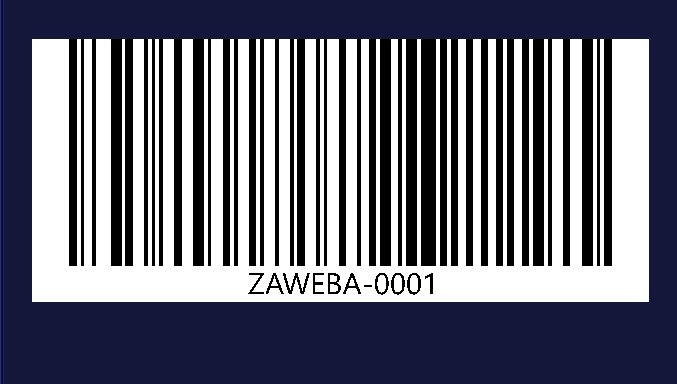
You don't have to work out the check digit by hand. In Barcode by Zaweba, type an EAN or UPC number without its last digit and the correct check digit is added for you. Type the whole number instead and the app checks it, telling you the right digit if yours is wrong.
It works the same way for EAN-13, EAN-8, UPC-A and ITF-14, the four types in the app that end in a check digit.
What a check digit is for
A check digit is the last digit of the number, worked out from the digits before it. When a scanner reads the barcode, it does the same sum. If the answer doesn't match the last digit, the scanner knows it has misread something and tries again rather than ringing up the wrong product. It also catches mistakes made by people typing a number in by hand.
So the check digit isn't something you choose. It follows from the rest of the number, and a barcode with the wrong one is a barcode that won't scan properly.
Adding a check digit
Open Barcode by Zaweba and pick your type. Then type one digit fewer than the full length: 12 digits for EAN-13, 7 for EAN-8, 11 for UPC-A, or 13 for ITF-14. The app works out the last digit and adds it. The preview shows the full barcode with the check digit included, and the number underneath shows it too, so you can copy it into your records.
Checking one you've been given
This is where the feature earns its keep. Product numbers travel through emails, spreadsheets, supplier forms and packaging briefs, and one swapped pair of digits is easy to miss by eye. Type the full number, check digit and all. If it's correct, the barcode is drawn and read back as normal. If it's wrong, the app tells you, and shows which digit it should be.
A wrong check digit almost always means a typo somewhere earlier in the number, not just in the last digit. Before you accept the corrected digit, go back to the source and compare the whole number. Changing only the last digit to make the warning go away can leave you with a valid-looking barcode for the wrong product.
Doing the sum yourself
The sum behind check digits is published, and you could work it out with a calculator or a spreadsheet formula. That's fine for one number but slow and error-prone for many, and it still leaves you drawing the barcode separately. Barcode fonts in a word processor usually leave the check digit to you entirely.
Doing it in Barcode by Zaweba combines the steps: the check digit is added or verified, the barcode is drawn, and the preview reads it back on every change, saying Checked when it reads exactly. If you try to save something that doesn't read back, it asks first.
Getting it right every time
Keep a list of your product numbers with their check digits once they're confirmed, and copy from that list rather than retyping. When someone sends you a number, type it in full into the app so it gets checked. And when you're making the barcode itself, remember that the number has to be one allocated to you; the app can confirm a check digit, not who a number belongs to.
The same rules apply in Labels by Zaweba, where the barcode creator is built in under Insert > Barcode creator, so a sheet of product labels gets the same check.
Leave the arithmetic to the app, and spend the time checking the number at its source instead.

