
What is a Codabar barcode?
Codabar is an older barcode used by libraries, blood banks and some membership and parcel systems. What it holds and how Barcode by Zaweba makes one.
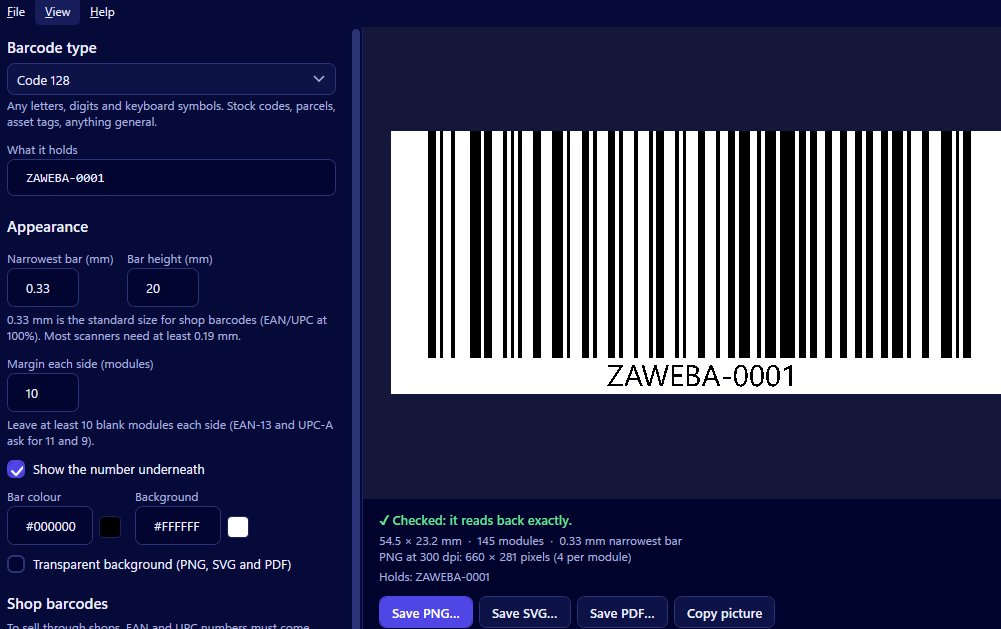
Codabar is an older type of barcode still used by libraries, blood banks and some parcel and membership systems. It holds digits and a few symbols, framed by special start and stop letters at each end. Barcode by Zaweba can make Codabar barcodes and adds those start and stop letters for you, so you only type the number.
If you've been asked for a Codabar code, it's almost certainly because a system already uses it and you need to fit in.
A barcode from an earlier era
Codabar comes from a time before today's more compact types were common. It was simple to print and read, which made it popular for things like library books and cards, blood bags and some delivery and membership schemes. Many of those systems are still running, and their scanners and software expect Codabar, so new cards and labels have to match.
That's the key to understanding it. Codabar isn't usually a choice you make for something new; it's a format you follow because the system on the other end requires it.
What it can carry
Codabar holds digits and a small number of symbols. It doesn't hold ordinary letters in the body of the code. The letters you might see at either end are the start and stop characters, which mark the edges of the code for the scanner. They're part of how Codabar works rather than part of your number.
In Barcode by Zaweba you don't need to think about them. Type the number, and the app adds the start and stop letters. If you type something Codabar can't carry, the app says so in plain words rather than drawing a code that won't scan.
Codabar compared with newer types
For a new system, Code 128 is generally the better choice. It's more compact, and it holds letters, digits and punctuation. Code 39 is another older type, common on asset tags and badges. EAN-13 and UPC-A are for products in shops. Each type in the app comes with a short plain-words description, which helps if you're not sure which one you've been asked for.
The best guide is always the existing material. Look at a current library card, membership card or label and check what the system uses before making replacements.
Making one that matches
Open Barcode by Zaweba and choose Codabar. Type the number from an existing card or label. The preview draws the barcode and reads it back on every change, showing Checked when it reads exactly and a reason when it doesn't.
Set the narrowest bar in millimetres, the bar height and the margin to roughly match the existing cards, so new ones look and behave like the old. Show the number underneath, since staff often key it in by hand. Choose colours with strong contrast; the read-back warns about colours that are too close together or light bars on a dark background, both common on brightly designed cards.
Save an SVG or PDF to place on a card design at an exact size, a PNG at a high dpi for printing yourself, or use Copy picture to paste it into a document.
The test that matters
Scan the new card with the system's own scanner before printing many. Older systems can be particular, and only their own equipment can confirm a new card works.
So Codabar is a way of matching a system that's been around for years, and with Barcode by Zaweba adding the start and stop letters, a new code to match one takes moments.

