
Is there a clipboard manager for Mac and Linux?
Clip by Zaweba comes for macOS and Linux as well as Windows, with the same history file, settings and capture rules on every system.
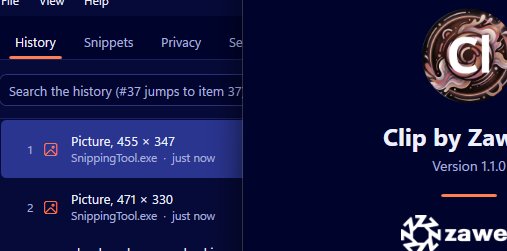
There is. Clip by Zaweba, the private, offline clipboard history, comes for macOS and for Linux on both X11 and Wayland, as well as for Windows. The Mac and Linux versions use the same history file and settings, and share the capture rules, storage and history code with the Windows app.
So if you use more than one kind of computer, you can keep the same clipboard habits on each.
What carries across
The parts that decide how your history behaves are shared code, not a rewrite. What gets recorded, how duplicates move to the top instead of piling up, how the limits trim the oldest unpinned items, and how the history is stored all come from the same place as the Windows app. The same history file works on every system.
That means the features you know follow you: a numbered list with pins first and then the newest items, search where every word must match, pins that are never removed by any limit, and snippets with triggers.
On a Mac
Pasting needs Accessibility permission on macOS. That's the system's control over which apps may send keystrokes to others, and Clip pastes by putting the item on the clipboard and sending a paste to the app you were using. Give Clip that permission and the popup pastes just as it does on Windows.
On Linux
Linux desktops run either X11 or Wayland. Clip supports both. The difference is on Wayland, where Clip is copy-only: it records your history, and you do the final paste yourself with your usual keys after choosing an item. Wayland limits how one program can send input to another, which is why.
If you're on X11, Clip works the full way round, recording and pasting.
Private on every system
Clip's whole idea is that your clipboard stays on your computer. There's no account and no cloud on any version, and the history is a local file. Privacy rules come from the shared capture code, so content flagged as private is skipped and excluded programs are ignored. As on Windows, browser-extension password managers can't be detected, so pause recording while you use one.
One consequence of being offline: nothing syncs between your computers by itself. Each one keeps its own history unless you move the file across yourself.
Choosing a version
If you work only on a Mac, or only on Linux, install that version and use it as you would any clipboard manager. If you move between a Windows PC and a Mac or Linux machine, the shared history format and settings make Clip a natural fit, because the behaviour you've learned on one carries straight over to the other.
Getting going
Install Clip for your system. On a Mac, grant Accessibility when asked. Copy a few things, open the popup and try typing to filter the list. Pin the things you paste every day, and set up a snippet or two for stock replies and addresses.
Clip by Zaweba is free software. Whichever system you're on, it gives you a full, searchable clipboard history that stays private, and the same one on each machine you use.

