
A simple CRM without a monthly subscription
Contact by Zaweba is a free contact and enquiry manager for Windows that sits beside Outlook or your email program, with no subscription and no account.
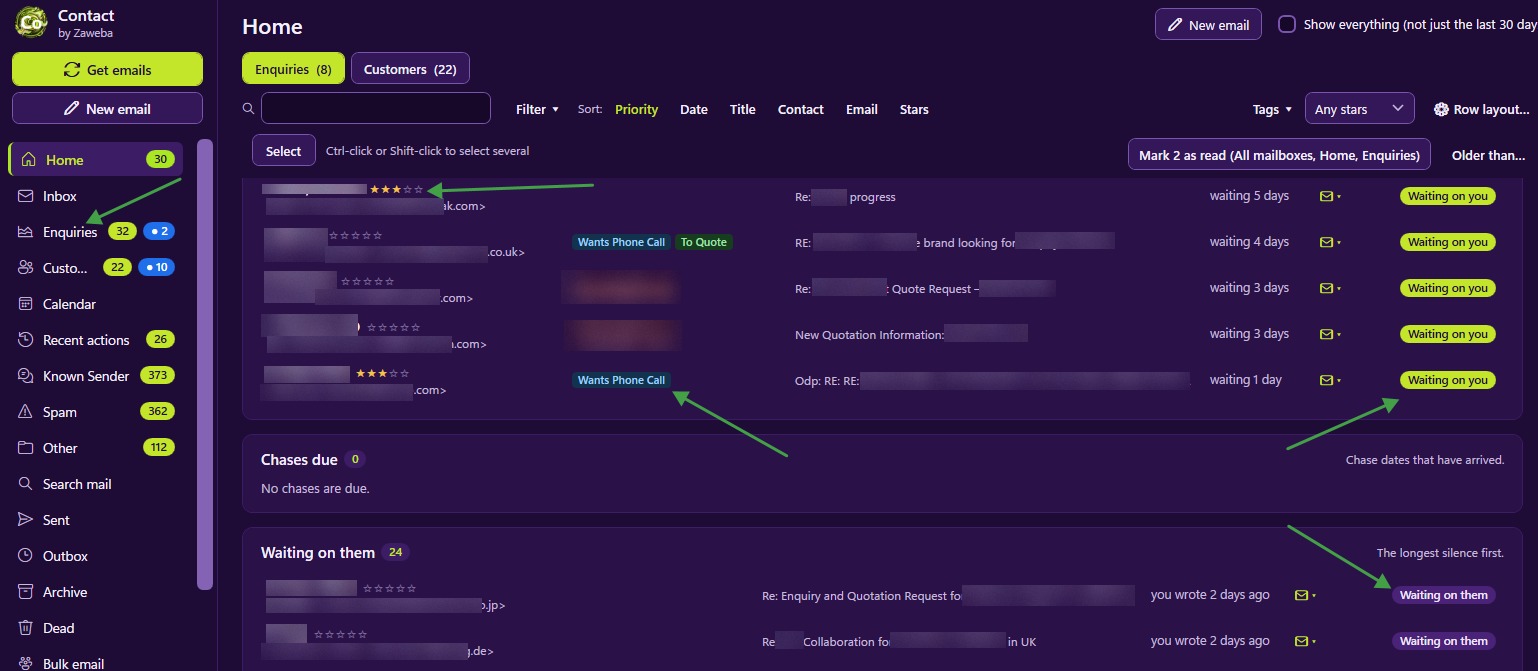
If you want a simple CRM without a monthly subscription, Contact by Zaweba is a good fit. It is free software for Windows that sits beside Outlook or your usual email program, collects new mail from your mailboxes, and turns what matters into enquiries and customers, each with one conversation. There is no account to create and nothing to pay each month.
It suits small businesses, shops and sole traders who handle customer email themselves and want order without taking on a big sales system.
What a small business usually needs from a CRM
Most small firms don't need pipelines, forecasts and dashboards. They need to know who has written, who is waiting for an answer, and what was said last time. Contact is built around those questions.
New mail from people Contact doesn't know lands in its Inbox, where buttons file it as a New enquiry, Known customer, Known sender, Spam or Other, or link it to a record you already have. Contact remembers the choice, so later mail from the same sender goes the same way.
Each enquiry or customer then has a single conversation with all its emails, shown as a list or a timeline. Status is worked out from the dates: waiting on you, chase due, waiting on them, sleeping or dead. The Home view lists who is waiting on you, oldest first, which is the morning to-do list most small businesses keep in their heads.
It works beside your email, not instead of it
Plenty of CRMs want to become your mailbox. Contact deliberately doesn't. It reads mail over IMAP without marking it read, deleting it or moving it, so Outlook or your usual program stays your general mailbox. The one exception is spam you file in Contact, which is moved to the server's Junk folder.
That makes trying it low risk. Your email program carries on exactly as before, and Contact simply adds a customer view on top.
The everyday tools that come with it
Tags such as Refund, Return or Quote mark what is going on with a record. Stars from none to five pick out your best customers. Notes hold the things you want to remember. Lists can be filtered and sorted by all of them.
Replies, templates with placeholders for names and order numbers, signatures per mailbox, Send later and bulk email (which sends individual emails rather than one with everyone copied in) cover the writing side. A calendar holds appointments, reminders, chase dates and scheduled sends. Several mailboxes can be collected at once, one per business or brand, each with its own colour and signature.
Every change is listed in Recent actions with its own Undo, kept for 30 days, so mistakes are easy to put right.
Your customer data stays at home
Everything is stored on your own PC: the database, the emails and the attachments. Passwords are encrypted for your Windows user, and nothing is sent to a Zaweba server. Contact makes an automatic backup once a day and can export your mail as EML or MBOX with a CSV of your records, so your customer list is never locked away.
Getting going
Install Contact, accept the licence agreement on first start, and add your mailbox in Settings > Mailboxes. Test IMAP tells you how many messages the first check will fetch before you commit. Gmail and Microsoft 365 normally need an app password. Then press Get emails and start filing.
Within a day or two most regular senders are filed automatically, and the Home view shows a short, honest list of who needs an answer. For a small business that wants a CRM's order without a CRM's bill, that is most of what is needed.

