
Downloading a ZIP from a web address in Disk Sort
ZIP, then Download a ZIP from a web address, fetches an archive over HTTPS in Disk Sort by Zaweba and opens it as a folder to look through.
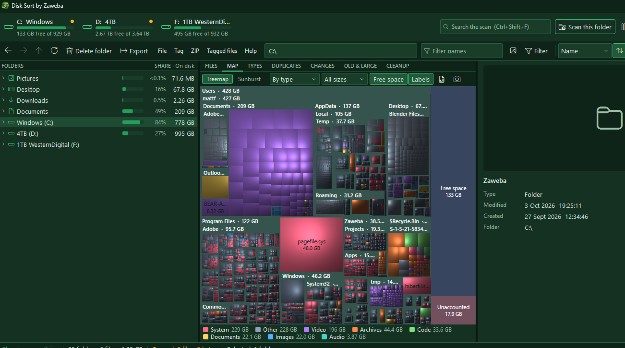
Sometimes the files you want arrive as a link rather than an attachment. In Disk Sort by Zaweba, the ZIP menu has Download a ZIP from a web address. Paste the address, and Disk Sort fetches the ZIP over HTTPS and opens it as a folder, so you can see what's inside straight away without hunting for it in a browser's downloads list first.
When it's handy
A shared link to a set of photos from a family event. A download of manuals or drivers from a manufacturer's site. A batch of files a colleague put up for you to collect. In each case the next step after downloading is nearly always to look inside and pull out what you need, which is exactly what Disk Sort is set up to do.
Fetching the archive
Copy the web address of the ZIP. It needs to be a direct link to the file over HTTPS.
In Disk Sort, open the ZIP menu and choose Download a ZIP from a web address. Paste the address and start the download.
When it's done, the ZIP opens as a folder, just as any archive does in the folder tree. Its contents show in the file list with names, sizes and dates, and you can switch views with Ctrl+1 for thumbnails, Ctrl+2 for details or Ctrl+3 for one picture at a time.
What to do next
Look before you extract. Archives often hold more than you need. Browse the contents, and open a file to check it if you're unsure; a file opened from inside an archive is copied read-only to a temporary folder first.
Then take out what you want. Extract all to brings out everything. Extract tagged files brings out only what you've tagged, which suits a big archive where you need a handful of files. The Extract window has a New folder button, so the contents can go somewhere of their own, and an option to move the ZIP into that folder afterwards so the archive and its files stay together.
If the download is a set of photos, the photo tools work straight on the extracted files: thumbnails, the large view, keepers and stars, and bulk rename.
Privacy and network use
Disk Sort by Zaweba works offline. Network use is limited to a few things: a once-a-day update check that downloads nothing, a weekly list of Zaweba apps, problem reports you choose to send, and ZIP downloads you ask for. The download happens only when you start it, and it goes straight from the address you gave to your PC.
Taking care with downloads
Only download from addresses you trust. A ZIP from an unknown link is no safer for being opened in a careful tool.
Check the contents match what you expected. If an archive that should hold photos holds programs instead, don't run them.
Watch the size. Big archives take time and space. After extracting, the TYPES tab and the size bars in the folder tree show how much space the new files take, and the archive itself can go to the Recycle Bin once you're happy the extracted copy is complete.
Where it fits
This sits alongside Disk Sort's other archive tools: opening ZIP, 7z, RAR and TAR files as folders, extracting, and making ZIP files of tagged or selected files. For deeper work on a ZIP, ZIP by Zaweba is the suite's dedicated archive tool. For collecting a link's worth of files and sorting them, Disk Sort keeps it to one window.

