
How to make a new folder while moving files
In the Move, Copy and Extract windows of Disk Sort by Zaweba there is a New folder button, and Ctrl+Shift+N makes one anywhere in the tree.
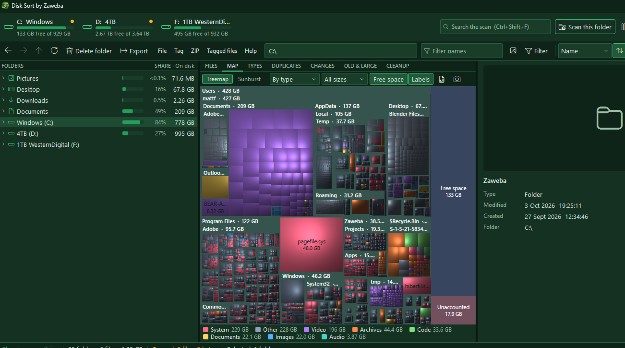
When you move files in Disk Sort by Zaweba, the Move window has a New folder button. Click it, name the folder, and the files go straight into it. The Copy and Extract windows have the same button, and Ctrl+Shift+N makes a new folder at any time from the tree or the file list.
It is a small thing, but it saves a familiar annoyance: you choose Move, realise the right destination does not exist yet, cancel, go and make the folder, then start again from the beginning.
Moving into a new folder
Select or tag the files you want to move. T tags a file and moves on, Ctrl+T tags everything shown, and G shows every tagged file wherever it is, which is useful when the files come from several folders. Then press M, use the Move to button, or choose Move to on the right-click menu.
In the Move window, browse to where the new folder should sit and click New folder. Give it a name, and choose it as the destination. Disk Sort asks first with counts, so you can check how many files are about to move before anything happens.
Copying works the same way with C or Copy to, and the same New folder button. So does extracting from an archive with Extract to, Extract all to or Extract tagged files, where there is also an option to move the ZIP into the new folder after extracting.
Making a folder first
Sometimes it is simpler to make the folder before you start. Press Ctrl+Shift+N, or choose New folder on the File menu or the right-click menu. Name it, and it appears in the tree. Then drag files onto it.
Dragging follows a simple rule. Dragging onto a folder on the same drive moves, onto another drive copies. Hold Ctrl to copy or Shift to move whatever the drive. Files can also be dragged in from Explorer and out to it.
What happens if names clash
Folders are never merged. If you move a folder somewhere that already has one of the same name, the incoming one becomes Name (2) rather than being mixed into the existing folder. That keeps two sets of files from quietly blending together.
Every operation shows its counts before it runs, so a surprise in the numbers is your cue to stop and look.
Moving to another drive
A move to a different drive is really a copy followed by a delete. Disk Sort copies the files, checks that everything arrived, and only then removes the originals. If something goes wrong partway, the originals are still where they were.
That makes the New folder button handy for archiving. Make a dated folder on an external drive, move a year of photos into it, and let the check confirm the job before the space comes back on your main drive.
Tidying as you go
New folders are easy to rename later. Select one in the tree and press F2; tags, history and the scan follow it to its new name. For the files inside, bulk rename (R or F2 on a selection) adds numbering, find and replace and tokens such as {folder}, so files can take their new folder's name.
Disk Sort by Zaweba is free and works offline, and its file moves always ask before they run.

