
Back, Forward and the home person in Family by Zaweba
How Back and Forward history and the home person help you move round a large tree in Family by Zaweba without losing your place.
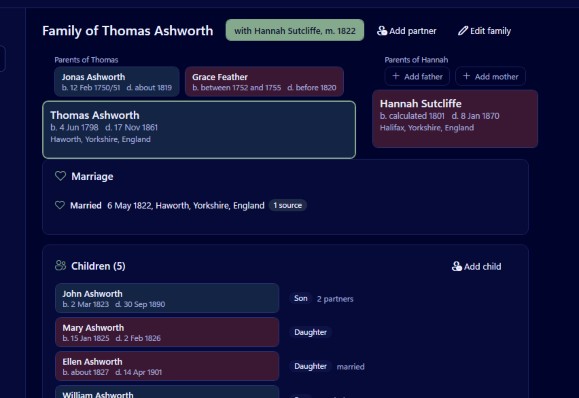
A family tree is not a document you read from front to back. You follow a surname up three generations, jump sideways to a sister's husband, discover his parents lived in the same village as your other line, and twenty clicks later you have no idea how you got there. Family by Zaweba has two simple tools for exactly this: a Back and Forward history, and the home person.
Neither is complicated. Both make a large tree feel much smaller.
Back and Forward
The toolbar has Back and Forward buttons that work the way they do in a web browser. Every person you look at is added to a history, and Back steps through that history in reverse. Forward takes you the other way again after you have gone back.
You can use the keyboard, Alt+Left for Back and Alt+Right for Forward, or the back and forward buttons on the side of many mice. The mouse buttons are well worth getting used to. With one hand on the mouse you can click into a chart, read a profile, and thumb your way back without looking for anything.
The history follows people, not views, so it works across the whole app. Look at someone in the pedigree, switch to their profile, click a child in the family group view, and Back still walks you through those people in order.
Wandering on purpose
Because you can always get back, you can afford to follow hunches. Click into a cousin's line to check a name, then use Back to return to the person you were working on. That freedom is the main reason the history exists: research is full of short detours, and they should not cost you your place.
The home person
Set as home person marks one person as the place the tree starts from. Most people choose themselves, or the child or grandparent the research is really for. The home person is the usual starting point for views such as the pedigree, and Home person (Ctrl+H) takes you straight back to them from anywhere.
Think of it as the front door of the tree. However far you have wandered through history, Ctrl+H brings you back to familiar ground in one keystroke.
Choosing the right home person
The best choice depends on the job. For your own research, choose yourself, so every pedigree and fan chart shows your own ancestors. If you are building a tree for someone else, perhaps a parent who wants to know about their side, choose them instead. If you are working on a one place study or a single surname, a central ancestor can be a better home than anyone living.
You can change the home person whenever you like. Some people switch it while working on a particular branch, then switch it back when that branch is done. It is a setting, not a commitment.
A few working habits
Learn the handful of keys that go with navigation. Ctrl+1 to Ctrl+5 switch between the family group, pedigree, descendants, fan chart and person profile. Alt+Left and Alt+Right move through history. Ctrl+H goes home. Ctrl+F jumps to the search in the people list. With those, you rarely need the menus at all. Help, Keyboard shortcuts lists them in Family's own help window if you forget one.
Use search for long jumps and history for short ones. If you know the name of the person you want, Ctrl+F is faster than clicking through charts. If you just want the person before last, Alt+Left is faster than typing.
Click to recentre. In the family group, pedigree, descendants and fan views, clicking anyone recentres the view on them. Combined with Back, that is all the navigation most sessions need.
When the tree is new
If you are just starting, File, Try the sample family opens an invented family that is a safe place to practise. Click round it, use Back and Forward, set and change the home person, and get a feel for moving about before you enter real people.
Small tools, used often, are what make software comfortable. Back, Forward and the home person are the ones you will touch more than anything else in Family, and once they are habit, a tree of thousands of people stops feeling like a maze.

