
The descendants view in Family by Zaweba, as it will print
Family by Zaweba's descendants view shows a person's line downwards in the same layout as the printed chart, so the screen is a true preview.
Looking down a family is a different job from looking up it. Ancestors double with every generation, but descendants spread out unevenly: one couple has eleven children, the next has none, a third emigrates and founds a whole branch on the other side of the world. The descendants view in Family by Zaweba is where you see that spread for any person you choose.
Open it with View, Descendants, or press Ctrl+3. Whoever you are looking at becomes the top of the chart, and their children, grandchildren and later generations are laid out below.
The same layout as the printed chart
The thing that sets this view apart is a design decision rather than a button. The descendants chart on screen uses exactly the same layout as the descendant chart Family prints to PDF. Every box sits where it will sit on paper, lined up on the same grid.
That grid is what lets Family promise that no box is ever cut between sheets when a chart is tiled across A4, A3 or Letter paper: sheet edges are placed in the gaps between boxes. Because the screen view shares that layout, what you see is what the PDF will show. If a branch looks crowded on screen, it will look crowded on paper too, and you can fix it before you print anything.
Many programs show one picture on screen and then produce something quite different when you print. Here the on screen view doubles as a preview, which saves a lot of paper and a few wasted afternoons with scissors and glue.
Zooming and moving
Large descendant trees get wide quickly. Hold Ctrl and turn the mouse wheel to zoom in and out. Zoom out to see the overall shape, which branches are large and which died out, then zoom back in to read names and dates.
Click anyone in the chart to recentre on them. That is the quickest way to narrow a sprawling chart to one branch: click a grandson, and the view shows only his line. Back and Forward on the toolbar, or Alt+Left and Alt+Right, take you between the people you have looked at, so you can compare two branches without losing your place.
Jobs it is good for
Planning a wall chart for a reunion is the obvious one. Pick the shared ancestor, open the descendants view, and you see straight away how big the chart will be and how many of the relatives coming are on it. When you then go to Charts and reports, the dialog gives the chart's size, the number of sheets and the smallest text size before you print, and warns if any text would drop below 7 pt. As a sense of scale, a 6 generation, 150 person descendant chart made 28 A4 sheets in testing.
Checking completeness is another. A family with seven children in the 1881 census but only three in your descendants chart tells you there are four people still to add. The view makes those holes obvious in a way that a list of names does not.
It also helps with one name studies and surname lines. Start from the earliest known bearer of a name and the descendants view shows where the name went, generation by generation.
Blended families
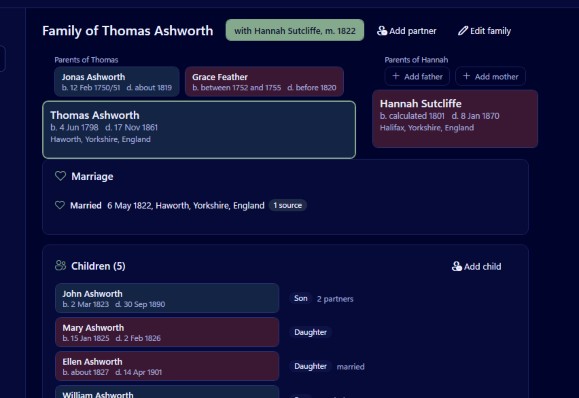
Family records each child's relationship to each parent as birth, adopted, step or foster, and labels those clearly in its views. When a person had children with more than one partner, the descendants view keeps them on the right lines. For the detail of who belongs to which partnership, the family group view (Ctrl+1) gives each partnership its own tab.
Mistakes to avoid
Starting too high is the commonest one. A descendants chart from a great great great grandparent can run to hundreds of people, which is lovely on a wall but hard to read on a laptop. Start a generation or two lower while you are working, and go back up only when you are ready to print.
Don't trust a chart you have not looked at zoomed out. A single branch with many children can make the whole chart very wide, and it is better to know that before choosing paper sizes.
Finally, remember that the view only shows what is entered. If a child is missing from the tree, they are missing from the chart and from the PDF. A pass with the people list and its search, which can narrow by place and a range of years, often turns up the cousin who was recorded but never linked.

