
Does Family work on Mac and Linux?
Yes. Family by Zaweba runs on Windows, macOS 12 or later and 64-bit Linux, and the same .oft tree files open on every one of them.
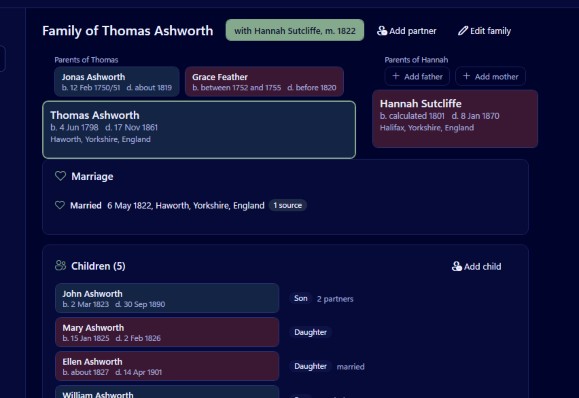
Yes. Family by Zaweba runs on Windows 10 and 11 (64-bit), on macOS 12 or later with Apple silicon or Intel, and on 64-bit Linux on both x86 and ARM. The same .oft tree files open on every version, so a tree started on a Windows PC can be carried to a Mac or a Linux machine and carry on exactly where it left off.
One file, any computer
Each tree in Family is a single .oft file. Inside it are the people, families, events, places, sources, notes and, if you choose to store them, photos. Because the format is the same everywhere, there is no conversion step between systems. Copy the file across and open it.
That is handy in households with a mix of machines. A parent with a Windows desktop and a grown up child with a MacBook can both work on the family's tree, passing the file between them. It also helps anyone changing computers: research built up over years on one system moves to the next without any export or import.
Keep photos with the tree
Photos can be stored inside the tree file or linked from where they sit on disk, and Tree settings converts between the two. If you plan to move a tree between computers, store them. A linked picture depends on a folder path that won't exist on the other machine, while a stored one travels inside the .oft file.
What comes with the file
Everything you have recorded moves with the tree: people and families with their birth, adopted, step and foster links, dates kept exactly as the records give them, events with their places, sources and citations, notes, and the home person the tree starts from. On the new machine the same views draw from the same data.
Charts and books are made as PDFs, which open and print on any system, so a wall chart planned on a Mac prints just as well from a Windows laptop or a Linux desktop.
Moving a tree between computers
The simplest way is a memory stick or any shared drive. Close Family on the first computer, copy the .oft file, and open it with File, Open on the second. Close the tree before copying, because Family writes changes to the file a moment after each edit rather than waiting for a Save.
Avoid having the same file open on two machines at once through a shared folder. Two copies of the app writing to one tree is asking for trouble. Work on one computer at a time and copy the file when you switch.
File, Save a copy as is useful here too. It writes a clean copy of the database, which suits a backup or a snapshot to hand to a relative.
Sharing with people on other programs
If the person you are sharing with uses a different family tree program altogether, GEDCOM is the common language. Family's File, Export GEDCOM writes GEDCOM 5.5.1 as UTF-8 or UTF-16, or 7.0 as UTF-8, and it has an option to leave out people who are probably alive. Importing goes the other way with File, Import GEDCOM (Ctrl+I), followed by a report of anything skipped, changed or kept.
The same terms everywhere
Family is free software under the EULA on every system, with no account and no subscription. It works offline, and your tree stays a file on your own computer, whichever computer that happens to be.
If you are deciding which machine to keep your main copy on, choose the one you back up most reliably. The tree file is the same on each, so the real difference is how safe it is kept.

