
Using the fan chart in Family by Zaweba
The fan chart in Family by Zaweba shows ancestors in rings over 240 degrees, a quick way to see how far back each line of your tree reaches.
Some views are for reading and some are for seeing. The fan chart in Family by Zaweba is firmly the second kind. It arranges a person's ancestors in rings, parents in the first ring, grandparents in the next, and so on outwards, spread over 240 degrees like an open fan. One look tells you how complete each line of your tree is.
Open it from View, Fan chart, or with Ctrl+4. The person you were looking at sits at the centre.
How the fan is laid out
Each ring is one generation, and each ring is divided between the ancestors in it. Because every generation has twice as many places as the one before, the segments get narrower as you move outwards. To keep names readable in that shape, Family turns the text: in the inner rings, where segments are wide and short, names follow the curve of the ring. In the outer rings, where segments are long and narrow, names run outwards along them.
Where you have not found an ancestor, their segment is simply not filled. That is the whole point. A fan with a solid left half and a ragged right half tells you, without reading a single name, that one side of the family has been researched much more than the other.
What it is best for
The fan chart suits a quick look at how many ancestors you have found at each generation. Pedigree view, by contrast, shows more detail per person: dates, places and an empty slot to add a missing parent. The two complement each other. Use the fan to decide where to work, and the pedigree to do the work.
It is also a good view to show relatives. Someone who has no interest in parish registers will still understand a fan chart straight away, and it often prompts the useful question of who the gaps are and whether anyone remembers them.
Recentring
Click anyone in the fan and the chart recentres on them, with their ancestors spread round them instead. That is handy for looking at one grandparent's line in isolation. Back and Forward on the toolbar, or Alt+Left and Alt+Right, retrace the people you have looked at, and Home person (Ctrl+H) returns to the person the tree starts from.
Ways to use it while researching
Begin each research session with the fan centred on the home person. It takes a second to spot the ring where things thin out, and that ring is usually the generation where records get harder: the move from civil registration back into parish registers, for instance, or a family that crossed a border.
Centre the fan on an ancestor in the middle of the tree when you want a manageable target. From your own position the outer rings are very narrow, but from a great grandparent the same people are only a few rings out and much easier to read.
Use it as a progress check. After a few weeks of work, open the fan again and compare. Seeing a quarter of the outer ring fill in is more satisfying than counting rows, and it keeps a long project moving.
Things to bear in mind
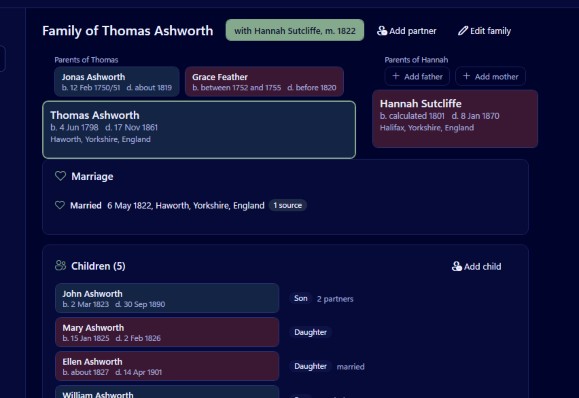
The fan only shows direct ancestors. Brothers, sisters, second partners and step relationships are not drawn here, by design, because the fan would lose its shape. For a couple with all their children and every partnership on its own tab, switch to the family group view with Ctrl+1. For a person's descendants, use the descendants view with Ctrl+3.
A full ring is not proof that the ring is right. The fan shows what is entered, not how well it is sourced. Before relying on a line, open each person's profile (Ctrl+5) and check the facts have source counts, and run Tools, Check dates and relationships, which flags a parent younger than their child, a child born after the mother's death and other impossible combinations.
If you want an ancestor chart on paper, the printable ancestor chart under Charts and reports is the one to use. It is laid out for tiled sheets or one large sheet, with the size, sheet count and smallest text shown before you print.
Used together with the other views, the fan chart is the quickest way to answer the question every family historian asks at the start of a session: where next?

