
What to do with a GEDCOM full of strange characters
Import it into Family by Zaweba, which detects UTF-8, UTF-16, ANSEL, Windows-1252, IBM PC and ASCII, and says in its report if it had to fall back.
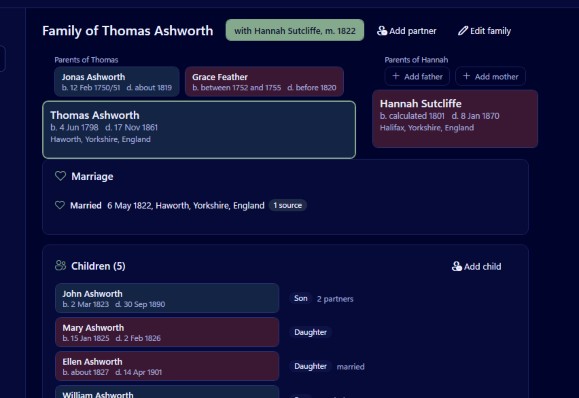
Try importing it into Family by Zaweba. Family detects the character set a GEDCOM file was written in, including UTF-8, UTF-16, ANSEL, ANSI or Windows-1252, IBM PC and ASCII, and reads it accordingly, so names with accents usually come out right. If the file claims to be UTF-8 but isn't valid, Family falls back to Windows-1252 and says so in the import report, so you know exactly what happened.
Why GEDCOM files go wrong
A GEDCOM file is text, and text has to be stored using some encoding: a rule for turning letters into bytes. Over the decades family tree programs have used several. Older ones often used ANSEL, a library standard with an unusual habit of writing an accent before the letter it belongs to. Windows programs commonly used Windows-1252. Very old DOS software used the IBM PC set. Newer programs use UTF-8 or UTF-16.
When a program reads a file using the wrong rule, accented letters turn into pairs of odd symbols, question marks or boxes. Müller becomes something unreadable, a French place loses its accents, and a Scandinavian surname becomes garbage. The research is fine. Only the reading has failed.
Importing step by step
Keep the original file safe first. Make a copy and work from that.
Open Family and create a new tree with File, New tree, or use an existing one you are happy to add to. Choose File, Import GEDCOM, or press Ctrl+I, and select the file. Family reads GEDCOM 5.5.1 and 7.0.
Family looks at the file to decide its character set. UTF-8 is handled with or without a byte order mark, and UTF-16 either way round. ANSEL accents, written before their letter, are recombined with the letter they belong to. ANSI or Windows-1252, IBM PC and ASCII are read as well.
Reading the report
When the import finishes, Family shows a report. It lists everything skipped, such as bad lines, duplicate ids and pointers to missing records; everything changed or guessed, such as dates kept as text or unknown sex; and everything kept, per tag with counts. If invalid UTF-8 forced a fall back to Windows-1252, the report says so. You can copy the report or save it.
Read it before doing anything else. A fall back note tells you the file was not what it claimed to be, which is worth knowing if you ever need to go back to the program that made it.
Checking the names afterwards
Use the people list search (Ctrl+F) to look for a few names you know contain accents. Search ignores accents, so typing the plain letters finds them, and you can see straight away whether they came through properly.
Look at places too. Places are shared records in Family, so if one is wrong, correcting it once fixes it for every event that happened there.
If a handful of names still look wrong, the original file may genuinely contain mixed encodings, which happens when a tree has passed through several programs. Correct them by hand with Ctrl+E on each person. Tools, Find duplicates and merge is worth running afterwards, because a garbled name and a clean copy of the same person can look like two different people.
Getting a clean file out again
Once the tree looks right in Family, you can send a clean copy to someone else. File, Export GEDCOM writes GEDCOM 5.5.1 as UTF-8 or UTF-16, or 7.0 as UTF-8. UTF-8 is understood by almost every modern program, so it is the safest choice for sharing. Long lines are split at 240 characters in 5.5.1, as the standard expects.
Tags Family doesn't use, such as another program's custom tags, change dates and submitter records, are kept on their record during import and written back out on export, so the clean copy loses nothing that came in.
Family is free, offline and needs no account. Even if you plan to keep using another program, importing a troublesome GEDCOM here and exporting it again as UTF-8 is a simple way to rescue a file whose names have gone strange.

