
How to record a custom event such as an anniversary or voyage
In Family by Zaweba, add a custom event with your own type name, then give it a date, place and notes, just like a birth or a census entry.
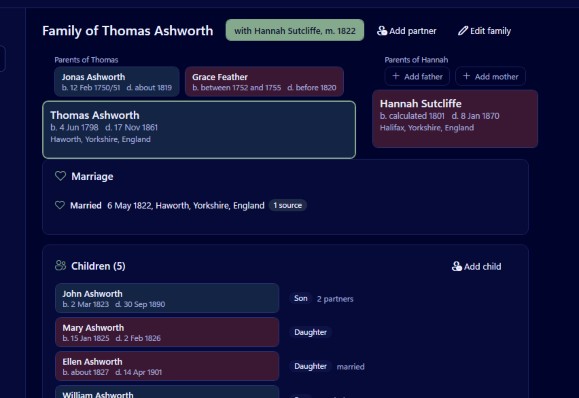
Add a custom event and give it your own type name, such as Golden wedding or Voyage to Australia. In Family by Zaweba a custom event works like any other: it has a date, a place, details, notes, citations and media, and it can belong to a person or to a family. It then appears in the person's profile in date order alongside their births, censuses and burials.
When the built in list isn't enough
Family already knows a long list of events. There are 37 person types and 14 family types, covering birth, christening, baptism, death, burial, cremation, census, residence, occupation, military service, education, emigration, immigration, naturalisation, probate, will and more. Most of what you find in records fits one of those.
Life is wider than that. A ship's passenger list, a silver wedding reported in the local paper, a prize won at a county show, an apprenticeship indenture, an entry in a workhouse admission book, a club membership. These are real moments with real sources, and they deserve a proper place in the tree rather than a line in a note.
Before you invent a type, check the built in ones. Emigration or immigration may suit a voyage if it was a move for good. A custom type is best for things that genuinely fall outside the list.
Adding the event
Decide whose event it is. A voyage made by one person belongs to that person. A wedding anniversary belongs to the couple, so add it to the family, where marriages and divorces are kept. Family events appear on both partners' profiles in date order.
Choose to add an event, pick custom, and type your own name for the type. Then fill in what you know. The date can be exact, a month and year, a year only, about, before, after, between, or any of the forms the GEDCOM standard allows, and the understood as line shows how Family read what you typed. The place is a shared record, so if the event happened in a town already in the tree, pick it, and any later correction to that place applies everywhere.
Details, age and cause are there if they fit. A voyage might have the ship's name as details. Notes can hold anything longer, such as the route or who travelled together.
Attaching the evidence
Add a citation linking the event to its source: the passenger list, the newspaper, the register. The citation holds the page, a quality rating from 0 to 3, a date and a transcript. A scan of the record can be attached as media, to the event or to the citation.
Naming custom types well
Be consistent. If you call one Voyage and another Sea voyage and a third Passage, they will read as three different kinds of event. Settle on a name and reuse it.
Keep names short and clear. Golden wedding reads better in a timeline than Fiftieth wedding anniversary celebration.
Put specifics in the details or notes, not the type. The type should be Voyage, and the details should say Liverpool to Melbourne. That way the type is reusable for every voyage in the tree.
Where custom events show up
On screen, the person profile (Ctrl+5) lists every fact in date order, custom events included, each with its source count. Click one to edit it.
In print, Family's book PDF writes each person's life in sentences in a section per generation, with numbered source notes, so well recorded events become part of the story your relatives read.
When you share research, GEDCOM has a standard way to carry events with a custom type, and Family's export writes GEDCOM 5.5.1 or 7.0. Any tags Family itself doesn't use, when they came in from another program, are kept on their record and written back out, so details travel with the tree.
Custom events are a small feature that makes a tree far richer. The births and deaths give the skeleton, and the voyages, anniversaries and odd entries in local newspapers are what make it a family history.

