
Can I keep several names for one person in a family tree?
Yes. Family by Zaweba lets one person hold any number of other names: maiden, married, also known as, birth, immigrant, professional or your own type.
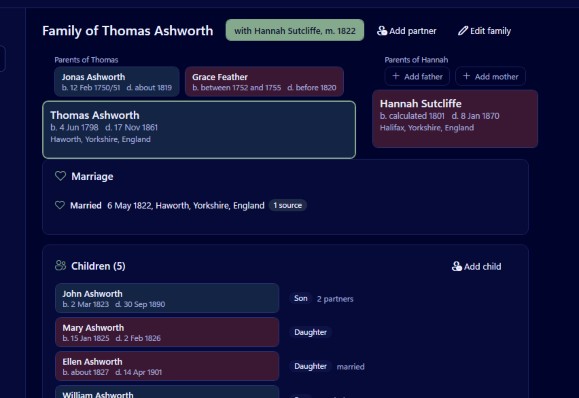
Any number of names can sit on one person in Family by Zaweba. Besides the main one, a person can have other names of any type: maiden, married, also known as, birth, immigrant, professional, or a type you name yourself. They all belong to the same person, so you never need a second entry just because someone was known differently at different times of their life.
Why one name is rarely enough
Real records are untidy. A woman appears under her maiden name on her baptism, under her first husband's surname in one census and under her second husband's in the next. A man who emigrated may have anglicised his name on arrival. A music hall performer may be better known by a stage name than the one on his birth certificate. A child taken in by relatives may be recorded under their surname for years.
If your software only allows one name, you end up choosing, and every record under another name becomes harder to connect. Worse, you may create two people who are really one. Keeping all the names on one person reflects what actually happened and keeps the evidence together.
The parts of a name
Each name in Family has room for given names, surname, prefix, suffix, surname prefix and a nickname. That covers more than it might seem. A surname prefix holds the van, de or von that some families carry. A prefix holds a title such as Reverend or Captain, and a suffix holds Junior or the Third. The nickname is for the Bill who was christened William.
Choosing a type
Other names carry a type that says what kind of name it is. Maiden and married are the commonest. Also known as covers aliases and informal names. Birth suits the name on a birth record where it differs from the one used later. Immigrant suits a name used before a change on arrival. Professional suits a stage name, a pen name or a name in religion. If none of those fits, type your own word.
How to add one
Select the person and press Ctrl+E to edit them. Alongside the main name you can add other names, choose the type for each and fill in the parts. Close the editor and the change is written to the tree a moment later; there is no Save button to forget.
The person profile (Ctrl+5) shows the names together at the top of the page, above every fact in date order, so you can see at a glance how someone was known.
Finding people by any name
The extra names are more than labels. Search in the people list (Ctrl+F) looks at any of a person's names, matches word starts and ignores accents. Type the married name you saw in a census, and the person turns up even though their main entry is under their maiden name.
That matters when checking for duplicates too. Tools, Find duplicates and merge compares names using Soundex groups and name similarity along with birth and death years and shared parents or birthplace. If you have entered the same woman twice, once under each surname, the merge wizard shows the two side by side so you can choose the main name, and the rest is combined.
Good practice with names
Make the main name the one a relative would recognise, usually the birth name for a woman in most traditions, and record married names as other names. That keeps charts consistent.
Back each name with a source where you can. A married name proven by a marriage record is stronger than one guessed from a census, and a citation can hold the page, a quality rating from 0 to 3 and a transcript.
Keep spelling variants that appear in records, even when you are sure they are mistakes. Searching a new index for those spellings is often how a stuck line moves again.
Names matter when you share research, too. Family exports GEDCOM 5.5.1 and 7.0, and a test import, export and re-import of a 5,000 person tree lost nothing on standard fields.

