
Free games for Windows with no adverts at all
Games by Zaweba is free software for Windows with 82 original games and no adverts, accounts or network connection. Here is what is in it.
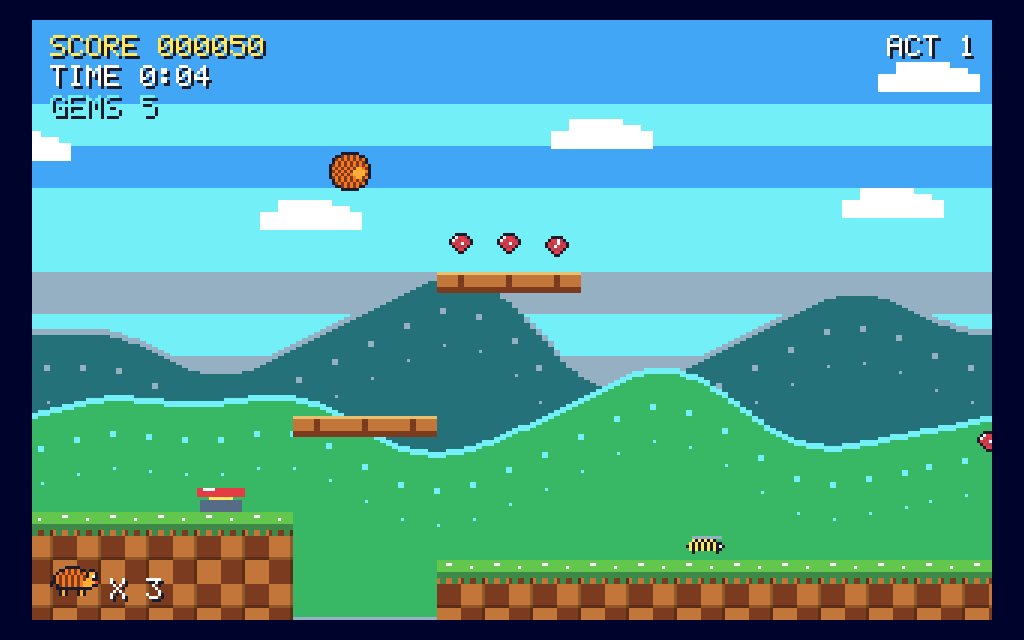
Games by Zaweba is a free collection of 82 original games for Windows, and none of them show adverts. You don't make an account, nothing goes online and nothing asks you to watch a clip for an extra life. It is free software under the EULA, so you install it, open the library and play.
Plenty of free games pay for themselves with banners, pop-ups and nudges to spend. This one doesn't need to, because everything in it, from the pictures to the sounds, is made by the app's own code on your PC. There are no images to fetch and no servers to talk to, which is also why it works with the network cable pulled out.
What the 82 games are
The library is arranged in shelves. Cards has 13 games, including Classic Patience, Broken Hearts and Twenty-One. Board games has 14 to play against the computer, among them Draughts, Tables (backgammon), Mill and Drop Four. Puzzles has 12, such as Number Place, Hidden Mines and Gem Swap. Skill and sport has 17 games where wind, wobble and luck get in your way, from Pub Darts to Ski Jump. Then the retro shelf holds 26 arcade and platform games drawn in the style of 1980s 8-bit and early-90s 16-bit home computers.
Every game and character is original. Traditional games keep their traditional names, so draughts is called Draughts, but nothing is borrowed from anyone else's product.
Why there is nothing to watch or buy
Adverts usually arrive because a game needs a connection to fetch them and a reason to interrupt you. Games by Zaweba has neither. Each tile in the library is drawn on the spot, every sound is synthesised in code, and the app needs no network at all. Scores are kept in a file in your own settings folder and never leave the PC.
That has a couple of pleasant side effects. A game starts straight away, because nothing is downloading in the background. And a child can play without you wondering what the next pop-up will be, since there isn't one.
Getting started
Install the app on Windows 10 or 11 (64-bit). It uses the Microsoft Edge WebView2 runtime, which is already part of Windows 11, and it doesn't need administrator rights. Open it and you land in the library, with All games, Favourites and Recently played at the top and the five shelves below, each showing how many games it holds.
Every tile shows a picture of the game being played, who plays (on your own or against the computer), how many times you've played, your wins and your best score. Click a tile and the game opens on a title card that explains the rules and controls. Where a game has modes, such as a difficulty, a board size or a variant, you choose them there.
If you don't know what you fancy, Surprise me (Ctrl+R) picks a game at random. If you know exactly what you want, Ctrl+F searches the library as you type.
Playing comfortably
Each game fills the window under a slim bar with All games, How to play, Restart, Sound on or off and Full screen. F11 makes it full screen, Esc pauses any game and F1 explains the rules again if you've forgotten them. Click away to another window and the game pauses itself, so a quick check of your email won't cost you a life.
The library follows a light or dark theme, which you switch with Ctrl+T. That's handy on an evening when a bright white window feels like too much.
Who it suits
It's a good fit for anyone who wants a quick game of patience or draughts without the clutter, for a family PC where several people want different things, and for anyone who grew up with 8-bit and 16-bit home computers. The games are for one player, on your own or against the computer, and some card and board games give you up to three computer opponents.
Because Games by Zaweba is one app rather than dozens of separate downloads, there's one thing to install and one place your favourites and best scores live. Star the games you like and they sit on the Favourites shelf next time you open it.

