
Auto-gain in Mix by Zaweba: every track at the same loudness
Auto-gain in Mix by Zaweba brings every track to the same loudness using EBU R128, with a default target of -12 LUFS you can adjust.
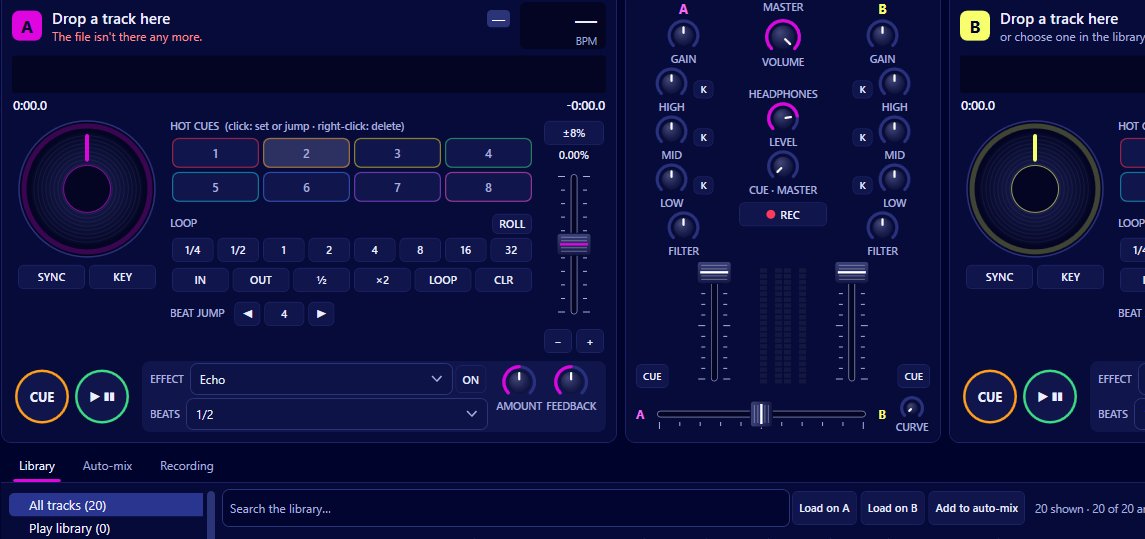
Loud tracks and quiet tracks don't mix well. Songs from different decades and different studios come out at very different levels, and without help you would be riding the gain knob on every transition. Auto-gain in Mix by Zaweba fixes that by bringing every track to the same loudness, measured with EBU R128 against a default target of -12 LUFS. You can switch it off or set its target in Preferences > Mixing.
How auto-gain measures loudness
The simplest way to compare tracks would be to look at their peaks, the loudest single moment. But peaks don't match what you hear. A quiet, spiky track and a loud, heavily compressed one can have the same peak.
EBU R128 is a broadcast standard for measuring loudness the way ears hear it, averaged across the whole track. Its unit is LUFS. Mix measures each track's loudness as part of its background analysis, alongside tempo, key and energy, and works out how much to raise or lower it to hit the target.
What the target means
The default target is -12 LUFS. Every track is turned up or down so it lands there, which means one song should feel about as loud as the next when the channel fader and gain are in the same place.
The target can be moved up or down by up to 12 dB in Preferences > Mixing. A higher target makes everything louder before it reaches the master; a lower one leaves more headroom. If the master limiter's 'limiting' warning lights often, a slightly lower target is a gentle fix.
Gain on top of auto-gain
Each channel still has its own gain knob, plus or minus 12 dB, and that works on top of auto-gain. Auto-gain gets the tracks level; the gain knob is for your taste. Some tracks feel quieter than their measurement suggests, perhaps because they're sparse or have little bass, and a small gain boost brings them up to match.
Keep the gain near the middle most of the time. If you find yourself turning it right up on every track, the target is probably too low for your setup.
When to switch it off
Some DJs prefer to set every level by ear, or want the natural difference in loudness between a soft intro track and a peak-time banger. Switch auto-gain off in Preferences > Mixing and each track plays at the level it was mastered at.
If you do, watch the channel meters and the master closely, and be ready to adjust the gain on every load.
How it helps the rest of the mixer
The EQ works better on tracks at a similar level. When both tracks in a blend are equally loud, cutting the bass on one and bringing it in on the other gives a smooth handover rather than a jump.
Auto-mix relies on it too. Hands-free blends move the crossfader and swap the bass on a fixed plan, and they sound right because the tracks either side are at the same loudness.
Recordings come out more even. When you record your set, the file reflects the master, and auto-gain keeps track-to-track jumps out of it.
Analysis and auto-gain
Loudness is measured in the background and cached with the rest of each track's analysis. Library > Analyse everything now does the whole library at once, and a track loaded on a deck is analysed from the audio already decoded. Running the analysis ahead of a set means every track is ready to play at the right level from its first beat.

