
How Mix by Zaweba analyses your tracks in the background
Mix by Zaweba works out tempo, beat grid, key, energy, loudness and a waveform for every track in the background and caches the results.
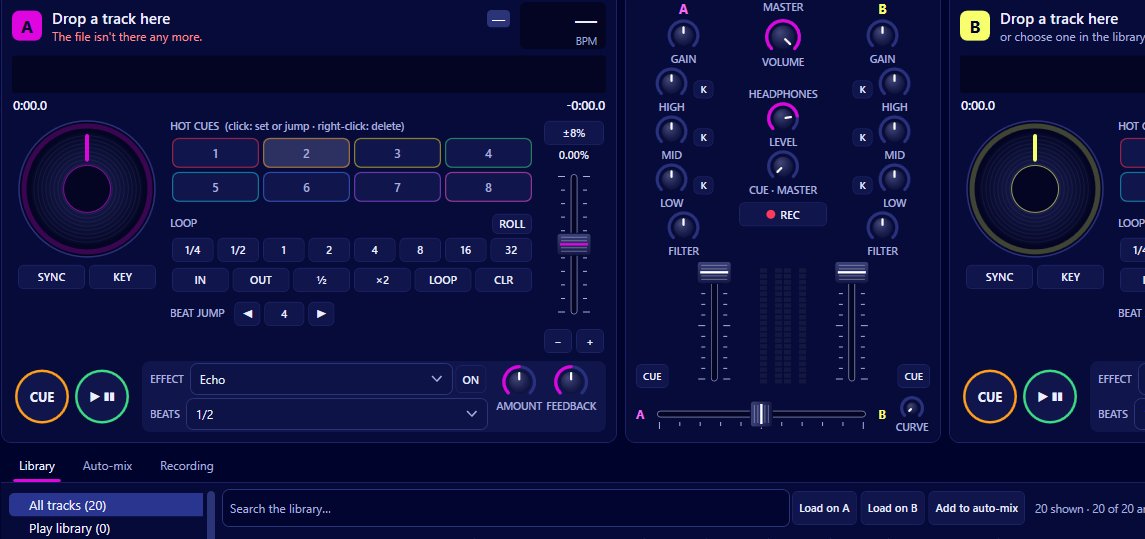
Behind every number on a deck in Mix by Zaweba is analysis that happened before you pressed play. Mix studies each track in the background and caches what it finds: the tempo and beat grid, the key, an energy rating from 1 to 10, the loudness and a waveform overview. Sync, key matching, What next, auto-gain and the waveforms all depend on it, so it's worth knowing what it does and how to make sure it's done before a set.
What gets measured
Tempo and beat grid. Mix works out the track's BPM and where each beat falls. The beat grid is what the beat lines on the scrolling waveforms show, what sync uses to keep two decks phase-locked, and what quantize snaps cues and loops to.
Key. Each track's musical key is shown as a coloured chip on the Camelot wheel (for example 8A), or by name if you prefer, via View > Keys in Camelot notation. Keys that sit next to each other on the wheel mix smoothly.
Energy. A rating from 1 to 10 for how intense a track feels. What next uses it to suggest tracks with similar or rising energy, and smart crates can filter by an energy range.
Loudness. Measured to EBU R128 for auto-gain, which brings every track to the same loudness.
Waveform overview. The shape of the whole track, drawn on the deck so you can see the intro, breakdowns and outro at a glance.
When analysis happens
It runs in the background, so you can keep using Mix while it works. New tracks in watched folders are picked up and analysed, and the results are cached so a track only needs analysing once.
To do everything at once, use Library > Analyse everything now. Preferences can also turn on analysing the whole library rather than tracks as they come up. There's a 'Not analysed yet' view in the library to show what's still waiting.
If you load a track that hasn't been analysed, Mix analyses it from the audio already decoded on the deck, so it gets its tempo, key and grid as it plays rather than leaving you without them.
Where the results show up
In the library, the BPM, key and energy columns let you sort and search by them. Smart crates use them as rules, such as a tempo range with half and double time included, or Camelot keys from 8A to 9A.
On the decks, the track's own BPM and key chip and its energy are shown alongside the effective BPM you're playing at.
In What next, suggestions are ranked by compatible keys, tempo within reach and energy similar or rising, each with its reasons in plain words.
Before a gig
Run Analyse everything now a day or two ahead, after adding any new music. That way every track has its grid, key and loudness ready, smart crates fill properly, and What next can consider your whole collection rather than just the analysed part.
When the analysis disagrees with your ears
No analysis is perfect. Tracks with a steady beat analyse cleanly; live recordings, tracks with tempo changes, or long beatless intros can be harder. If cues seem to snap off the beat on a particular track, switch quantize off for it from the Decks menu and set cues by ear.
Key detection can also be ambiguous on tracks that move between keys. Treat the key chip as a strong hint and let your ears make the final call.
No separate tools needed
Because Mix measures tempo, key, energy and loudness itself, you don't need a separate analysis program to prepare your library for it. Everything is done on your own computer, and the results stay there.

