
How to find songs that fit a tempo range
Smart crates in Mix by Zaweba gather every track inside a tempo range, half and double time included, and keep the list up to date by themselves.
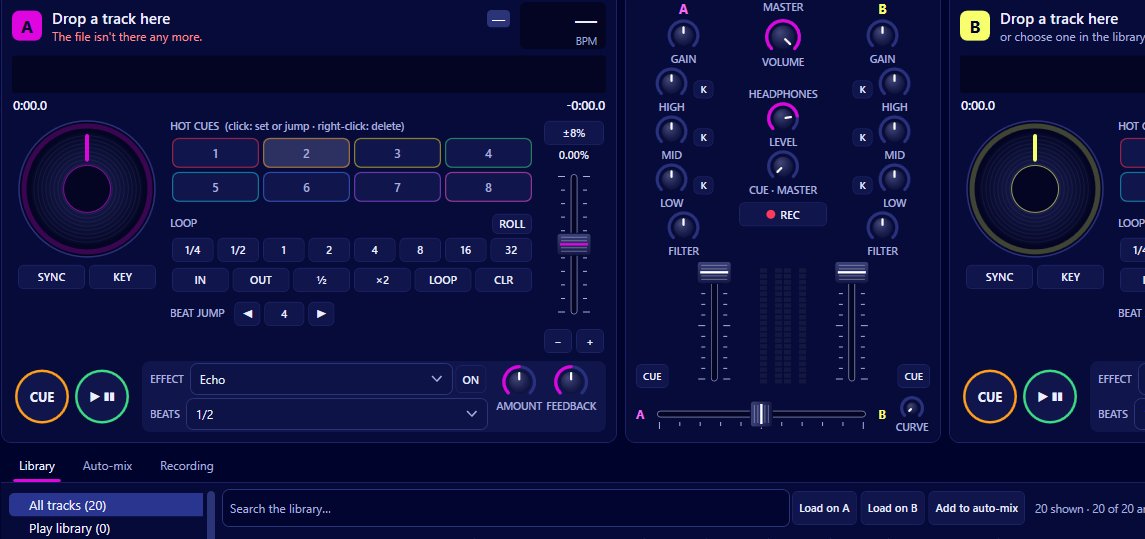
Make a smart crate in Mix by Zaweba with a tempo range as its rule, and it fills itself with every track in your library that falls inside that range. Half time and double time count, so a track at half the tempo you asked for turns up too, because it will mix at that speed. The crate keeps itself up to date as you add music.
Tempo comes from Mix's own background analysis, so there's no need for your files to have BPM tags already.
Why tempo ranges help
Tracks close in tempo are easier to mix. The tempo fader can stretch a track a fair way (its range can be plus or minus 8, 16 or 50 percent), but the further you push it, the more a track changes character, even with key lock keeping the pitch steady. A crate of tracks in a narrow range gives you material that blends with little adjustment.
Ranges also suit how parties go. You might want a warm up crate a little slower and a peak time crate a little faster, and move from one to the other over the evening.
Building a tempo crate
First make sure your library is analysed. Mix does this in the background; Library > Analyse everything now speeds it up, and the Not analysed yet view shows anything still waiting.
Then create a smart crate and give it a tempo range. Name it after the range or the job, such as warm up, so you can find it later. The tracks appear straight away.
Narrow it further if you like. Smart crate rules also cover Camelot keys and key ranges (8A to 9A, or 11A to 2A across the top of the wheel), an energy range from 1 to 10, genre and words. A tempo range plus an energy range is a good way to keep a crate both mixable and right for a moment in the night.
Ordinary crates alongside
Crates are your own lists, to add to, remove from, rename and delete. A common pattern is to use a smart crate to find candidates, then drag the ones you actually want into an ordinary crate for the set. That way the smart crate keeps changing as your library grows, while your chosen list stays fixed.
Tempo in What next
The What next panel uses a tempo rule too. It suggests tracks within plus or minus 6 percent of the playing track by default, half and double time included, measured at the tempo the deck is actually playing rather than the track's original BPM. So if you've pushed a track up a few percent, the suggestions move with you. The What next tempo range can be changed on the Mixing page of Preferences.
Checking tempo by eye
The library has a BPM column you can sort by, and each deck shows a large effective BPM, the pitch percentage and the track's own BPM. With sync on, Mix matches the tempo to the other deck, picking half or double time when that's closer, so a track from the edge of your range still lines up.
Taking it on to auto-mix
A tempo crate makes a good list for auto-mix, which plays tracks hands free with synced blends. After each blend the new track glides back to its own tempo over 16 beats, and a narrow range keeps those glides small.
Mix by Zaweba is free software for Windows that works with the music you already own, so it's easy to try a few tempo crates on your own library.

