
How to find the BPM and key of your songs for free
Mix by Zaweba works out the tempo and key of every track in the background and shows them as library columns, with keys as Camelot chips.
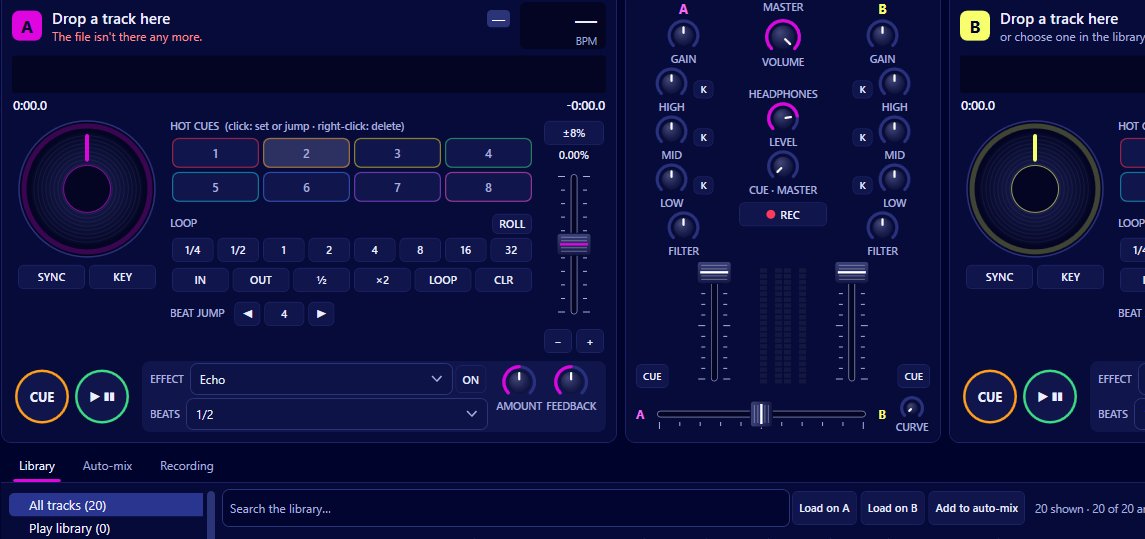
Add your music to Mix by Zaweba and it finds the BPM and key of each track for you. It analyses tracks in the background, caches the results, and shows tempo and key in the library columns next to energy, time, genre and album. Keys appear as coloured chips round the Camelot wheel, such as 8A, or by name if you prefer.
There's nothing to run track by track. Point Mix at your music and the numbers fill in while you get on with other things.
Where the music comes from
Mix by Zaweba on a Windows PC and music files you own. Mix reads files from folders you add and, if Play by Zaweba is installed, from Play's library (read only, so nothing in Play changes). It doesn't analyse streaming services, because it only plays local files.
Adding music and letting it work
Open File > Add a music folder, or Add music files for a few tracks. Mix reads the tags and watches the folder from then on, so new, changed and deleted files are followed live. F5 rescans if you want to be sure.
Analysis starts in the background straight away. For a big collection you can hurry it along with Library > Analyse everything now, and Preferences can turn on analysing the whole library rather than tracks as you meet them. There is also a Not analysed yet view, which shows what's still waiting.
Once a track is done, its BPM and key appear in the library. Click a column heading to sort by it, or use the instant search (Ctrl+F) to find a track by name.
What the analysis finds
Alongside tempo and key, Mix works out a beat grid (where each beat falls), an energy rating from 1 to 10, the loudness and a waveform overview. The beat grid is what sync and quantize use; the loudness feeds auto-gain; and energy, key and tempo together drive the What next suggestions.
When a track is loaded on a deck before it's been analysed, Mix analyses it from the audio already decoded, so you aren't left waiting.
Reading keys the Camelot way
Camelot notation numbers the keys 1 to 12 round a wheel, with A for minor and B for major. Keys next to each other on the wheel mix well together, as do the A and B with the same number (relative major and minor). It saves learning which musical keys are related.
If you'd rather see names such as A minor, switch View > Keys in Camelot notation off. The chips stay coloured either way.
Putting the numbers to work
Knowing BPM and key is only useful if it helps you choose what to play. Smart crates fill themselves from rules such as a tempo range, Camelot keys or ranges such as 8A to 9A, and energy, so you can keep a crate of tracks around a given tempo in neighbouring keys without building it by hand.
The What next panel goes further. With a track playing, it lists library tracks that will mix well, keeping to compatible keys, a tempo within reach and similar or rising energy, and gives its reasons in plain words.
On the decks, each track shows its own BPM, the effective BPM at the current pitch, a key chip and the energy, so you can check a match at a glance mid set.
A note on accuracy
Automatic tempo and key detection works from the audio, so tracks with live drumming, tempo changes or unusual harmony can be harder to read than steady dance music. Use the numbers as a guide and trust your ears in the headphones. For most collections, though, letting Mix by Zaweba analyse everything once saves hours of tapping along to a BPM counter.

