
Keyboard shortcuts for DJing without a controller
Mix by Zaweba can be played from the keyboard: Q and W for deck A, O and P for deck B, S and L for sync and 1 to 8 for hot cues. F1 lists the rest.
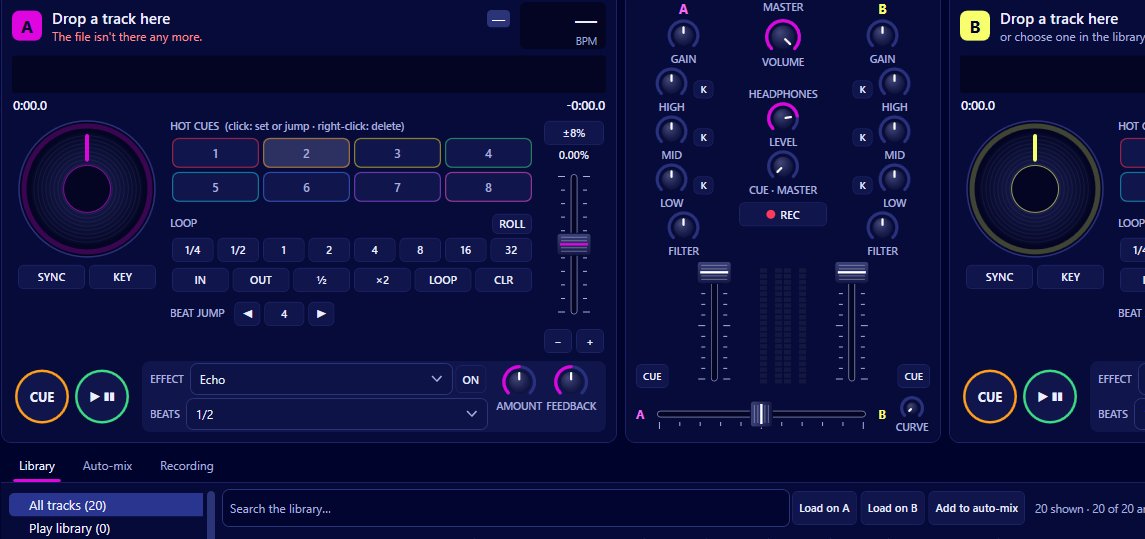
Press F1 in Mix by Zaweba (Help > Keyboard shortcuts) for the full list. The ones you'll use most are Q and W to play and cue deck A, O and P for deck B, S and L for sync, 1 to 8 for hot cues, and Ctrl+Left and Ctrl+Right to move the crossfader. With those under your fingers you can play a whole set from a laptop keyboard.
The layout is split by side, so your left hand looks after deck A and your right hand deck B, much as it would on a controller.
The deck keys
Q and W play and cue deck A; O and P do the same for deck B. Cue works CDJ style: when stopped away from the cue point it sets the cue there, when you're on the cue point holding it previews the track, and while playing it jumps back to the cue and stops.
S and L switch sync on each deck. Sync matches the tempo to the other deck and keeps the beats phase locked while it's on.
Keys 1 to 8, and Shift with 1 to 8, work the eight hot cues. Each track keeps its hot cues in the library, so they're there next time.
To load tracks, Ctrl+1 loads to deck A and Ctrl+2 to deck B (both are in the Decks menu), or double click a track to load it to whichever deck is free.
The mixer and the rest
Ctrl+Left and Ctrl+Right move the crossfader. Mix > Centre the crossfader puts it back in the middle.
Other shortcuts cover the jobs around the mix: Ctrl+R records the mix, Ctrl+Shift+A starts auto-mix, Ctrl+F jumps to the library search, Ctrl+M opens the MIDI controllers and mappings, Ctrl+, opens Preferences, and Ctrl+T switches between dark and light themes. F5 rescans the library.
A keyboard workflow that works
Turn on sync early. With tempo and phase handled, the keyboard only needs to do the musical decisions: when to start the next track and when to move across.
Set hot cues while preparing, not mid set. Mark the first beat, the first drop and a good mix out point, and keys 1 to 8 become reliable landmarks.
Use the mouse for what the keyboard doesn't cover. EQ, filter, effects and loops are on screen, and a quick mouse move is fine for a slow blend.
When to add a controller
Keyboards are on or off, while faders and knobs are smooth, so long EQ swaps and filter sweeps feel more natural on hardware. Mix works with MIDI controllers through Windows MIDI, with a mapping editor and learn mode (Ctrl+M), and keyboard shortcuts keep working alongside one. It ships mappings for the Hercules DJControl Inpulse 200 and Numark Party Mix, written from published documentation and not tested on the hardware.
Mix by Zaweba is free software for Windows, so the cheapest way to learn to DJ is the laptop you already have, your own music and these keys.

