
How to open and save M3U playlists on Windows
In Play by Zaweba, File > Open a playlist reads M3U and M3U8, and Save the playlist as writes them with relative paths, track lengths and titles.
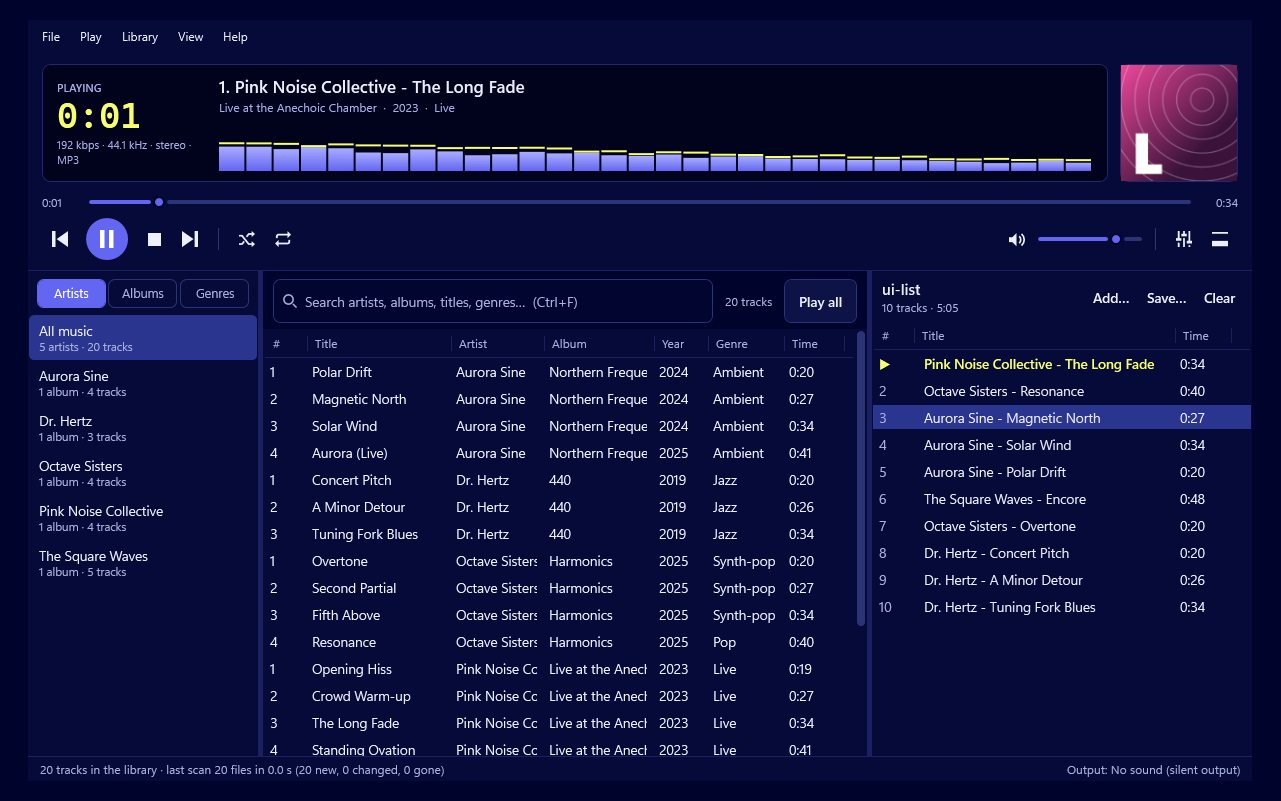
Use the File menu in Play by Zaweba. File > Open a playlist opens an M3U or M3U8 file, and File > Save the playlist as writes the playlist you're playing to a new M3U or M3U8 file. Play saves the paths relative to the playlist, with each track's length and title, so the file keeps working if you move your music folder.
M3U is the most widely understood playlist format there is, so it's a good way to keep playlists for the long term.
You'll need Play by Zaweba installed and some music in it, either from your library folders or dragged in from Explorer. An M3U file only lists where tracks are; it doesn't hold the music. So the tracks it points to must be on your PC.
Opening an M3U playlist
Choose File > Open a playlist, or press Ctrl+L. Pick the .m3u or .m3u8 file. The tracks appear in the playlist, ready to play.
If you'd rather combine a saved playlist with what's already there, add it instead of opening it. That's a quick way to join two mixes together.
Saving a playlist
Build the playlist the way you want it. Drag entries to reorder, use Alt+Up and Alt+Down to nudge them, and remove anything that doesn't belong.
Choose File > Save the playlist as, pick a folder and a name, and save. The next time you change it, File > Save the playlist writes to the same file.
M3U or M3U8?
They're the same format. M3U8 is saved as UTF-8 text, so it handles accented letters and other alphabets in file names properly. If any of your folders or tracks have names like that, choose M3U8. If you need the file for an older device that only knows .m3u, use M3U.
Where to keep the files
Because Play writes paths relative to the playlist file, the best place for playlists is inside your music folder, for example in a folder called Playlists at the top of it. Then if you copy the whole music folder to a new drive or a new PC, the playlists still point to the right tracks.
Each entry is saved with an #EXTINF line giving the track's length and title, which lets other players show a sensible list straight away.
If a playlist won't play some tracks
A saved playlist can't follow tracks that have been renamed or moved relative to it. If entries stop working after a reorganisation, open the playlist, re-add the missing tracks from the library and save it again.
Tracks from an audio CD only exist while the disc is in the drive, so save the CD to your library first if you want it in a lasting playlist.
Do you need to save at all?
Not always. Play keeps the current playlist between runs, so you can close it and carry on tomorrow. Save to M3U when you want to keep more than one playlist, or before you use File > New playlist to start afresh.
With a few saved files in a sensible place, Play by Zaweba gives you playlists that last as long as your music does.

