
How to queue a song to play next without losing your place
In Play by Zaweba, choose Play next on a library item or press Q in the playlist, and the song plays after the current one, numbered [1], [2] and so on.
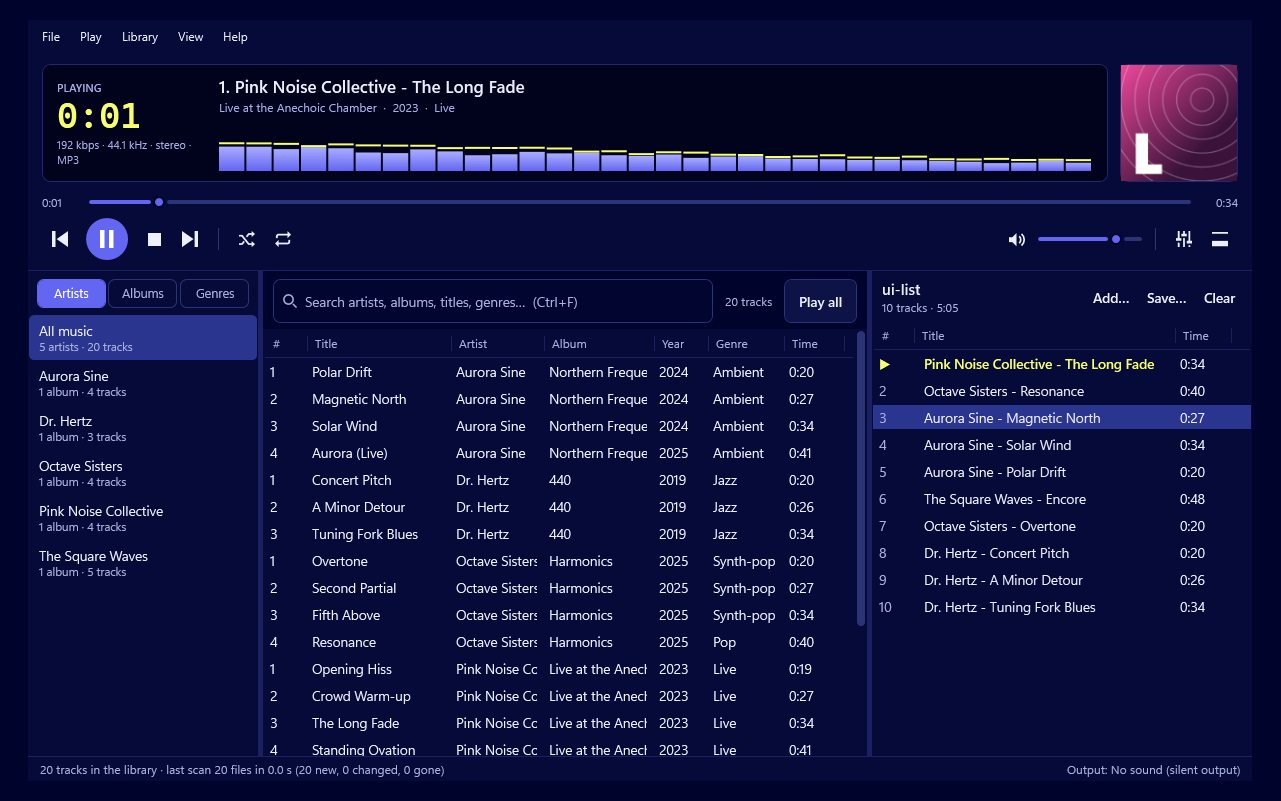
Choose Play next on a song in the library, or select it in the playlist and press Q. In Play by Zaweba either way puts it in the queue, so it plays straight after the song you're listening to, and the rest of the playlist carries on afterwards. Queued entries are numbered [1], [2] and so on, so you can see the order at a glance.
It's the simplest way to take a request or follow a whim without reorganising anything.
Queueing from the library
Find the song by browsing or by searching with Ctrl+F. Choose Play next on it. You can do the same with a whole album, an artist or a genre, and every track in it joins the queue in order.
This is especially handy while music is playing. You can browse the library, line up three or four things, and nothing you're listening to is interrupted.
Search makes it quicker still. Type a word or two after Ctrl+F and every word must match somewhere in the title, artist, album, genre, year or file name, so a half-remembered song usually turns up in a moment. Queue it and carry on looking for the next one. At a gathering, that means you can take a whole string of requests from people standing round the screen without the music ever stopping.
Queueing from the playlist
If the song is already somewhere in the playlist, select it and press Q. You don't need to drag it up next to the current track. It stays where it is in the playlist but plays next because it's in the queue.
Select several entries and press Q to queue them all.
Seeing the order
Each queued entry shows a number in square brackets: [1] plays next, [2] after that. When [1] has played, everything moves up. Once the queue is empty, Play goes back to the playlist in its normal order, or in shuffle order if shuffle is on.
Queue or drag?
Dragging an entry changes the playlist itself. The queue doesn't. That's the difference that matters. If you want a song next just this once, queue it. If you want the playlist rearranged for good, perhaps before saving it as an M3U file, drag entries to their new places. A line shows where they'll land, and Alt+Up and Alt+Down move the selection one place at a time.
Queueing with shuffle
The queue works with shuffle on. Shuffle in Play plays every track once before any repeat, and the queue simply goes first. That makes a shuffled party playlist with a queue for requests a comfortable way to run an evening's music.
Small pitfalls
Double-clicking a library item plays it at once rather than queueing it. Use Play next when you don't want to interrupt the current song.
If repeat is set to one track, the current song keeps playing and the queue waits. Press R to change repeat, or skip on with Ctrl+Right.
Queueing in Play by Zaweba takes one key or one menu choice, and the numbering means you always know what's coming.

