
How to shuffle music without hearing the same songs again
Shuffle in Play by Zaweba plays every track in the playlist once before any repeat. How to turn it on with S, fill the playlist and keep it going.
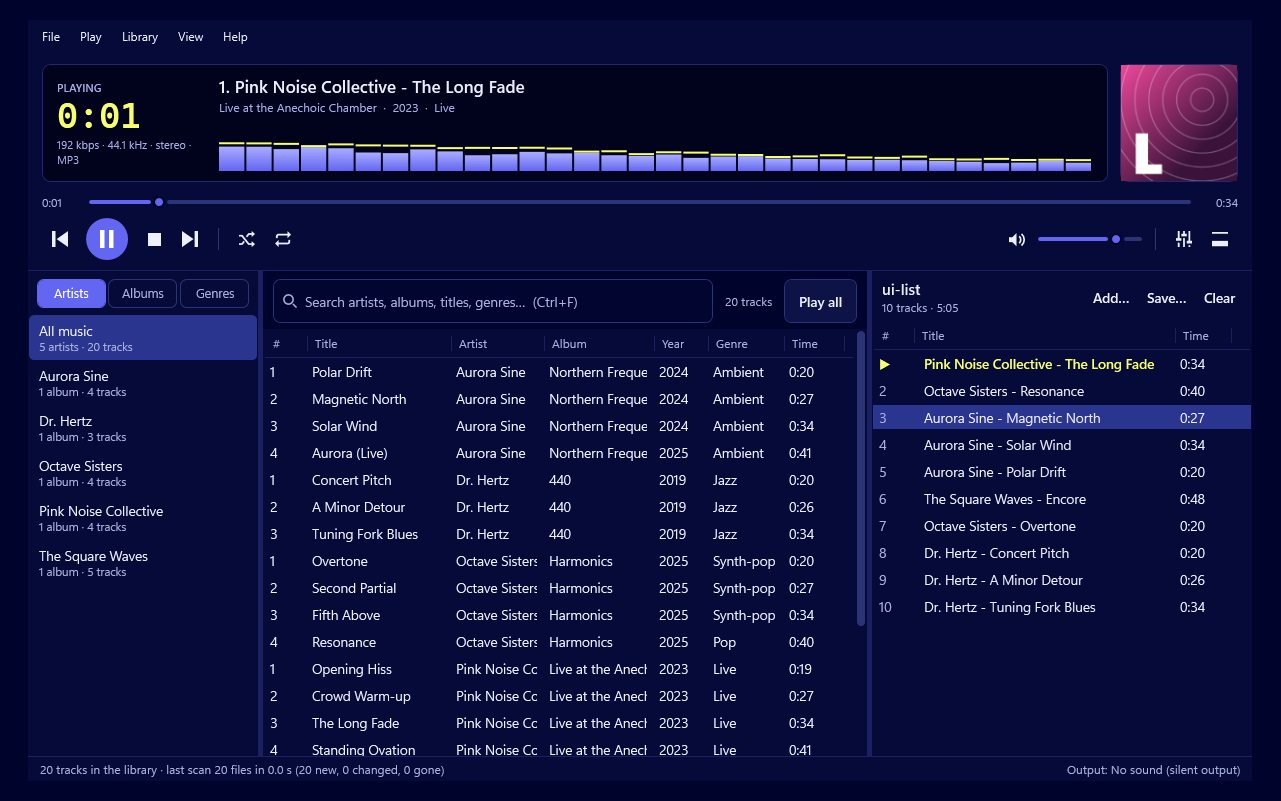
Use a player whose shuffle works through the whole playlist before repeating anything. Play by Zaweba does exactly that: its shuffle plays every track once before any repeat. Press S, or choose shuffle from the Play menu, and you'll hear every song in the playlist before the first one comes round again.
Why shuffle can feel repetitive
Some shuffles pick each next song at random from the whole list, every time. That's a fair coin toss, but it means a song can come up again soon after it played while others wait for hours. People notice the repeats and feel the shuffle is broken, even when it's working as designed.
Playing every track once before any repeat is more like dealing from a shuffled deck. It's still random, but it's random without the annoying part.
Shuffling, one key at a time
Fill the playlist with what you want to shuffle. Shuffle works on the playlist, not the whole library, so add the music first. Double-clicking an artist or genre in the library adds and plays all of it, which is a quick way to load a large set.
Press S to turn shuffle on. Press it again to turn it off.
Decide what happens at the end. Press R to move through the repeat settings. With repeat off, Play stops after every track has played once. With repeat all, it goes round again. Repeat one plays the current song over and over, which isn't what you want here.
Shuffling everything you own
To shuffle your whole collection, add the whole library to the playlist. With a large collection that's a lot of songs, and none will repeat until all have had a turn, which can mean days of music.
Taking requests
Shuffle doesn't stop you choosing what comes next. Put a song in the queue with Q, or Play next in the library, and it plays straight after the current song, marked [1] in the playlist. Then shuffle carries on from where it was, still keeping track of what has already played, so the request doesn't upset the order. It's a good way to run music at a party: shuffle keeps the evening varied, and anyone who wants a particular song can still have it next. If you want a run of requests, queue several and they play in the order you added them.
Smoothing the evening
A shuffled playlist mixes songs from many albums, so the volume can jump around. Turn on ReplayGain in track mode in Preferences to keep the level steady. You can also add crossfade, from 0 to 12 seconds, so songs blend together. By default it isn't applied between tracks of the same album, so albums that happen to land together still join gaplessly.
If shuffle still seems wrong
Check repeat isn't set to one, which keeps playing the same song. Check the playlist isn't short: with only a dozen songs, repeat all will bring them round again fairly soon. And if you started a new playlist, shuffle applies to that one, not the one you had before.
Shuffle in Play by Zaweba is meant to be left on. Fill the playlist, press S and let it play.

