
Finding any track in a big library as you type
How the library in Play by Zaweba works: browse by artist, album or genre, and every word you type narrows the results at once, even across 20,000 tracks.
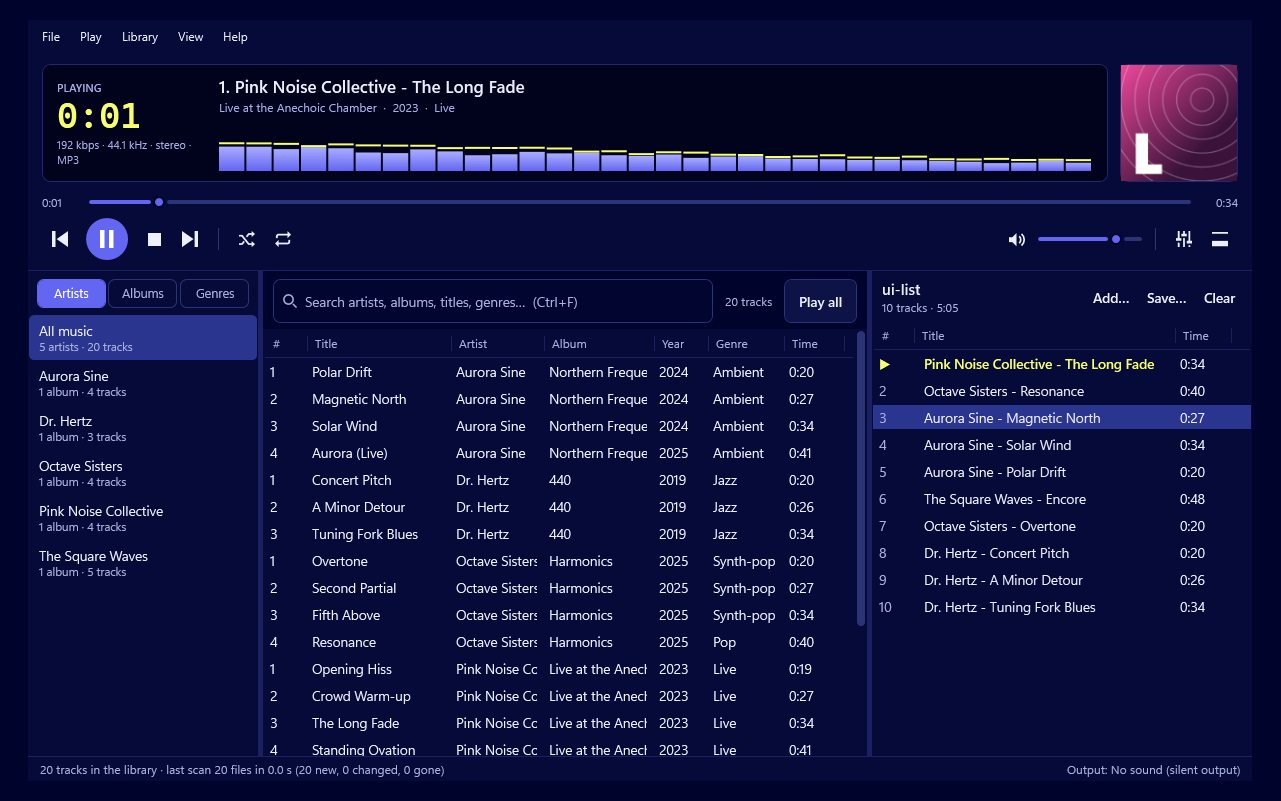
If you've built up a music collection over the years, you'll know the feeling of wanting one particular song and having no quick way to get to it. You remember a word from the title, or roughly who sang it, and then you're scrolling through folders named after albums you'd forgotten you had. Play by Zaweba is a music player for the music you own, and its library is built so that you can get to any of it in a moment.
Point it at your folders and your library is ready. From there, you can browse by artist, album or genre, and every word you type narrows the results straight away. That holds up even in a library of 20,000 tracks.
Setting up your library
There's very little to it. Tell Play where your music lives, whether that's one big music folder or several spread across drives, and it reads what's there. It plays MP3, FLAC, WAV, OGG, M4A and AAC, and Opus, which covers nearly everything people tend to have from years of collecting, ripping and buying downloads.
It also keeps the library up to date as files come and go. Play watches your folders, so files you add, rename or delete show up by themselves. Drop a new album into your music folder and it appears. Tidy up some duplicates and they disappear. There's no rescan button to remember.
Searching as you type
The search is the part you'll use most. Start typing and results appear with each letter, and each extra word narrows them further. Typing a single word from an artist's name gets you close. Adding a word from the album or song title usually gets you there. You don't have to type the whole thing or get it exactly right in order.
That approach matters more as libraries grow. In a small collection, scrolling is fine. In one with thousands of albums, it isn't. Being able to type two half-remembered words and see the right track straight away is what makes a big collection feel usable rather than daunting.
Browsing when you don't know what you want
Not every listening session starts with a particular song in mind. Browsing by artist, album or genre is the other way in. Pick a genre on a quiet evening and see what you've got. Go through artists alphabetically and rediscover someone you haven't played in years. It's the digital version of running your finger along a shelf of CDs.
Tidy tags make a better library
Search and browsing both rely on the information inside your files: titles, artists, albums and so on. If some of your music came from different places over the years, those tags can be messy. One album might list the artist three slightly different ways, or a set of tracks might have no album name at all.
Play has a tag editor for exactly this. Fix titles, artists, albums and cover art for one track or many at once. A bit of tidying makes the artist and album lists cleaner, and makes search find things more reliably. It's worth an evening if your collection has grown up from lots of sources.
From search to listening
Once you've found what you want, the rest of Play by Zaweba takes over. Albums play gapless, so live recordings and DJ mixes don't stutter between tracks. There's a 10-band equaliser, ReplayGain to even out volume between albums, and playlists you can save as M3U or M3U8. If you want a smaller view, the compact bar sits on top of your other windows.
There are no accounts and no streaming. Play is for your own files and CDs, on your own PC, and it works offline. If you've got a collection you care about, it's a library that keeps up with you, and a search that gets you to the song you're thinking of before you've finished typing its name.

