
Play by Zaweba plays local files, with no account needed
Play by Zaweba plays your own files and CDs only: no streaming, no account and no telemetry. What that means day to day, and how opening from Explorer works.
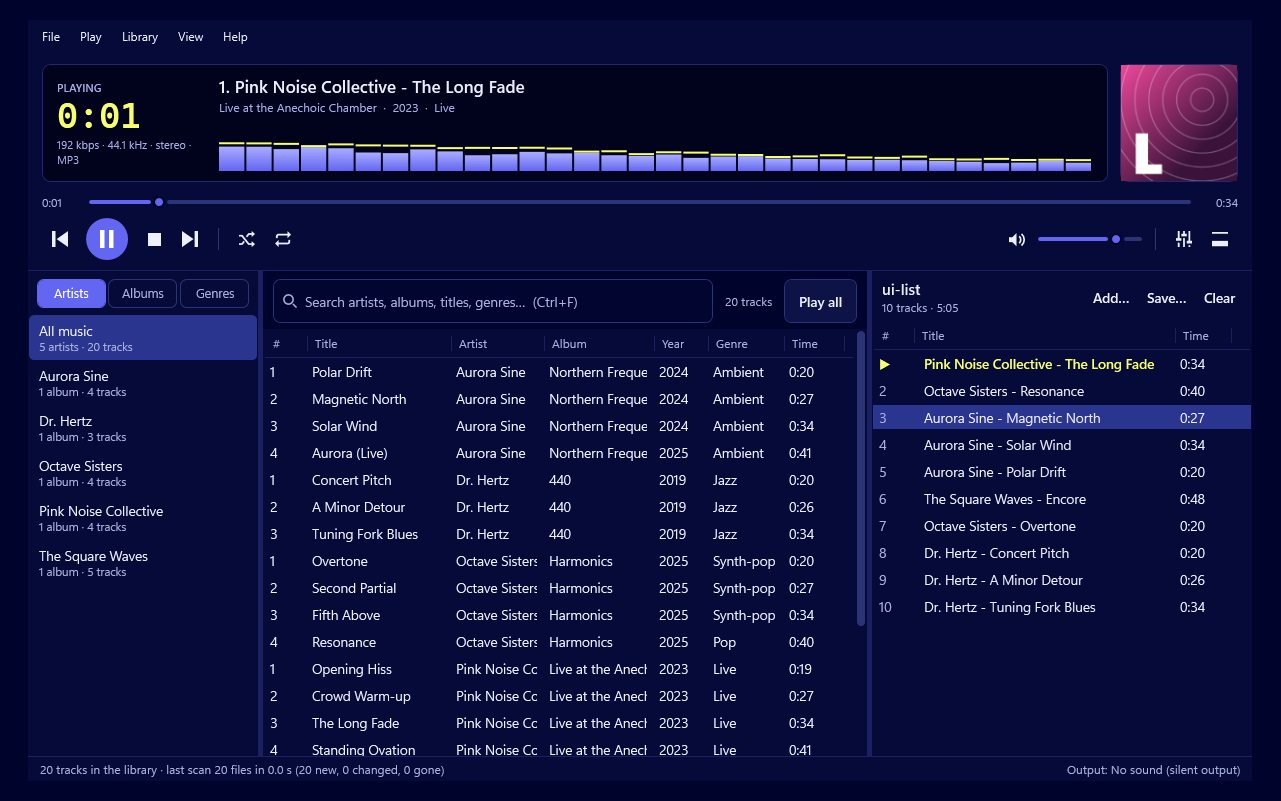
Many music apps now begin with a sign-in screen. Play by Zaweba begins with your music. It plays the files on your PC and the CDs you put in its drive, and nothing else. There's no streaming, no account to create and no telemetry sending reports about what you listen to.
That's a deliberate choice, and it shapes how the app behaves every day.
What it means in practice
You install Play and start it. There's no form to fill in and nothing to confirm by email. Add a music folder and your library appears.
What you play stays on your PC. There's no listening history sent anywhere, no profile built from your habits and no recommendations nudging you towards something else. If you play the same album thirty times in a week, that's between you and your speakers.
It also means Play works the same with or without an internet connection. On a train, in a cabin with no signal or on a PC kept offline, the library, playlists, equaliser and visualisers all work as normal.
The one exception you control
Audio CDs are the only place Play reaches out, and only when you want it to. When a CD is in a drive and the look-up is on, Play asks MusicBrainz and the Cover Art Archive for the track names and front cover. The answer is saved, so a disc you've played before needs no new request. If you'd rather not, turn the look-up off in Preferences > Audio CDs; Play then uses CD-Text from the disc where it's present, and you can type names yourself.
Opening music from Explorer
Because Play works with ordinary files, it fits naturally with Windows. If Play is already running and you open a music file from Explorer, the file is added to the running copy and starts playing. You don't end up with two players fighting over the speakers.
This is handy for music that isn't in your library folders, such as a track someone has sent you. Open it from Explorer, listen, and decide whether to move it into your collection.
Why local files are worth keeping
People sometimes ask why anyone keeps a music collection now. The reasons tend to be practical. Files you own don't disappear when a licence changes. Rare recordings, live bootlegs, your own band's demos, local artists and albums never released on streaming services live happily in a folder. And lossless files sound as good as the original recording, every time.
Play is built for that kind of collection. Its library watches your folders and keeps up with changes by itself. Its tag editor helps tidy the information in your files. And it can save your own CDs to your library as FLAC or MP3, so the shelf becomes part of the collection.
Things to keep in mind
Because everything lives on your PC, looking after it is your job. Back up your music folder, because Play doesn't keep copies anywhere else. Whatever backup routine you use, include the music folder and your saved playlists.
If you move your library to another PC, copy the folders and add them again in Play. Playlists saved as M3U use paths relative to the playlist, so keeping them inside your music folder means they come across intact.
And Play is free software under the Zaweba EULA. There's no subscription to keep up, so the player you install today simply carries on.
Play by Zaweba is for people who want their music to be theirs. No account, no stream and no reporting home: just your files, played properly.

