
Can I play music offline with no account?
Yes. Play by Zaweba plays your own music files and CDs with no account, no streaming and no telemetry, and works the same with or without the internet.
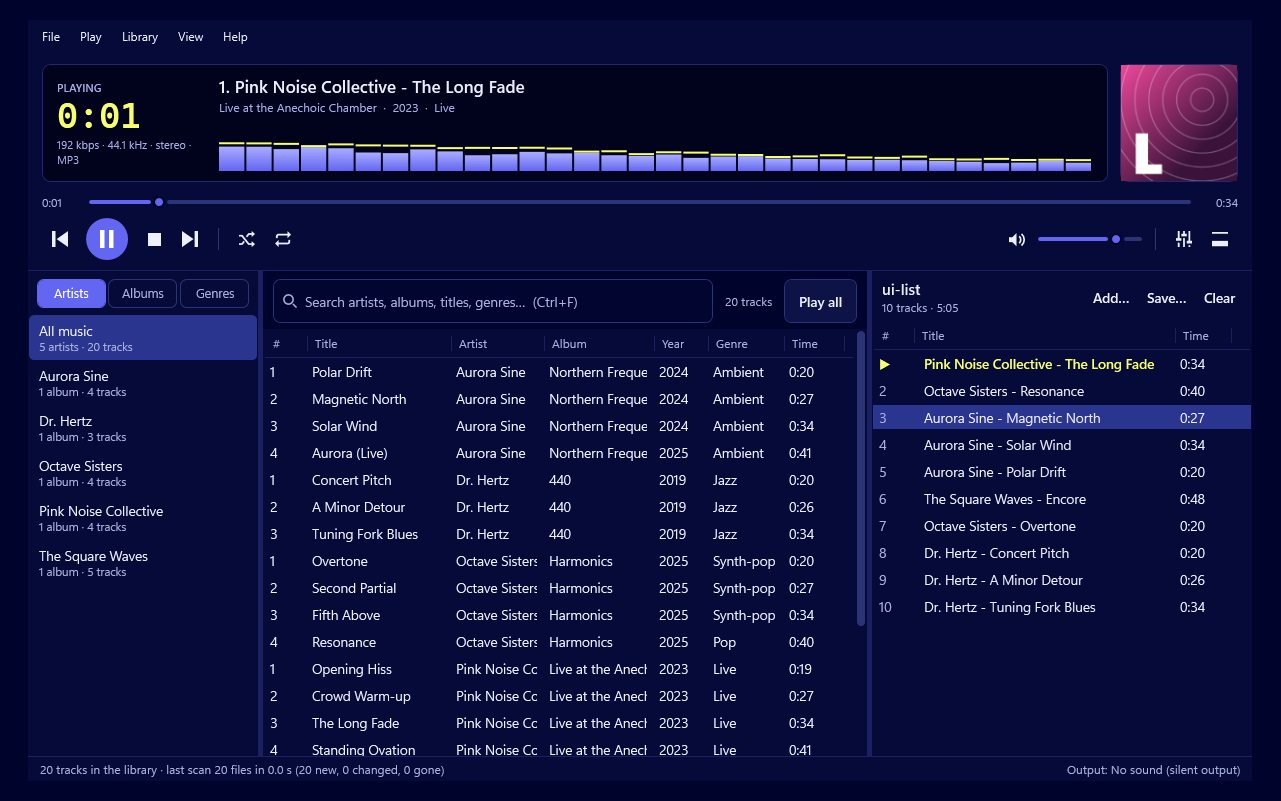
Yes, if the music is yours. Play by Zaweba plays music files on your PC and your own CDs, and it never asks you to create an account or sign in. It doesn't stream, doesn't send telemetry and works exactly the same with or without an internet connection. It's free software, so there's no subscription either.
How it works without an account
Streaming services need accounts because the music lives on their servers. Play's music lives on your PC, so there's nothing to log in to. There's no trial period to run out and no free tier with features held back either. Install Play, add your music folders through the Library menu, and your collection is ready.
The library watches those folders and keeps itself current as files are added, renamed or deleted. A cache means it's there instantly when Play starts.
Everything works offline
Every main part of Play runs without the internet: the library and search, playlists and the queue, gapless playback and crossfade, the 10-band equaliser and ReplayGain, the tag editor, the compact bar and all 557 visualisations. On a plane, a train, or a PC that's kept offline on purpose, nothing is missing.
The one optional look-up
When you put an audio CD in, Play can look up the track names and cover from MusicBrainz and the Cover Art Archive. It only does this when a CD is in the drive and the look-up is on, and it saves the answer so a disc it knows needs no new request. Offline, Play uses CD-Text from the disc where there is any, and you can type names yourself. You can switch the look-up off in Preferences > Audio CDs.
Getting your music onto the PC
If your music is on CDs, Play can save them to your library as FLAC or MP3 from the CD menu, with full tags and the front cover. If you have files on other drives, add those folders or copy them in. Play opens MP3, FLAC, WAV, OGG, M4A/AAC and Opus.
What you don't get
Play won't find new music for you or stream songs you don't own. There's no radio, no recommendations and no catalogue of millions of tracks to browse. That's the trade. Many people keep both: a streaming app for discovering music, and their own files for the albums they love and want to keep for good, played in a player that doesn't need the internet for anything. In return, nothing about what you listen to leaves your PC, and your collection doesn't depend on a service staying the same.
Looking after an offline collection
Your files are the collection, so back them up. Keep saved playlists inside your music folder; Play writes them with paths relative to the playlist, so they come across if you move the folder to a new PC.
For anyone who wants their music to stay theirs, Play by Zaweba is a straightforward answer: install it, point it at your folders and listen, with no account and no connection needed.

