
How Pub Converter makes sure no text goes missing
When text needs more room after conversion, Pub Converter by Zaweba makes the last box slightly taller, then the text slightly smaller, and reports each change.
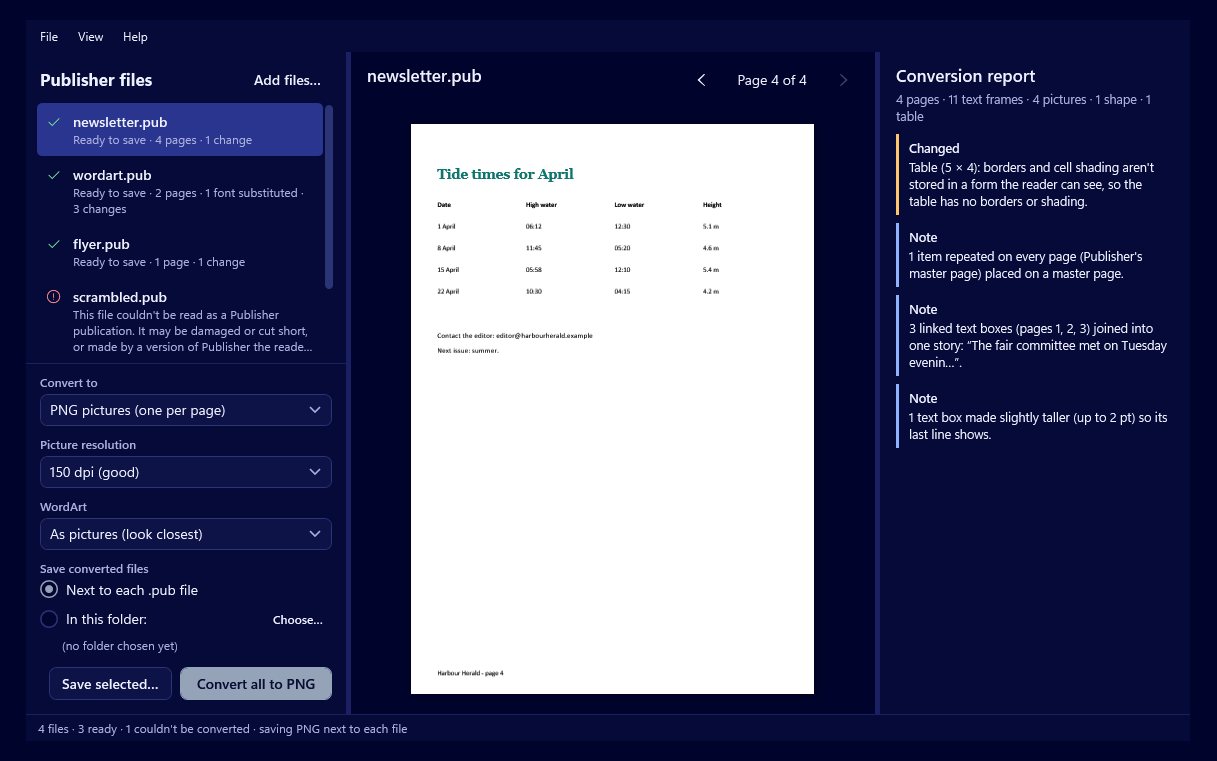
Text rarely takes up exactly the same space in two different programs. Each one measures letters, spaces and line breaks in its own way, so a paragraph that fitted neatly in the original can need a line more after conversion. In a busy newsletter, that one line is the end of an article that quietly disappears. Pub Converter by Zaweba checks for this and makes sure no text is hidden.
Why text can need more room
Publish by Zaweba measures text from the font files themselves, so what you see on screen is exactly what lands in a PDF or a picture of the page. The original program had its own text engine. Small differences in how each places words on a line add up across a long article. Font matching plays a part too: when a font the publication names isn't installed, Pub Converter maps it to the closest one it can find, and the replacement may be slightly wider or narrower.
The result is that some stories need a little more room than the box they came in.
What Pub Converter does about it
Where Publish's text engine needs more room than the original, Pub Converter works on the last box of the story, because that's where any overflow would be hidden.
First it makes that box slightly taller. In many layouts there's a little space below an article, and a box a few points taller fits the extra line without disturbing anything else.
If that isn't enough, it makes the text slightly smaller. The change is kept small, enough to fit the story without making it look different from the rest of the page.
Either way, the aim is the same: every word that was in the original is still visible in the converted file.
Every change is reported
Pub Converter doesn't make these adjustments silently. Every change is listed in the file's conversion report, shown beside the preview and summarised in the file list. You can save the report with File > Save the report to keep a record of what was done to each file.
That matters because you know your publication better than any converter does. If a box has grown into a picture below it, or a story's text is now a touch smaller than its neighbours, the report tells you exactly where to look.
Fixing things by hand in Publish
When you open the converted .ozp file in Publish by Zaweba, any fitting change is easy to undo or improve. You might shorten a sentence, so the text fits at its original size. You might make an earlier box in the story a little bigger instead, so the text flows on further. Or you might simply accept the change, because a slightly taller box usually goes unnoticed.
Because linked text boxes come across as one story, adjusting one box sends the text flowing on through the rest, just as you'd expect.
Getting the best fit
Fonts make the biggest difference. If you can install the fonts the original used, do it before converting; Pub Converter uses the same family when it's present, and text then fits much more closely. The report lists every font it had to substitute, so you know which ones to look for.
Check the preview page by page for long articles and tightly packed pages, since those are where fitting is most likely. And if you're converting to PDF or PNG for an archive rather than editing, the same fitting applies, so nothing is cut off in the pictures either.
It's a small safeguard, but it's the one that stops a converted newsletter from losing the last line of its main story.

