
Ambient sounds in Scene by Zaweba: rain, birdsong and hum
Scene by Zaweba can play a scene's ambient sound, such as rain, birdsong or a gentle hum, made by Scene itself. It's off by default and easy to turn on.
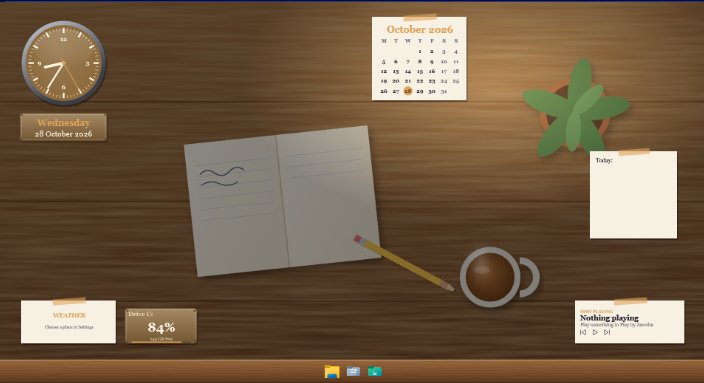
Sound is the quiet extra in Scene by Zaweba. A scene can come with an ambient loop, rain on the cabin roof, birdsong outside the window, the hum of a cockpit or a space station, and it plays softly while the scene is on. It's off by default, so nothing starts making noise until you ask.
The sounds are hum, birdsong, rain, space and room. All five are synthesised by Scene as loops that repeat without a gap, rather than played from recordings, so there's no click or gap where a loop restarts.
Turning it on
Open Settings (Ctrl+, or from the View menu) and tick Play the scene's ambient sound. The current scene's sound starts. There's a volume, so you can set it low enough to sit under music or a call.
Because the setting plays the scene's sound, changing scene changes the sound. Move from the Forest cabin window to Space station and the birdsong gives way to something more spacious.
Choosing a sound for your own scene
In the editor, a scene's sound is one of the things you set, alongside the wallpaper, colours, font, launcher and time of day. Pick one of the built-in loops, or give the scene its own audio file.
Some natural pairings: rain with a dark or cosy scene, birdsong with the forest cabin or anything green, hum with a cockpit or car dashboard, space with Holo HUD and the space station, room with the Wooden desk or the Dressing table, where it just adds a sense of a real place.
If you're sharing a scene as a .zscene with your own audio file, keep the file reasonably small. Imports are limited to 300 MB and 2000 files, and a short loop is all you need.
Using it well
Ambient sound is for focus, not entertainment. Rain and room tone are good under writing or reading; birdsong is cheerful but can be distracting for some people; hum is best at a low volume. Try each for a while before deciding.
If you play music, lower the ambient volume until you only notice it in the gaps. And remember that headphones make any of these much more noticeable than speakers do.
When it doesn't play
Check the setting is ticked and the volume isn't at zero. Check the scene is actually switched on; select it in the Scenes tab and choose Switch on or off, or press Ctrl+Space. A scene you've made needs a sound chosen in the editor, or it will have nothing to play.
Why made by Scene
Making the sounds in code rather than shipping recordings keeps Scene small and the loops smooth. It also means every built-in scene has a sound without depending on a library of audio files. It fits the way the rest of Scene by Zaweba works: the scenes are drawn in HTML, CSS and SVG, the launcher textures are drawn by Scene, and the sounds are made by Scene too.
Switch the scene off and the sound stops with it, along with Scene's windows. Nothing is left running behind your back.

