
A cosy desktop theme with a window onto a forest
Scene by Zaweba's Forest cabin window scene shows pines that change from dawn to night outside a cabin window, with a log launcher bar.
Forest cabin window, one of the nine scenes in Scene by Zaweba, is made for that. Your desktop becomes the view from a cabin window onto pine trees, and the light outside changes from dawn through day and dusk to night. A launcher bar made of logs sits along the edge for your shortcuts. It's original art drawn by Scene, and switching it on takes one click.
A view out of a window is about the most restful thing a screen can show. It changes slowly, it has depth, and it doesn't ask for attention.
How the view changes through the day
Scene tells every wallpaper the time of day as dawn, day, dusk or night. The forest cabin uses that to change the light on the pines, so your desktop looks different first thing in the morning from how it looks late in the evening. If you'd like to fix it at one time, for example a permanent dusk, a scene can set its time of day in the editor. Because the built-in scenes are read-only, do that on a copy made with Scene > Duplicate.
The log launcher
The launcher bar's texture in this scene is log, which matches the cabin. The bar takes apps, folders, files, .url shortcuts and web addresses dropped onto it, and your items stay with you when you change scenes. It starts with File Explorer, Documents and Downloads.
Adding a sound
To complete the mood, Scene can play an ambient sound. Birdsong and rain are among the loops Scene synthesises itself, along with hum, space and room. They're off by default. Turn on the scene's ambient sound in Settings (View menu or Ctrl+,), and set a volume that sits under your music or calls rather than over them.
Widgets that suit a cabin
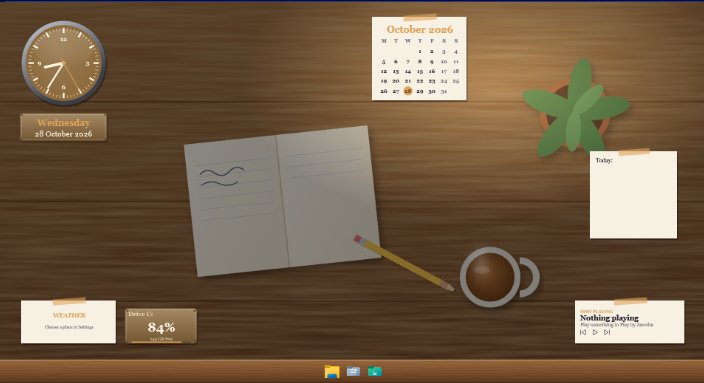
Every widget kind works in every skin, so pick the ones that fit the room. A paper note for today's list, an analogue clock, a plaque with the weather. The widgets take the scene's colours, which keeps them looking as though they belong. Place them in Arrange mode by dragging on the real desktop, and press Done. Scene saves your arrangement as "Forest cabin window (my layout)" and leaves the original as it was.
If you like the warm, lived-in feel, the Wooden desk and Dressing table scenes are in the same spirit.
Keeping it gentle on your PC
The scene pauses while a full-screen app or game is running, and you can tick Pause the wallpaper when the PC is on battery in Settings for a laptop. Each scene has a frame-rate cap, too. Your widgets keep updating while the wallpaper is paused.
Scene never changes Windows to do any of this. Everything is Scene's own windows, drawn on top, and switching the scene off with Ctrl+Space puts your desktop back exactly as it was.
Getting started
Open Scene, go to the Scenes tab, select Forest cabin window and choose Switch on or off. That's it. The cabin appears behind your icons, and the pines outside will follow the day without you doing anything else.

