
Does Scene work offline?
Scene by Zaweba works offline. Wallpapers can't reach the internet, and only the weather and feeds you set up ever use the network.
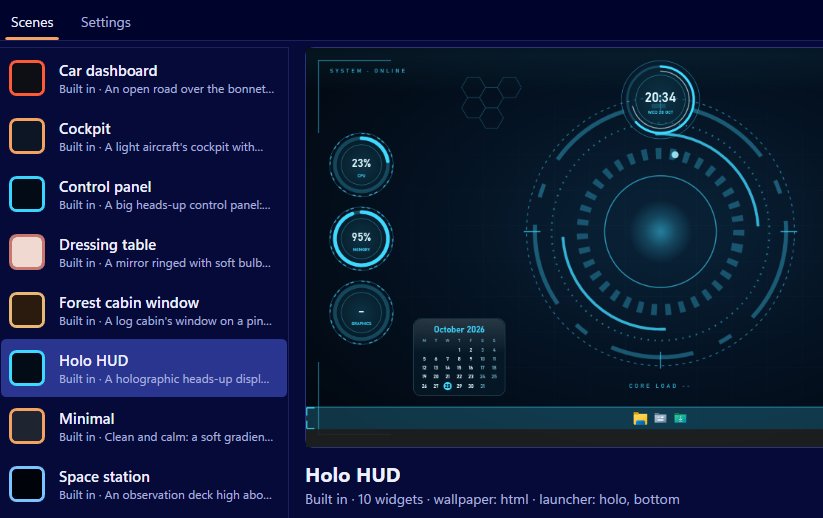
Everything that matters in Scene by Zaweba works offline. The app needs no account and no sign in, its nine scenes are built in, and wallpaper pages are blocked from reaching the internet at all. The only things that ever use the network are the weather widget and any data feeds you set up yourself, and both simply show their last value if you're not connected.
So on a plane, in a cabin with no signal, or on a PC you'd rather keep off the internet, your scene looks and works the same.
What works with no connection
Almost everything. Live wallpapers, whether a web page, image, video or animation export, play from the scene's own folder. Clock, date, calendar, notes and the launcher bar don't need the network. CPU, RAM, GPU, network and disk space widgets read Windows' own counters, or Pulse by Zaweba's readings if it's running. Now playing reads Windows' media session on your PC. Ambient sounds are synthesised by Scene, so there's nothing to stream.
The editor, Arrange mode, exporting and importing .zscene files all work offline too.
Wallpapers are sealed in
A wallpaper page can't reach the internet. Anything outside the scene's own folder is blocked, so a wallpaper can't load a script or font from elsewhere, and can't send anything out. That's good for privacy, and it's also why scenes behave the same everywhere: everything a scene needs travels inside it.
The two things that go online
The weather widget uses Open-Meteo, needs no key and doesn't guess your location from your connection. It fetches only while a weather widget is on show, every 30 minutes, retrying after five if a fetch fails. Offline, it keeps showing what it last had.
Data feeds contact only the addresses you type. They send only the address and the headers you added, no cookies, and run only while a scene with a feed widget is on. When a feed can't get through it keeps its last value, shows when the last good reply came and marks itself Stale in amber. A feed with no address shows "Set the address in Edit" and asks nothing at all.
If a scene has neither, Scene makes no network requests of its own. That's easy to check for yourself. Switch on a built-in scene that shows no weather and no feeds, such as one you've stripped down in Arrange mode, and it carries on exactly as before with the network cable out or the Wi-Fi off. The clock keeps time, the dials keep moving and the launcher still opens your folders.
Installing and updating
Scene is free software under the EULA. Once it's installed, it doesn't need to phone home to run. It uses the Microsoft Edge WebView2 runtime to show wallpapers, which is built into Windows 11, so there's nothing extra to fetch there either.
Making an offline-friendly scene
If you build your own scene for a machine that's rarely online, leave out the weather and feeds, or accept that they'll show their last value. Use a local image, video or web page folder for the wallpaper, keep any fonts and pictures inside the scene folder, and you have a desktop that will look exactly the same on the day you set it up as it does a year later.

