
Using the launcher bar in Scene by Zaweba
Scene by Zaweba's launcher bar holds apps, folders, files and web addresses you drop on it, sits on any edge or floats, and keeps your items across scenes.
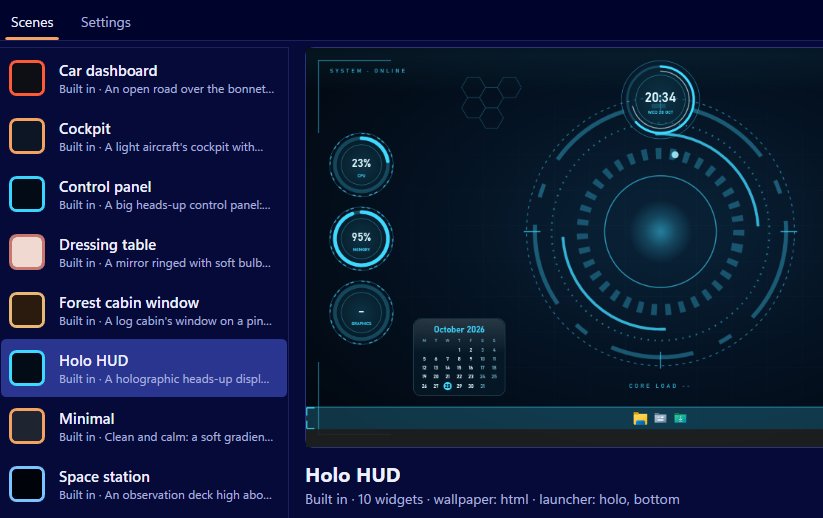
Every scene comes with a textured bar of shortcuts, and it's the part of Scene by Zaweba you'll probably use most. Drop an app, a folder, a file or a web address onto it, and it's one click away from then on, in a bar that looks like it belongs to the scene: a log in the forest cabin, polished wood on the desk, chrome on the dashboard.
It works alongside the Windows taskbar, not instead of it. The taskbar shows what's running; the launcher is for the handful of things you open all day.
Adding things
Drag and drop is the whole method. Drag a program, a folder or a file from File Explorer onto the bar. Drag a web address from a browser's address bar, or a .url shortcut, and the website gets a button. Icons are drawn at full resolution, so they stay crisp even on a large bar or a high resolution screen.
On the first run, the bar already has File Explorer, Documents and Downloads, which is a sensible start. Add to it, or remove those if you don't need them.
Managing items
Right-click an item to open it, move it, rename it or remove it. Renaming is worth doing for web addresses and long file names, since a short label reads better on a bar.
Your items belong to you, not to the scene. Switch from the Cockpit to the Forest cabin window and the same shortcuts are there, just wearing a different texture. That's what makes the launcher practical: you set it up once.
Where it sits
The bar can go at the bottom, top, left or right of the screen, or float. In the editor, set the launcher's position and size per scene, along with its texture. Bottom is familiar; left or right frees up height on a wide monitor; floating lets you tuck it into a corner of a scene where the art has room for it.
Settings has Keep the launcher bar on top of other windows. Leave it off and the bar sits on the desktop like the widgets, under your windows, there when you show the desktop. Turn it on and it stays visible over everything, which makes it a true dock. Which suits you depends on how often you reach for it.
Getting the most from it
Folders are underrated on a launcher. One click to a project folder or a shared drive saves a lot of hunting in Explorer. Web addresses are good for the two or three sites you open every morning. Files are handy for a spreadsheet you update daily.
Keep it short. A launcher with forty icons is a second Start menu; one with eight is a tool. Use the rename option so you can tell items apart at a glance.
If you also use the auto-hide taskbar option in Settings, a launcher on the bottom edge gives you a clean desktop with a bar of your own choosing, and Scene restores the taskbar when the scene stops.
How it fits the rest of Scene
The launcher is part of the scene's look. Its texture comes from the scene, and in your own scenes you choose from log, desk, dashboard, chrome, holo, marble, panel and plain, or use the scene's own image. Launcher buttons also exist as a widget type, if you'd rather place a single shortcut somewhere specific on the desktop.
Like everything in Scene by Zaweba, the bar is Scene's own window. Switch the scene off and it goes, leaving Windows as it was.

