
Does a live wallpaper work on two monitors?
Yes. Scene by Zaweba gives each monitor its own live wallpaper, and you can place widgets on whichever screen you like, even at different scaling.
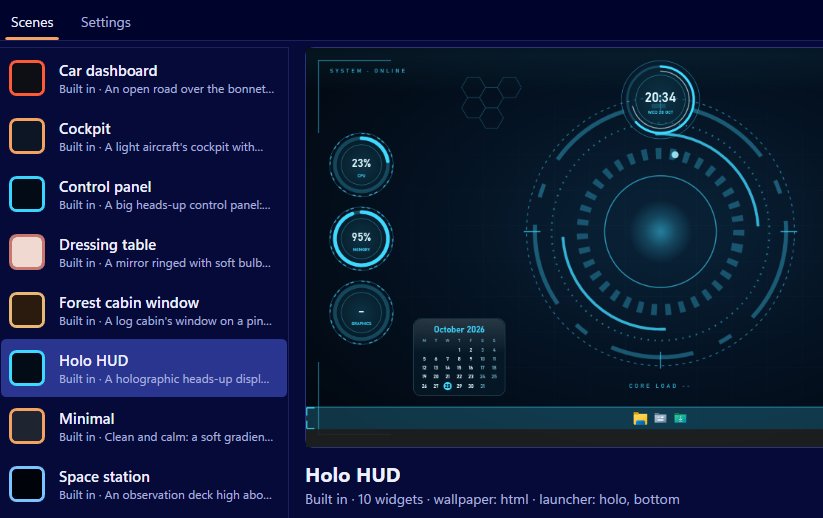
Two or more monitors are fully supported by Scene by Zaweba. Each monitor gets its own wallpaper window, so the live wallpaper shows on every screen, and widgets can be placed on whichever monitor you choose. Scene works out positions in physical pixels for each monitor, which means screens with different scaling, say one at 100 per cent and one at 150, line up properly.
Dual screens are common at home and at work, and a theme that only covers one of them looks unfinished. Scene treats each one as part of the scene.
How it's laid out
When you switch a scene on, Scene puts a wallpaper window behind the icons on every monitor. Your icons stay clickable on each. Widgets are positioned per monitor, and the launcher bar takes its own position, so a typical setup might have system readings on one screen and a clock, weather and notes on the other.
Scene's layout maths was tested at 100 and 150 per cent scaling, the two settings most people use.
Placing widgets on each screen
In the editor, each widget has a monitor setting along with its skin, caption, anchor, offsets and size. Set which screen it belongs to and where on that screen it's anchored.
Arrange mode is often easier. Start it from the tray menu, the Arrange on desktop button or the Scene menu, and every widget gets a frame on the real desktop. Drag widgets where you want them, across to the other monitor if you like, resize them with the corner grip and press Done. Positions are saved as an anchor, offsets and size, so they survive other resolutions. Widgets snap to a 10 pixel grid and to each other's edges, and holding Alt lets you place them freely.
Previewing other screens
The editor can show your scene as it will look on this PC, or at 1080p, at 1440p at 150 per cent or at 1366 by 768. It's handy for checking that a layout still works if you take a laptop away from its second screen, or if you share the scene with someone whose monitors differ from yours.
Games on one screen
The wallpaper pauses automatically while a full-screen app or game runs on either monitor. So if you play on your main screen, Scene isn't drawing behind the game, and your widgets keep updating, ready when you come back.
What two monitors cost
Two wallpapers mean two web views, so there's some extra memory. Scene's own measurements put its process at roughly 330 MB plus about 290 MB for WebView2 showing wallpapers on two monitors. CPU use stays low: with the Cockpit scene on two monitors, Scene used about 1.3 per cent of the machine on average over sixty seconds.
If memory matters, choose a scene with a simple wallpaper, such as Minimal, or build one with a still image or a plain colour.
Tips for a balanced setup
Put the things you glance at most on the screen you face. Keep the second screen calmer, with a clock or notes. Use the same scene on both so colours and skins match, and let the launcher bar live on the main monitor, where your mouse spends most of its time.

