
Setting up the weather widget in Scene by Zaweba
Scene by Zaweba's weather widget uses Open-Meteo with no key and no IP location. Type your place in Settings, pick it, and choose Celsius or Fahrenheit.
Weather is the one thing on a themed desktop that has to come from outside your PC. Scene by Zaweba gets it from Open-Meteo, with no key to sign up for and no guessing your location from your internet address. You type the place yourself, so you decide what it knows.
That's a deliberate choice. Plenty of weather gadgets quietly look up where you are from your IP address. Scene doesn't, and it only fetches anything at all while a weather widget is actually showing.
Setting your place
Open Settings (Ctrl+, or the View menu). Type a place name in the weather place field and search. You'll get a list of matches, which matters because many town names exist in more than one country. Choose the right one from the list and the widget starts showing its weather.
While you're in Settings, there's also Show temperatures in Fahrenheit. Leave it unticked for Celsius.
How often it updates
The widget fetches every 30 minutes. If a fetch fails, say because the PC was offline for a bit, it tries again after 5 minutes rather than waiting the full half hour. When no weather widget is on screen, no weather is fetched at all, so a scene without one never touches the network for weather.
Thirty minutes is plenty for weather. Conditions don't change faster than that in any useful way, and it keeps network use small.
Making it look right
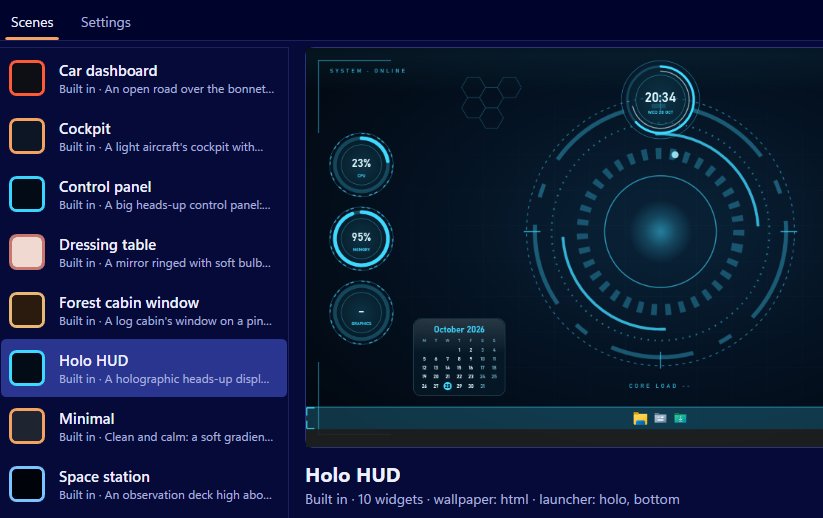
Like every widget, weather works in every skin: dial, analogue, ring, bar, digital, plaque, paper, hud and image. On the Minimal scene, weather sits with a big clock and the date. On a cockpit or HUD scene it can wear the hud skin to match the instruments.
Use the editor to set the skin, caption, anchor, size and monitor, or drag it about in Arrange mode on the real desktop. A widget face can also be your own SVG or PNG, if you'd like a weather panel drawn to match a scene you've made.
A good spot is close to the clock and date, since those are what people check together in the morning. On two monitors, put it on the screen you glance at rather than the one you work on.
Privacy and the network
Scene's network use is limited to two things: weather and the data feed addresses you type yourself. Wallpaper pages can't reach the internet at all; everything outside the scene's own folder is blocked. There are no accounts and no telemetry. So the weather widget is the main reason Scene goes online, and it only does so for the place you chose.
If you'd rather Scene stayed fully offline, simply don't add a weather widget. Everything else on the desktop (the wallpaper, clocks, system readings, notes, now playing and the launcher bar) works without it.
If it shows nothing
Check you've chosen a place from the list, not just typed one. Check the PC is online. If a fetch fails, the widget tries again in 5 minutes, so a brief drop in connection sorts itself out. Also check you meant the right town; the list exists precisely because names repeat.
That's all there is to it: one place, one setting for units, and a widget that matches whichever scene you're running in Scene by Zaweba.

