
Putting a website shortcut on your desktop launcher
Drag a web address or a .url shortcut onto the launcher bar in Scene by Zaweba and the site opens with one click from your desktop.
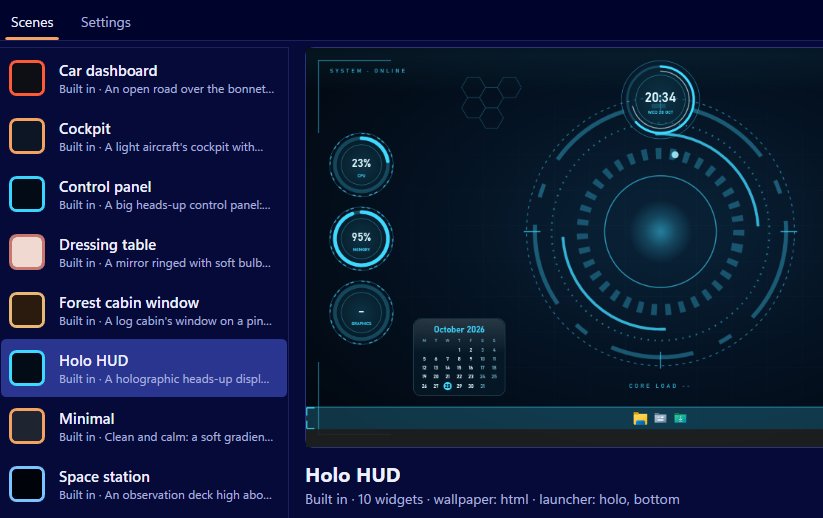
With Scene by Zaweba, drag a web address or a .url shortcut onto the launcher bar. That's the whole job. The site gets its own button on the bar, and one click opens it in your usual browser. You can rename it, move it along the bar or remove it with a right-click.
Most of us visit the same handful of sites all day: email on the web, a work dashboard, the bank, the weather. Having them on the desktop beside your folders saves opening a browser and hunting through bookmarks.
Dragging from the browser
The easiest source is the browser itself. Most browsers let you drag the address from the address bar, or the small icon beside it, out of the window. Drag it across to Scene's launcher bar and drop it. If you already have a .url file, for example one saved on your desktop or in a folder, drag that onto the bar instead.
Once it's there, right-click it and choose rename to give it a short, clear name. A bar of tidy names is much quicker to scan than one full of addresses.
Mixing sites with apps and folders
The launcher bar isn't just for websites. It takes programs, folders and files as well, and it starts with File Explorer, Documents and Downloads. A good bar often mixes them: the folder you're working in, the program you use to work on it, and the site where you send the result.
Your items belong to you rather than to any one scene, so a website you add while using the Wooden desk scene is still there when you switch to Space station. The look changes with the scene's launcher texture, which can be log, desk, dashboard, chrome, holo, marble, panel or plain, or the scene's own image.
Keeping it in reach
The bar normally sits on the desktop beneath your windows. If you want your site buttons there even when a window is maximised, open Settings from the View menu or with Ctrl+, and tick Keep the launcher bar on top of other windows. It can sit at the bottom, top, left or right of the screen, or float, depending on the scene and how you've set it in the editor.
A note on privacy
Adding a website to the bar doesn't make Scene go online. The bar just hands the address to your browser when you click it. Scene's own network use is limited to the weather widget, which contacts Open-Meteo every 30 minutes while it's showing, and data feeds you set up yourself. Wallpapers can't reach the internet at all.
If what you want is a number from a website on the desktop, such as orders today, that's a job for a data feed widget rather than a shortcut. A shortcut opens the site, while a feed shows a figure from it.
Tidying up later
Sites come and go. Every few weeks, right-click the ones you no longer use and remove them. A launcher bar works best when everything on it is something you'd miss, and it only takes a moment to drag a site back if you need it again.

