
What is a .zscene file and how do you open it?
A .zscene file is a whole desktop scene zipped into one file. Open it with Scene by Zaweba, or import it from the File menu, to use it.
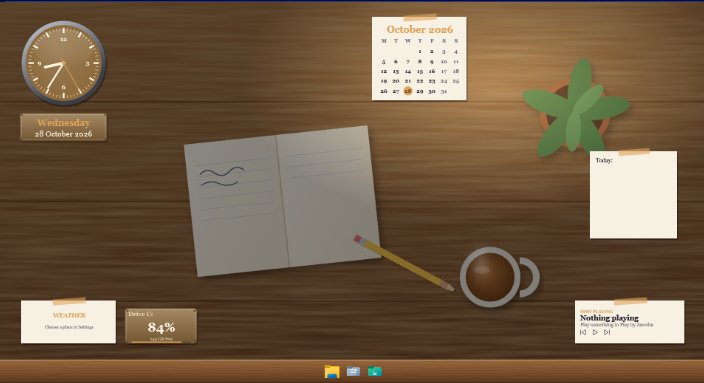
A .zscene file is a desktop scene from Scene by Zaweba, zipped into a single file so it can be shared. To open it, import it with File > Import (Ctrl+O) in Scene, or simply open the file with Scene. It then appears with your other scenes, ready to switch on.
If someone has sent you one, it holds a complete look for a desktop: the wallpaper, the widgets and their skins, the colours, the font, the launcher texture and any sound that goes with it.
What's inside
A scene in Scene is a folder. It has a scene.json describing the widgets and settings, plus whatever the scene uses: an image, a video, a web page or an animation for the wallpaper, face images for widgets, a texture for the launcher bar, perhaps an audio file. A .zscene is that folder zipped. Nothing more mysterious than that.
It never contains programs. Scene refuses them on import.
Opening one
You need Scene installed. It's free software under the EULA, runs offline and has no account. Then use any of these: File > Import, or press Ctrl+O, and choose the file. File > Recent files lists ones you've opened before. Or open the .zscene from File Explorer with Scene.
The new scene appears in the Scenes tab. Select it and choose Switch on or off, or press Ctrl+Space. If it uses a data feed with a key, you'll need to add your own, because keys are stripped when a scene is exported.
What Scene checks on the way in
Import is careful. It refuses any path inside the zip that uses .. or a drive letter, so a file can't sneak outside the scene's own folder. It never accepts programs. It limits a scene to 300 MB and 2000 files, checks that the scene is valid, and if the scene's id clashes with one you already have, it renames the new one rather than overwriting yours.
Once it's on, a scene's wallpaper page can't reach the internet. Everything outside the scene's own folder is blocked.
Making your own
To share a scene of yours, open it and use File > Export, or press Ctrl+E. The editor also has an Export .zscene button. Scene writes the zipped file, leaving out data feed headers and key-like parts of feed addresses, so your private keys stay on your PC.
Your scenes are kept in %APPDATA%\Zaweba\Scene\scenes, and Scene > Open my scenes folder opens it. If you'd like to build a scene by hand, Help > Making your own scenes opens FORMAT.md, which documents scene.json, wallpapers, widgets, feeds, skins, textures and sharing, with a template folder to start from.
If it won't open
The usual reasons are that the file was cut short while downloading, or that it's over the 300 MB limit, which can happen with a long video wallpaper. Ask the sender to export again, or to trim the video. If Windows doesn't know what to open a .zscene with, use File > Import inside Scene instead of double-clicking it.
A scene you import is yours to change. Open it in the editor, adjust anything you like, and save. If you'd rather keep the original as it came, Scene > Duplicate first and work on the copy.

