
Screen readers and the keyboard pointer in Vectornation
Vectornation by Zaweba reads the canvas and selection to screen readers, has a keyboard pointer (Ctrl+Alt+Shift+M) and Ctrl+F6 to move around the window.
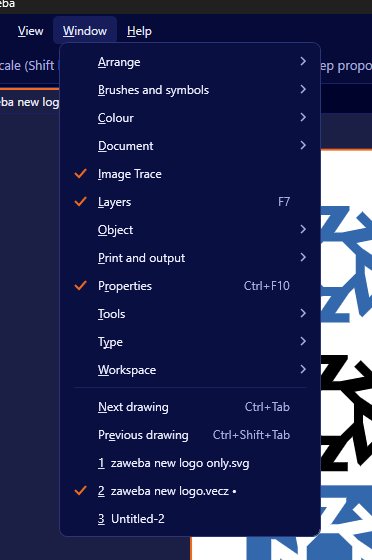
Drawing apps are usually built on the assumption that everyone uses a mouse and can see the screen. That shuts people out. Vectornation by Zaweba has done work to open it up. Screen readers hear the canvas, the selection and changes. View > Keyboard pointer, on Ctrl+Alt+Shift+M, works the canvas without a mouse. And Ctrl+F6 moves between the parts of the window.
Hearing the canvas
A screen reader turns what is on screen into speech or braille. In many graphics programs, the canvas is a silent picture, and a screen reader user hears nothing about what is on it. In Vectornation, the canvas, the current selection and changes are reported. When you select something, you can find out what it is. When something changes, you are told.
That makes it possible to check and adjust a drawing without seeing it: confirm that the right object is selected, hear that a move or a colour change happened, and follow what an action did.
Working without a mouse
The keyboard pointer lets you work on the canvas from the keyboard. It helps people who cannot use a mouse comfortably, whether because of a disability, an injury such as strain in the wrist, or simply a preference for the keyboard.
It is also handy for exact work. Moving a pointer by key presses is steady in a way a hand on a mouse is not.
Moving around the window
Ctrl+F6 moves between the parts of the window, such as the canvas, the panels and the tool bars. For keyboard users, getting from one area to another is often the hardest part of a complex app. One key that hops between them makes the layout navigable.
The Layers panel also works from the keyboard as a tree, which lets you move through layers and objects without clicking.
Why it matters
Accessible software is not only for a small group. Most people will at some point have a period when a mouse is painful, their eyesight is tired, or they need a different way in. Building access into the app means it works for them too.
It also matters in education and work. A school, college or employer can more easily give a disabled student or colleague the same design tool as everyone else.
Getting started
Turn on your screen reader as usual, then open Vectornation and a drawing. Select objects and listen to what is reported. Try the keyboard pointer from the View menu or with its shortcut. Use Ctrl+F6 to move around.
The full set of keyboard shortcuts, which can be changed in the Keyboard shortcuts editor, adds to this. Assign keys to the commands you use most, so that more of the work can be done without reaching for the mouse.
Being realistic
Visual design is visual, and some judgements, such as whether colours look good together, are hard to make without sight. Accessibility features cannot change that. What they do is make the mechanics of the app, selecting, moving, checking and changing, available to more people, so that more of the work can be done independently.

