
Can I write Arabic or Hebrew text in a vector editor?
Vectornation by Zaweba handles Arabic and Hebrew, with right-to-left paragraphs, joined Arabic letters, kashida justification and digit shapes.
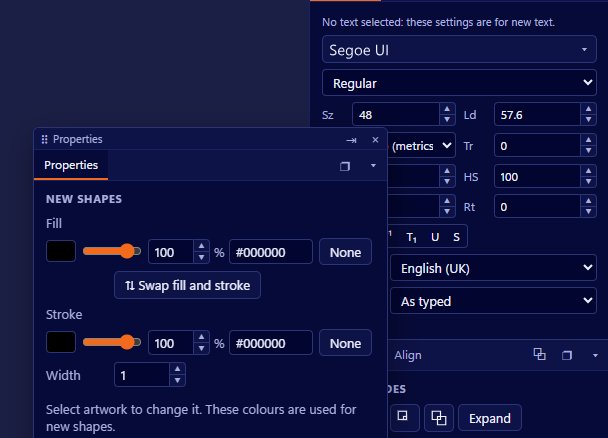
You can. Vectornation by Zaweba supports right-to-left text, with Arabic letters joined properly, Hebrew set the right way round, right-to-left paragraphs and kashida justification. Mixed lines are handled by the bidi algorithm, so an Arabic sentence with an English brand name or a number in it reads in the correct order.
That matters because a lot of graphics software treats every script as if it ran left to right. Arabic typed into such a program comes out as separate, unjoined letters in reverse order, and the usual workaround is to set the text elsewhere and paste it in as outlines. That makes every small correction a round trip.
What is supported
The bidi algorithm sorts out direction in a line that mixes scripts. Arabic text, a Latin product name and some digits can all share a line and each runs the way its readers expect.
Arabic letters join, taking the correct initial, middle, final or isolated form depending on their neighbours. Paragraphs can be set right to left, so alignment, indents and line starts are on the right side.
Kashida justification stretches Arabic lines by lengthening the connecting strokes between letters, which is the traditional way to justify Arabic instead of widening the spaces. Digit shapes cover the choice between the digits used in Arabic text and the Western ones.
Vectornation also covers East Asian needs: kinsoku line breaking rules, half-width punctuation, tate-chu-yoko for short horizontal runs inside vertical text, and ruby for small reading guides above characters.
Setting a right-to-left paragraph
Install a font that contains the script you need. Arabic and Hebrew need fonts with those characters; a font that only covers Latin letters will not help however well the program handles direction.
Make area text with the Text tool (T), or point text for a short line, and type or paste your text. Set the paragraph to right to left so it aligns and wraps from the right. If the text is Arabic and you want it justified, choose kashida justification so the lines fill out in the traditional way.
Check any numbers and embedded Latin words, such as a website address, to make sure they sit where you expect. The bidi algorithm handles the normal cases, and the paragraph direction you choose decides which side the line starts from.
Checking the finished text
Have a fluent reader look at the proof. Software can join letters and order them correctly, but only a reader can tell you whether the wording, line breaks and tone are right. Vectornation's Proof sheet with a sign-off box is a handy way to collect that approval in writing.
Leave room. Arabic often needs more line height than Latin text at the same point size because of its ascenders, descenders and marks, so loosen the leading if lines look cramped.
Keep the text live for as long as possible. Because the shaping happens in the app, you can fix a word or change the font without going back to another program, and you only outline a copy at the very end if a printer asks for it.
For bilingual layouts
Signs, packaging and menus often carry two languages side by side. With both directions handled in one file, you can set the English on the left in left-to-right paragraphs and the Arabic or Hebrew on the right in right-to-left ones, using the same styles and fonts that cover both.
Vectornation by Zaweba is free software for Windows that works offline and needs no account, and its menus are available in seven languages.

