
Can I put text on a path or inside a shape?
Yes. Vectornation by Zaweba sets text along any path, fills any shape with text and keeps it editable, with point text and area type as well.
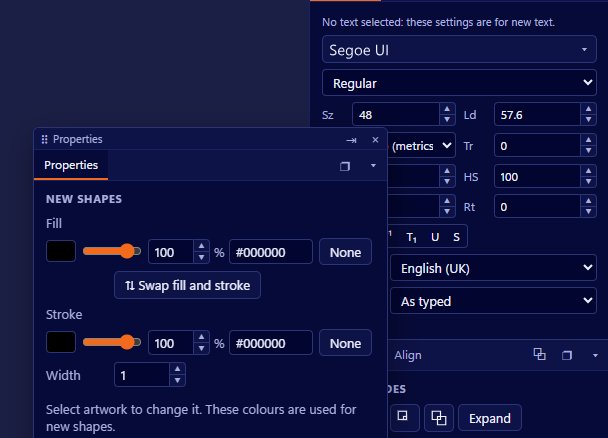
Yes, you can. Vectornation by Zaweba sets text along a path, pours text inside any shape and also gives you plain point text and boxed area type, all from the Text tool (T). The words stay live, so you can retype them, change the font or reshape the path afterwards and the text follows. It is free software for Windows, works offline and needs no account.
Text that bends round a badge or fills a heart shape used to be a fiddly job of rotating single letters. In a vector editor it is a property of the text itself, and that is how it works here.
The kinds of text you can make
The Text tool does more than one thing depending on how you use it. Click once on the canvas and you get point text, a single line that grows as you type, which suits headings and labels. Drag a box and you get area text, which wraps inside the box like a paragraph in a page layout.
From the same family come text inside a shape, text on a path, upright (vertical) text, upright shape text and upright path text. If you change your mind, Type > Convert to area type or point type swaps between the two basic kinds without retyping anything.
Putting text on a path
Draw the line first. It can be an arc, a circle, a wave drawn with the pen, or the edge of a shape you already have. Then use the text on a path option and click on the path, and the words run along it. Type on a path in Vectornation keeps its effects, so the text can follow the curve in more than one way rather than just sitting on top of it.
A few habits make it look right. Keep the path smooth, because a sharp corner makes the letters on either side splay apart. For a circular badge, put the top line on the outside of the circle and think about how the bottom line should read, since text running round the bottom of a circle will otherwise be upside down. Adjust tracking a little if the letters crowd on a tight curve.
Because the path is a real path, you can edit its points with the direct selection tools and the text reflows. That makes it easy to try a gentler arc or a longer line without starting again.
Filling a shape with text
Text inside a shape is the other half of the question. Draw the shape, a circle, a star, a speech bubble or any closed path, and use the shape text option to click inside it. The words wrap to the outline instead of to a rectangle.
This is a type of area text, so the same paragraph controls apply: alignment, spacing and so on. A shape with a narrow tip will leave very short lines there, so justified text often looks better in a broad shape and ranged left in a pointed one. If the text overflows, either enlarge the shape, shorten the copy or thread it on into another frame.
Vectornation also has area type with columns, threaded text and text wrap around objects, so the shape text can live alongside other text that flows round it.
When to use which
Point text is best for short words you will place by hand. Area text is right for paragraphs. Path text is for logos, stamps, seals and labels that curve. Shape text is for posters and decorative layouts where the outline of the words is part of the design.
For vertical scripts or a tall narrow banner, the upright versions keep each character upright down the line rather than turning the whole line on its side.
Before you send the file
If the artwork is going to a printer or a sign maker who may not have your fonts, keep a live copy for yourself and make a separate copy with the text outlined. That way you can still edit the words later. The live version also keeps the spell checker useful, since it can only check text that is still text.
That is the whole job: draw the path or shape, pick the matching text option, click and type. Everything stays editable in Vectornation by Zaweba until you decide otherwise.

