
Does Vectornation have a spell checker?
Vectornation by Zaweba has a UK English spell checker: Check spelling (Ctrl+I), auto spell check as you type and a personal dictionary for your own words.
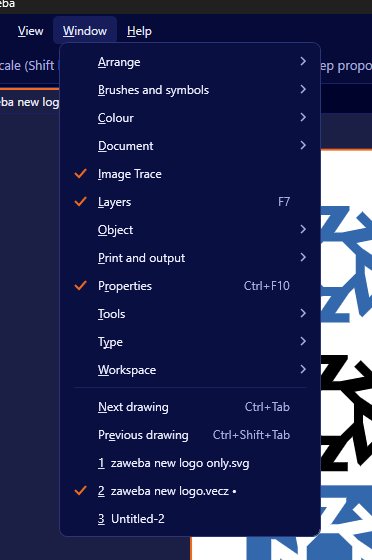
It does. Vectornation by Zaweba has a built-in spell checker using the UK English Hunspell dictionary, so colour, organise and centre are right by default. Run Edit > Spelling > Check spelling (Ctrl+I) to go through a document, switch on auto spell check to see mistakes as you type, and add your own words to a personal dictionary.
A spelling mistake on a poster or a box is the kind of error that costs real money once it is printed. Designers tend to check copy in a word processor and then paste it in, which is fine until someone edits a line on the artboard at the last minute. Having the check inside the drawing program closes that gap.
How the checker works
Check spelling steps through the text in your drawing one questionable word at a time. For each, you can accept a suggestion, keep the word as it is, or add it to your own dictionary so it is never flagged again. It works across the text objects in the document, so point text, area text and text on a path are all included.
Auto spell check is the quieter option. Leave it on while you type and misspelt words are marked where they sit, so you catch them at the moment you make them rather than in a final pass.
The dictionary is UK English, which suits the many British users who are tired of being told to drop the u from colour. If your copy is in American English, expect it to flag those spellings, and decide whether to add them to your dictionary or simply skip them.
Making it useful for design work
Design copy is full of words no dictionary knows: brand names, product codes, place names and people. The personal dictionary is where those go. Add your client's name and product names once at the start of a job and the checker stops interrupting you about them, which means you pay more attention when it does flag something.
Run a full check before you outline any text. Once letters are converted to shapes they are no longer text, and no spell checker anywhere can read them. A sensible routine is to check spelling, keep that live version safe, then make a separate outlined copy for the printer if they need one.
Headlines in capitals and very large display type are where mistakes hide, because you read the shape of the word rather than the letters. Let the checker read them for you.
What it will not catch
A spell checker knows whether a word exists, not whether it is the right word. It will happily accept there for their, or a missing word in a sentence. It also does not know if a phone number or a price is right. Treat it as the first pass, then read the copy aloud or have someone else read the proof.
Vectornation also has a Proof sheet with a sign-off box, which is a good way to get a client to approve the wording on paper before anything goes to press. Pairing the spell checker with a signed proof means two different kinds of mistake are covered.
Related type tools
Spelling sits alongside the other text tools in the app: tab stops, UK English hyphenation, justification settings, variable fonts and right-to-left text. The hyphenation also uses UK English patterns, so words break where a British reader expects.
Vectornation by Zaweba is free software for Windows, works offline and needs no account, so your copy is checked on your own PC and never sent anywhere.

