
Undo, the History panel and version history in Vectornation
Named undo steps, the History panel and File > Version history in Vectornation by Zaweba, which keeps earlier saves of a drawing on your PC.
Mistakes are part of drawing. Trying something bold is only comfortable when you know you can get back. Vectornation by Zaweba gives you three layers of safety: undo and redo that name the step, a History panel that lists the steps, and File > Version history, which keeps earlier saves of a drawing on your PC.
Undo and redo that say what they do
Undo and Redo name the step they will reverse or repeat. Instead of pressing undo and hoping, you can see, for instance, that the next undo will reverse a move, a colour change or a Pathfinder operation. That matters most after a long session of small changes, when it is hard to remember the order you did things in. Reading the name of the step before you undo saves you undoing one step too many and having to redo it.
The History panel
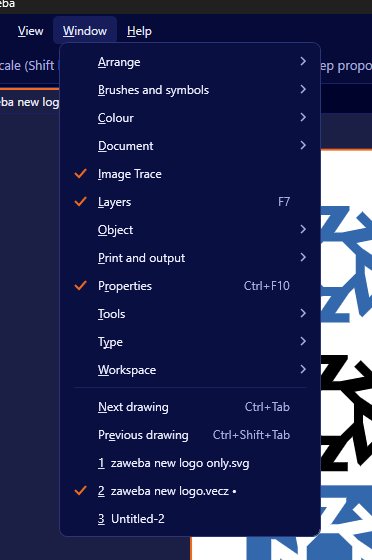
Window > Document > History lists the steps. Seeing them in a list is often clearer than stepping back one at a time. You can see the shape of a session at a glance and spot the point where things went wrong. Use it when an experiment didn't work out and you want to find the last good state, or when you are teaching someone and want to show what happened in what order.
Version history
Undo covers what you have done since opening a drawing. Version history covers more than that. File > Version history keeps earlier saves of a drawing on this PC, so you can go back to how the file was at an earlier save, even after closing it and opening it again on another day.
That changes how you can work. You can save often without worrying about overwriting something good, because the earlier save is still there. You can show a client the latest version and still recover the one they preferred last week. And if a file is changed in a way you didn't intend, perhaps by a batch action or by someone else at the same PC, the earlier version can be found. Because the versions are kept on your PC, nothing is sent anywhere and no account is needed.
A sensible safety routine
Save regularly, so version history has useful points to go back to. Before a big change, like flattening live effects, expanding live paint, or running an action over a folder of drawings, save first, so the version before the change is kept. Use undo for quick slips, the History panel for going back further in the same session, and version history for anything older.
It is still worth keeping proper backups of important work on another drive. Version history is a convenience on one PC, not a replacement for a backup that survives a failed disk. Burn by Zaweba, a disc and backup suite in the same family, is one option for that.
Why this matters for creative work
Design rarely moves in a straight line. You try a colour, decide against it, try a layout, keep half of it. Tools that make going back cheap encourage you to try more things, and trying more things is how good design happens. Named undo steps, a visible history and saved versions together mean the cost of an experiment is a few seconds, not a lost afternoon.
Once you trust them, you'll find yourself experimenting more freely, which is the real point of having them.

