
How do I find a command in a big menu?
Press Ctrl+/ in Vectornation by Zaweba for Find a command, which searches every command by name, and F1 opens help at the page for the tool in use.
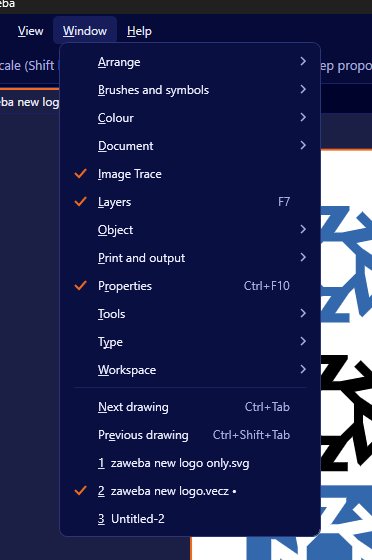
Press Ctrl+/ and type. Help > Find a command in Vectornation by Zaweba searches the app's commands by name, so instead of opening menu after menu you type a word or two and pick the command from the list. When you need to know what a command does, F1 opens the help browser at the page for the tool you are using.
A full vector editor has a lot of menus, and many commands live several levels deep. That is unavoidable when a program does this much, but it should not slow you down once you know the name of what you want.
Using Find a command
Press Ctrl+/ from anywhere in the app. A search box appears. Type part of the command's name, such as outline, align or spell, and the matching commands appear. Choose one and it runs as if you had picked it from the menu.
You do not need the exact name. Start with the word you would naturally use and adjust if nothing turns up. If you are moving from another program, try the name it used, since many commands share common names across vector editors.
It is also a good way to learn the menus. When the command appears, notice where it lives, and next time you may go straight there.
Help that opens in the right place
Help > Vectornation help (F1) is a searchable help browser. Press F1 while a tool is active and the help opens at that tool's page, so you are reading about exactly what is in your hand. The search inside the help finds pages by topic when you know what you want to do but not what the tool is called.
Between the two, you have a quick way to find a command and a quick way to understand it.
Making common commands even quicker
If you find yourself searching for the same command every day, give it a keyboard shortcut. Edit > Keyboard shortcuts (Ctrl+Alt+Shift+K) changes any menu shortcut, refuses clashes and can import and export your set. The defaults follow Illustrator's Windows shortcuts, so many will already feel familiar.
For a run of commands you always use together, record an action and play it back as one step.
Tips for big menus
Learn the shape of the menu bar rather than every item. Type commands tend to be under Type, things that change objects under Object, and so on. Knowing roughly where to look plus Find a command for the rest covers most days.
Panels live under Window. If a panel has vanished, look there, or search for its name with Ctrl+/.
If you prefer the menus in another language, Vectornation's menus, tools, panels and dialogs are available in French, German, Spanish, Italian, Dutch and Portuguese as well as English, which can make finding things much easier for people who think in those languages.
Vectornation by Zaweba is free software for Windows that works offline and needs no account, so the help browser and the command search are both on your own PC.

