
Using Vectornation by Zaweba in French, German or Spanish
Vectornation by Zaweba runs its menus, tools, panels and dialogs in French, German, Spanish, Italian, Dutch or Portuguese as well as English.
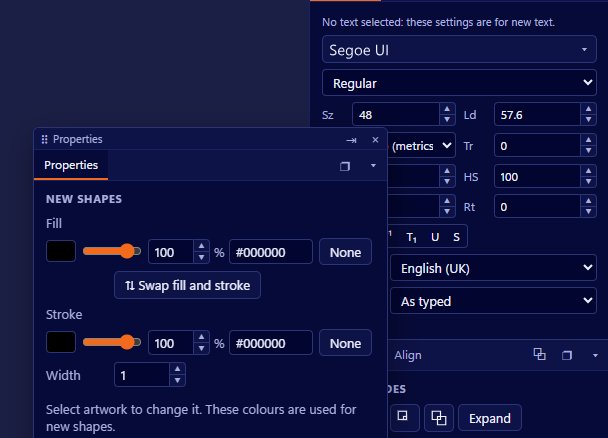
Learning a design app is hard enough in your own language. Vectornation by Zaweba can show its menus, tools, panels and dialogs in French, German, Spanish, Italian, Dutch or Portuguese as well as English. You switch at Edit > Preferences > User interface > Language.
What changes
The whole working interface: menu names, tool names and tooltips, panel labels and the text in dialogs. That covers what you see and click every day, so the app reads naturally in the chosen language.
Your drawings are not affected. The language setting changes how the app talks to you, not what is in your files. A drawing made in the German interface opens the same in the English one.
Who it helps
Designers who think in another language get an app that speaks to them in it. Schools and colleges teaching design in French or Spanish can use an interface that matches their lessons. Studios with people from several countries can let each person choose.
It also helps when you work with someone in another country. You can switch to their language for a moment to see the same names they see while you explain a step on a call.
Following tutorials and help
Most written tutorials name menus and commands in English. If you work in another language and a tutorial refers to a menu by its English name, it can be quicker to switch to English briefly, find the command, then switch back. Help > Find a command, on Ctrl+/, searches commands by name, which helps too.
Keyboard shortcuts stay the same whatever the language, so instructions based on shortcuts work for everyone. The built in help, on F1, opens at the page for the tool you are using, which is a quick way to read about a tool without needing to know what it is called.
Type and language are separate things
The interface language is one setting. The language of the text in your drawing is another matter. Vectornation's spell checking and hyphenation use UK English, so text in other languages will not be checked in the same way. The app does handle right-to-left scripts such as Arabic and Hebrew, and East Asian line breaking, for the text you set, which is separate from the interface language.
Switching
Open Preferences, choose User interface, then Language, and pick one. Changes in Preferences apply live, so you can try a language and switch back straight away if it is not what you wanted.
Practical tips
When writing instructions for a team that uses several languages, give menu paths in English and shortcuts as well, because shortcuts are the same everywhere.
If you share screenshots with clients, think about the language they read. A screenshot in their language can make a set of instructions far easier to follow.
Teachers can make good use of the setting in a mixed class. Each student can work in the language they read best, while the teacher refers to commands by shortcut and menu position, which are the same for everyone.
And if you are learning the app and a tool name puzzles you, switch languages for a moment. Seeing the same command named in two languages often makes it clear what it does.

