
Is there a vector editor that works offline?
Vectornation by Zaweba is a full vector editor that works offline with no account, so drawing, saving and exporting all happen on your own Windows PC.
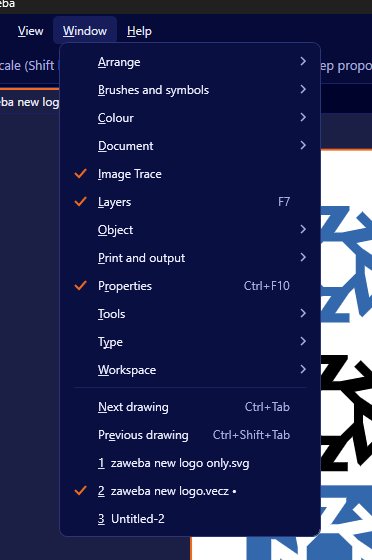
There is. Vectornation by Zaweba is a full vector illustration and design app for Windows that works offline and needs no account. You install it once and then draw, edit, save, print and export without an internet connection, and your files stay on your own PC. It is free software under its EULA.
A lot of design tools have moved into the browser or behind a sign-in. That suits some people, but it is a nuisance on a train, in a workshop with poor signal, on a client's site or anywhere the connection drops just as a deadline lands. It also means your work passes through someone else's servers.
What works without a connection
Everything. The drawing tools (pen, curvature, pencil, shapes, shape builder and live paint), live effects, brushes, type with its spell checker, image trace, colour proofing and every import and export work on your PC alone.
Fonts come from the ones installed in Windows, shown in the built-in font manager, so there is no online font service to wait for. The spell checker uses a UK English dictionary that lives on your machine. Help (F1) is a searchable help browser in the app.
Colour proofing uses the ICC profiles installed in Windows and Windows' own colour engine, so soft-proofing for print happens locally too.
Why offline matters
Privacy is the plain reason. Client artwork, unreleased packaging and private documents never leave your PC unless you send them.
Reliability is the other. There is no service to go down, no sign-in to expire and no update that changes the program while you are in the middle of a job.
It also suits shared or locked-down computers. A school, a print shop counter or a workshop PC attached to a laser cutter may not be allowed online at all.
Keeping your work safe offline
Without a cloud copy, your own saving habits matter. Vectornation helps here: recovery copies are made every few minutes, set in Preferences under File handling, with an offer to recover after a crash. File > Version history keeps earlier saves of a drawing on this PC, so you can step back to yesterday's version.
Get into the habit of saving under a new name at milestones, such as before a client's first round of changes. Combined with version history, that gives you clear points to go back to.
Back up your work folder to an external drive or your own backup system as well. Recovery copies protect you from crashes, not from a failed disk.
No AI features either
Vectornation has no AI features. Everything it does is drawing and editing that you control, which some designers and clients prefer and which fits with keeping work on your own machine.
What it opens and saves
Working offline does not mean working alone. Vectornation opens SVG, PDF, .ai, EPS, DXF, DWG and more, so files people send you still open, and it saves and exports the common formats back for them, including PDF/X-4 for printers.
Vectornation by Zaweba is free to download and use on Windows, with no account and no subscription.

