
Can I use ZIP by Zaweba on a Mac or Linux?
Yes. ZIP by Zaweba has a version for macOS and Linux with the same four tabs as on Windows: Contents, Create, Quality and repair, and Password.
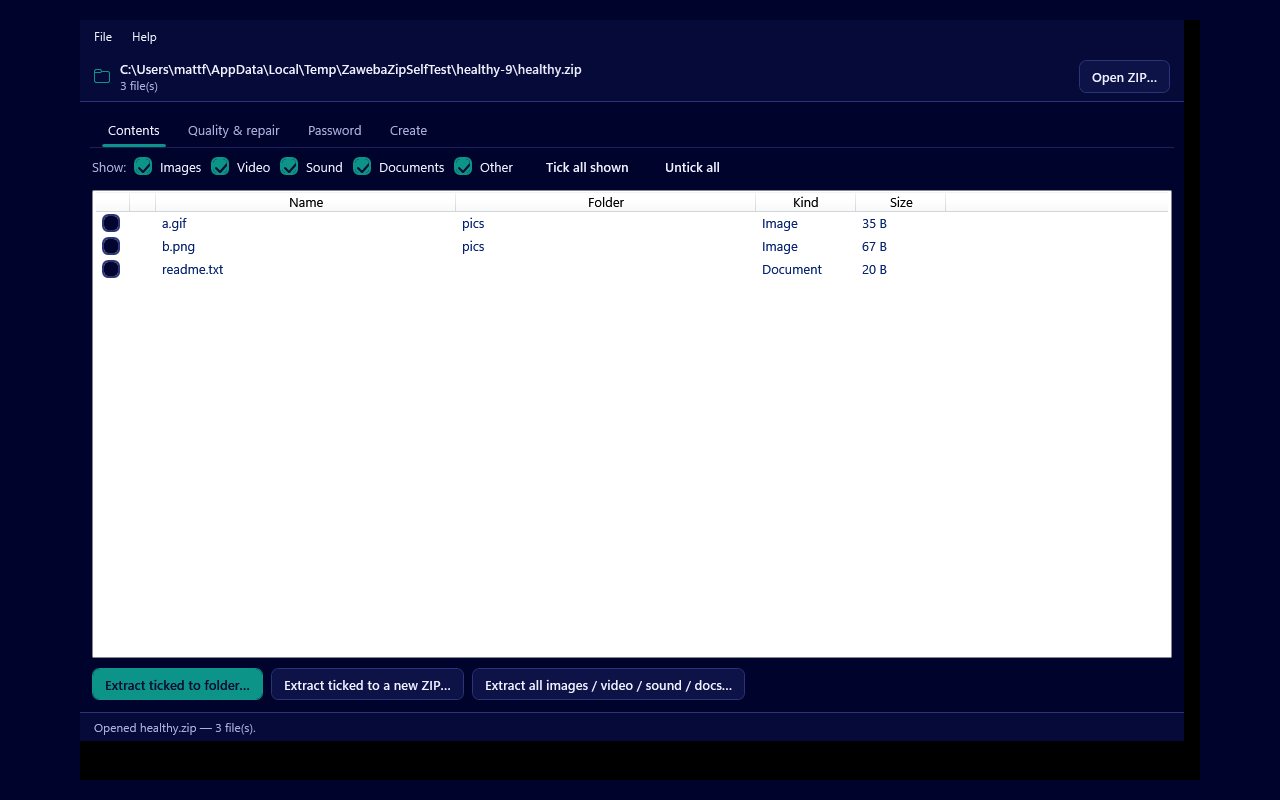
There is a version of ZIP by Zaweba for Mac and for Linux, and it has the same four tabs as the Windows app: Contents, Create, Quality and repair, and Password. It runs on macOS 12 or later, on both Apple silicon and Intel Macs, and on 64 bit Linux on x86 and ARM. Like the Windows version, it is free software under the EULA, works offline and needs no account.
So if you move between computers, or share archives with someone on a different system, the same tools are there and laid out the same way.
The same four tabs
The Contents tab is where you open an archive and see what is inside: every file with its name, folder, kind and size, and a padlock on encrypted entries. Show tick boxes for Images, Video, Sound, Documents and Other narrow the list by kind, decided by each file's extension. Tick the files you want and extract them to a folder, or to a new ZIP, or take a whole kind in one go.
The Create tab makes new archives. Add files or whole folders (the folder structure is kept), remove what you do not want, choose a compression level of Normal, Smallest, Fastest or Store, and create the ZIP. New archives are plain and unencrypted, so anyone can open them on any system.
The Quality and repair tab holds the rescue tools. Check quality decodes every file, confirms its stored checksum and structure checks images, reporting each as Good, Corrupt, Damaged, Unreadable, Encrypted or Empty. From there you can save just the good files to a new ZIP, repair JPEG, PNG and GIF files with structural faults into a new ZIP, or salvage files from an archive that will not open at all.
The Password tab opens protected archives when you know the password, and recovers a forgotten password on a ZIP that is yours or that you are authorised to open. It works with ZipCrypto and WinZip AES.
Why it is useful on a Mac or Linux machine
Both macOS and most Linux desktops can already open a ZIP, so the reason to add ZIP by Zaweba is everything beyond that. Picking out only the photos or only the documents from a large archive without unpacking the lot is the everyday one.
The checking and repair tools are the bigger difference. Knowing that every file in an old photo archive still matches its stored checksum, or getting pictures out of an archive that refuses to open, is not something the built-in handling offers. Neither is recovering the password to one of your own archives.
Because it all runs locally, none of your archives are sent anywhere to be checked or repaired, whichever system you use.
Moving archives between systems
ZIP is one of the most widely shared formats there is, so archives made on one system generally open on another. The ZIPs that ZIP by Zaweba makes are standard and unencrypted, which keeps them easy to open wherever they end up.
If you work on a Windows PC and a Mac, you can make an archive on one, carry it across and check it on the other with Check quality before you delete the originals. That is a sensible habit with any archive that matters to you, because a clean report means every file arrived as it was zipped.
Getting started
Download the version for your system from the ZIP by Zaweba page on the Zaweba site, install it as you would any other app on that system, and open an archive. If you already know the Windows version, there is nothing new to learn. If you do not, start with the Contents tab and an archive you already have, and try filtering it by kind before you extract anything.

